15-16
15-3. Welder data settings (TIG)
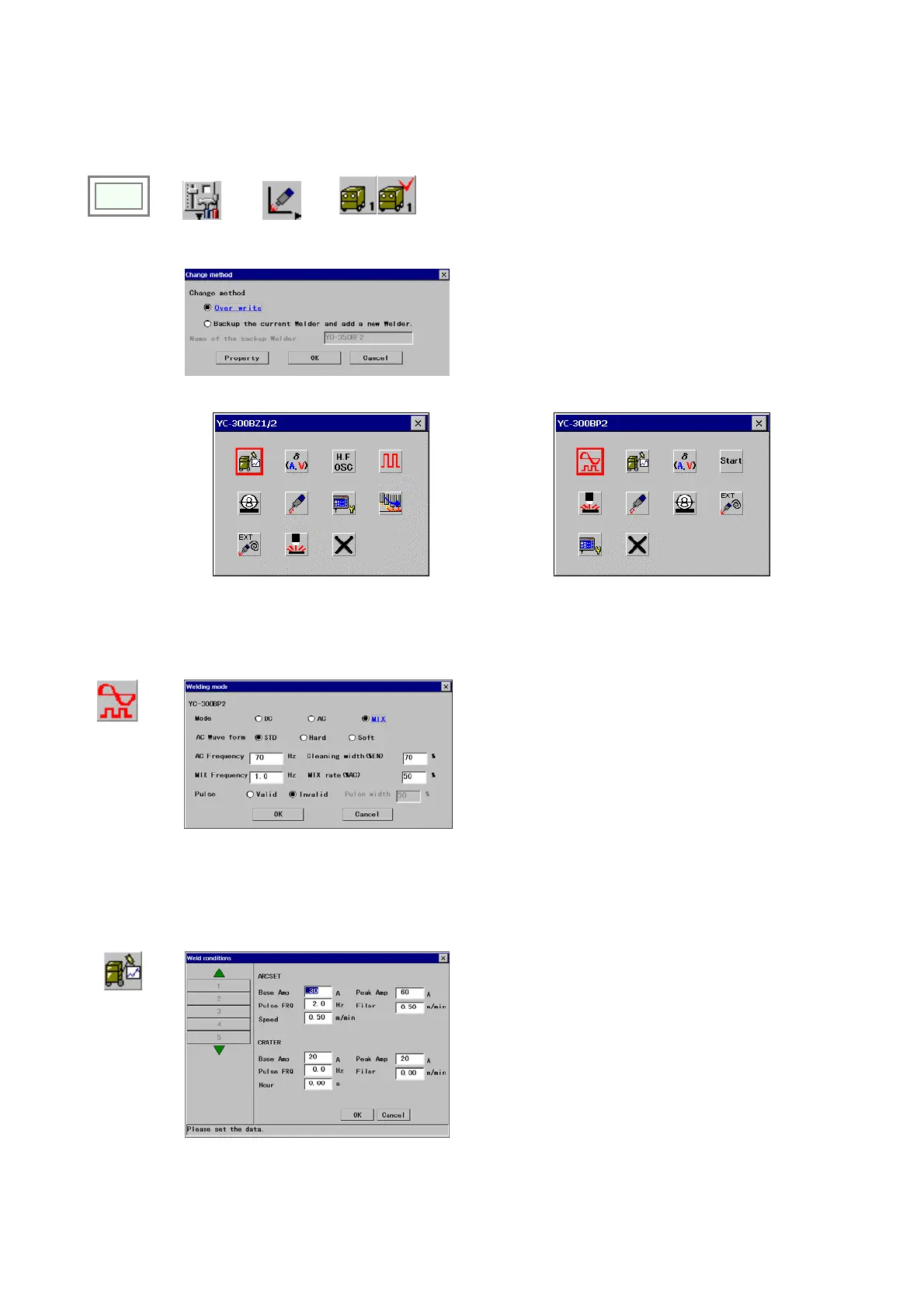
This section explains welder data settings when a Panasonic TIG welding machine is connected.
Click
>>
Set
>>
Arc welding
>>
(
User specified
welder name
1)
Î
[Over write] Check this item to edit the current settings.
[Backup the current Welder and add a new Welder]
Check this item to make a copy of the currently defined
welder to add another welder. When you select this
item, you must specify the name of the welder you want
to make a copy of. ([Name of the backup Welder])
YC-300BZ1/YC-300BZ2 for DC TIG
YC-300BP2 for AC/DC/MIX TIG
15-3-1. Welding mode
The optimum welding mode is selectable from DC, AC or mixed TIG, and hard or soft pulse wave for YC-300BP2 model.
Welding
mode
15-3-2. Weld condition
It sets TIG welding conditions.
Weld
condition
Î
[ARC-SET]
Specifies welding conditions at arc start.
[CRATER] Specifies welding conditions at crater
welding (i.e. at arc end)








 To Next Page