4-17
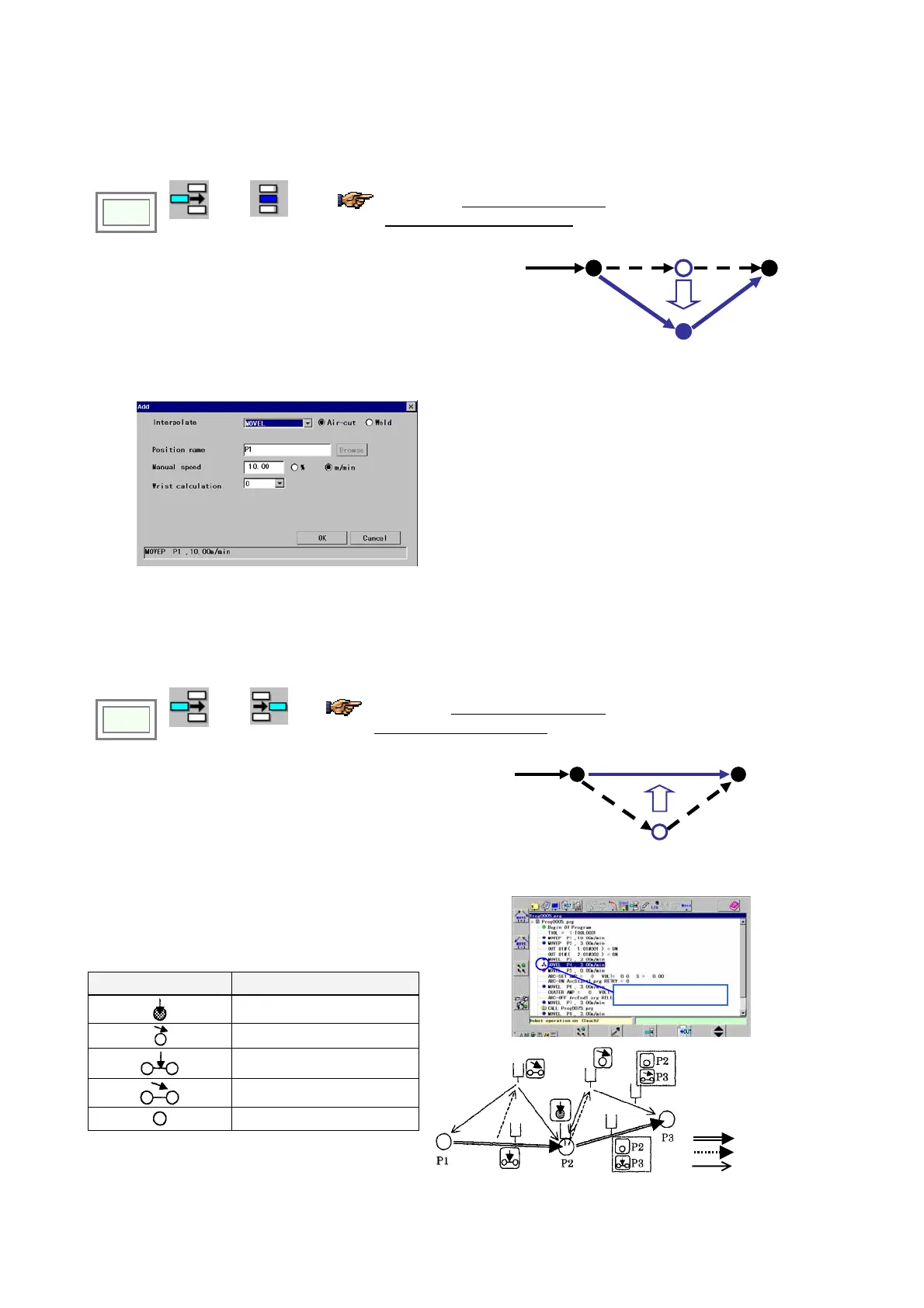
4-11-3. Change teaching points
In trace operation, move the robot to the taught point you want to change. (The cursor moves to the same point in the
screen.)
Click
>>
Edit type
>>
Change
You will find the edit type icon used
in the preceding edit operation in
the menu bar.
1. Bring the edit window to an active state.
2. Move the robot to the new position.
3. Press the Enter key. The dialog box below appears.
4. Set parameters in the box and click the OK button to
update the teaching point.
[Interpolate] Specifies an interpolation type between teaching
points. For example, MOVEL means that the robot makes linear
movement.
[Position name] Specifies position variable of the teaching point.
[Manual speed] Specifies the robot travel speed from the previous
teaching point to the current teaching point.
[Wrist calculation] Normally set “0”. Or specify 1, 2 or 3 for
special calculation. (The field is not available if the teaching point
is “MOVEP”)
4-11-4. Delete teaching points
In trace operation, move the robot to the taught point you want to delete. (The cursor moves to the same point in the
screen.)
Click
>>
Edit type
>>
Delete
You will find the edit type icon used in
the preceding edit operation in the
menu bar.
1. Press the Enter key. The dialog box on the right
appears.
2. Click the OK button to delete the point.
4-11-5. Robot position and icons
With the icon in the screen, you can determine the
position of the robot tool (the wire tip of the welding
torch) to the teaching point and teaching path.
Icon Robot tool position
On a teaching point
Offateachingpoint
On the teaching path
Outofteachingpath.
None of above
Icon indicates robot tool position
(Example: ‘
On the teaching path’
)
Teaching path
Manual operation
Trace








 To Next Page