15-6
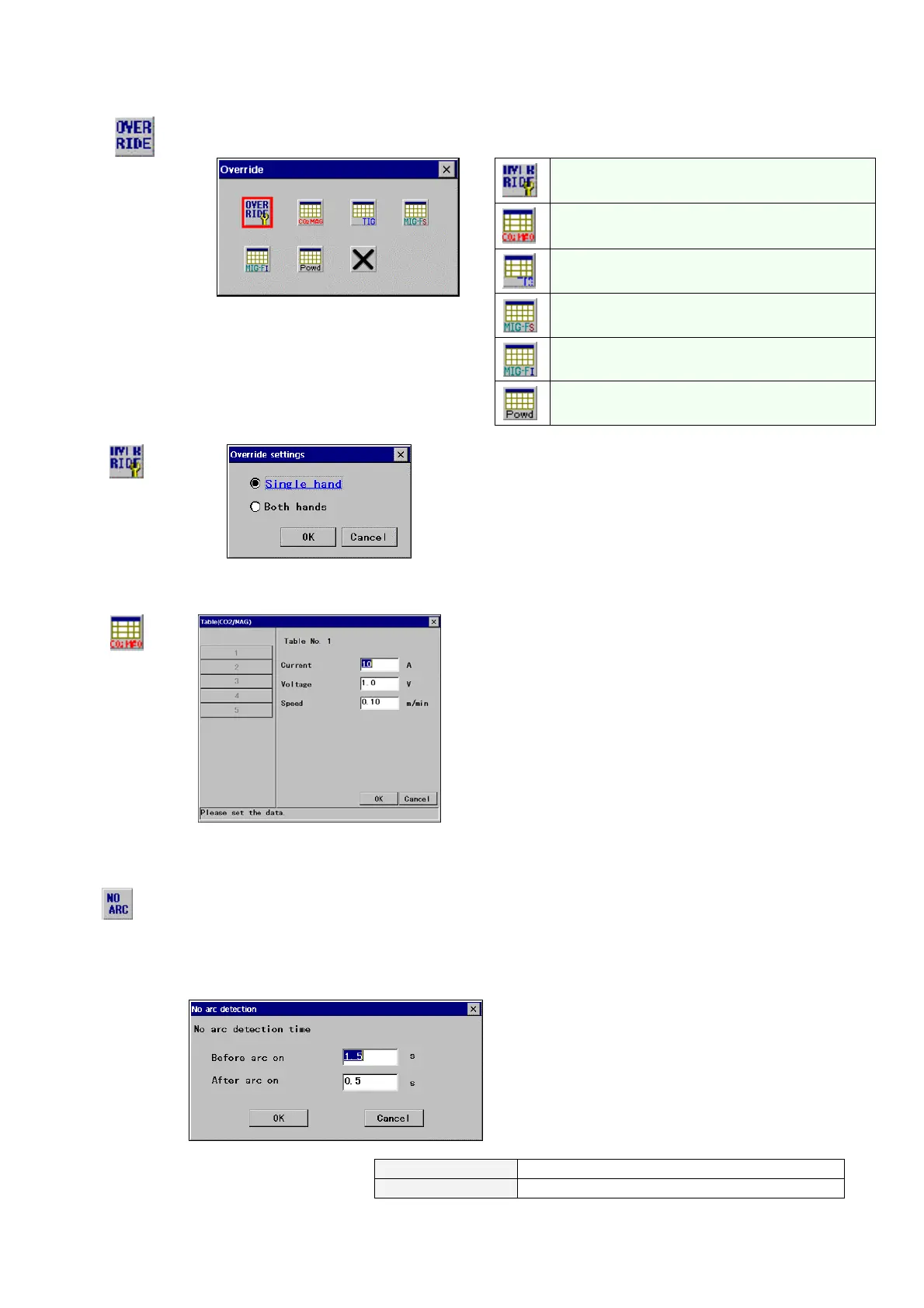
15-1-6. Override settings
Single hand and both hand (default setting) are selectable, and increments and decrements of override are
registered in the adjusting tables.
Override settings
Adjusting table for CO2/MAG welder
Adjusting table for TIG welder
Adjusting table for MIG Force (Subordinate)
Adjusting table for MIG Force (Independent)
Override
Adjusting table for powder plasma
(1) Override settings
[Single hand]: Override operation with single hand
[Both hands]: Override operation with both hands
(2) Adjusting table
(Example: for CO2/MAG welder)
Adjusting quantities per pressing the override button are
registered in each table for CO2/MAG welders.
[Current]: Welding current increment or decrement per
pressing the override button.
[Voltage]: Welding voltage increment or decrement per
pressing the override button.
[Speed]: Moving speed increment or decrement per pressing
the override button.
15-1-7. No arc detection
No arc
detection
The robot is brought to an error stop when either the welding machine or the robot detects the “No arc”
condition which means no current is detected during welding operation. The detecting time to determine the
“No arc” condition is factory set to three seconds at shipment which, however, can be changed by setting this
“No arc detection”.
* This function is available to persons in “System administrator” or higher level.
[Before arc on]: A period of time at arc start to
determine as "no arc".
[Set range: 0.5-3.0 s]
[After arc on]: A period of time while welding to
determine as "no arc".
[Set range: 0.1-3.0 s]
Before arc on
W0010 Weld Error: No current
* “No arc detection” error
After arc on
W0025 No arc detected by robot








 To Next Page