7-1
7. View
This section explains screen displays available from the View menu.
The View menu is available in both Teach mode and AUTO mode.
Button Description
Close the current active window.
Buttons function as per described in the table on the
right unless specified.
/
To previous page / To next page
7-1. System list
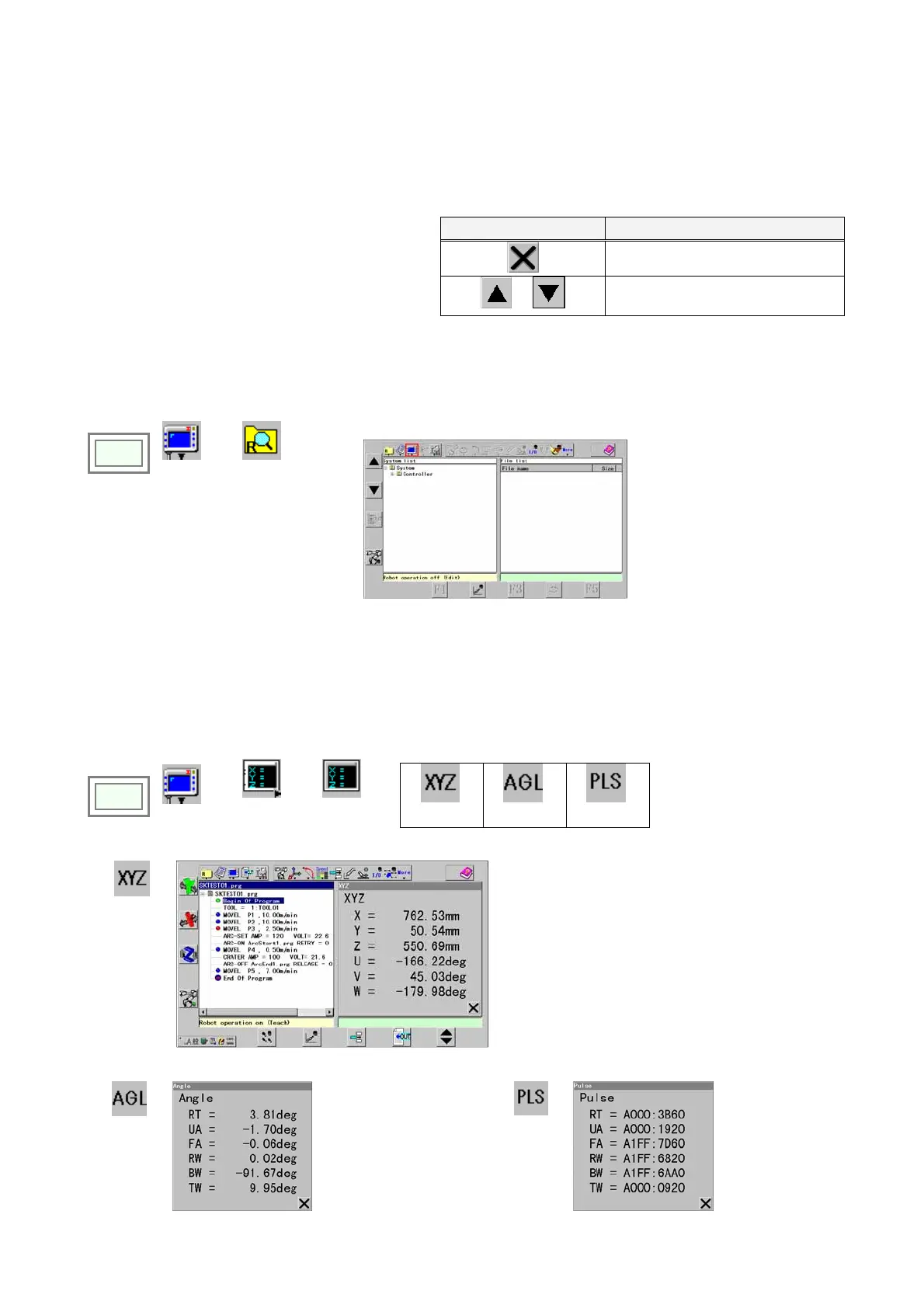
It displays contents of storage device such as memory and PC card in hierarchical structure.
Click
>>
View
>>
File list
Î
7-2. Display change
7-2-1. Position display
It displays the current position of the robot control point in angles of axes or pulse counts.
Click
>>
View
>>
Display
change
>>
Display
position
>>
XYZ Angle Pulse
XYZ
Î
[XYZ]: Robot control point data on the robot coordinate
system.
[UVW]: Tool orientation.
U: Angle rotating around the axis parallel to Z-axis including
the robot control point while retaining the angle of V.
V: Angle from the vertical surface.
W: Twist angle of the wrist when fixing the direction of the
tool.
Angle
Î
Indicates the angle of
each axis.
Pulse
Î
Indicates the
encoder pulse
of each axis.








 To Next Page