4-21
Available functions in Program Test
Function Availability Function Availablity
“WELD/CUT OFF” key
O
Load factor view
Real time display only
(No overduty error)
Arc retry, Stick release,
Restart overlap
O
Accumulated time No count in Program test.
O
RT and Cube monitor
(No auto restart)
Arc weld information
Weld off input/output
X
Resume
O
Running output
Hold status output
X
Tip change
O
Arc weld information
X
O
Flying start
X
Home return status output
(Output after executing
GOHOME command)
Override
X
Home return status output
X
Back up
X O: Avaiable X: Not available
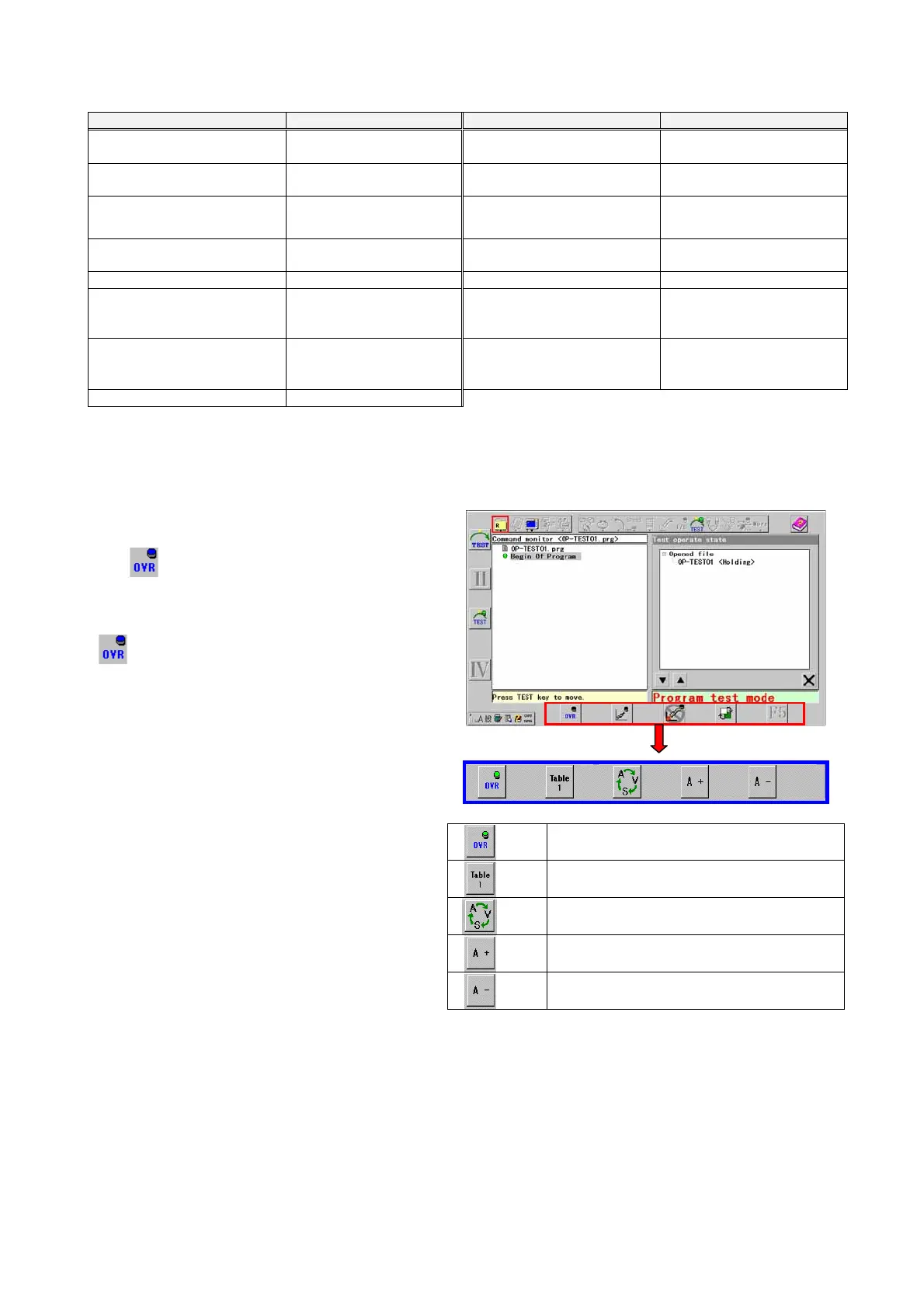
4-14-2. Override in the Program test.
Change Override of Program test in the advanced setting to Valid before operation.
Press the F1 key (Override icon) to turn on the Override
in the Program test.
The
lamp is lit and the function keys are changed
to icons for override operations.
Note)
When Overide is set to Invalid in the advanced setting,
(Override) icon is not displayed in the F1 key.
(F1)
The override is turned ON or OFF.
(F2)
Changing the adjusting table.
(F3)
Changing the adjusting object.
(F4)
Increasing direction
(F5)
Decreasing direction








 To Next Page