12-6
12-6. Favorite commands
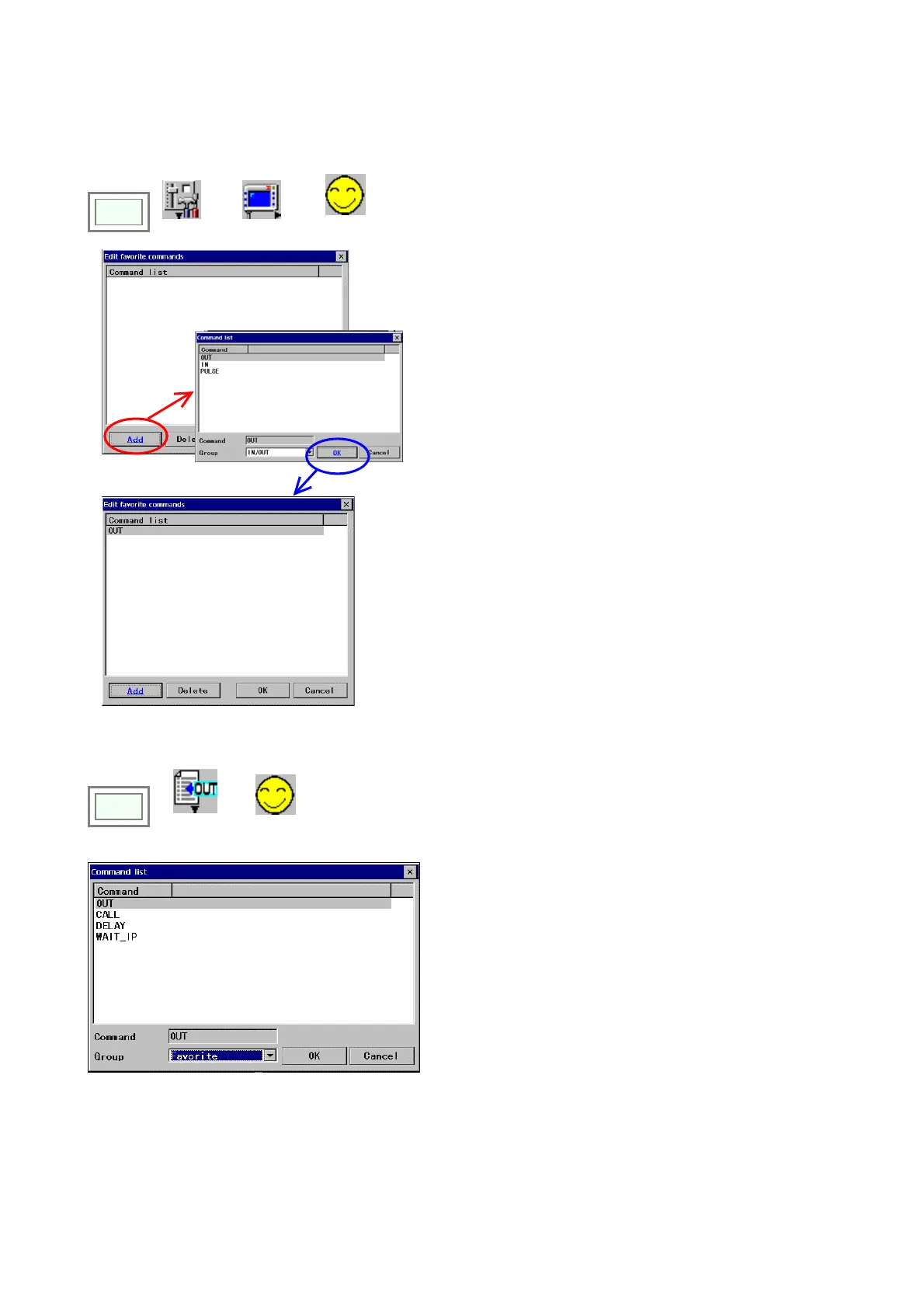
It is a function to register frequently used commands as favorite command group.
Click
>>
Set
>>
TP
>>
Edit favorite
commands
To add a command:
Click the Add button to display the “Command list” dialog
box.
Select the command you want to add to the favorite
command group, and click the
OK button.
Then the “Edit favorite commands” dialog box reappear
with the command you have selected added in the list.
To delete a command from the group list:
Move the cursor to the command you want to delete, and
then click the
Delete button.
How to use
Click
>>
Add
command
>>
Favorite
Select a command you want to use and click the
OK.
* No command is registered in the favorite group at
shipment.








 To Next Page