18-4
18-2. Application examples of CNVSET
18-2-1. How to add the command
The procedure is the same as other sequence commands (starting from the Add command menu).
Use the dialog box to add commands. It is in the arithmetic operation commands group.
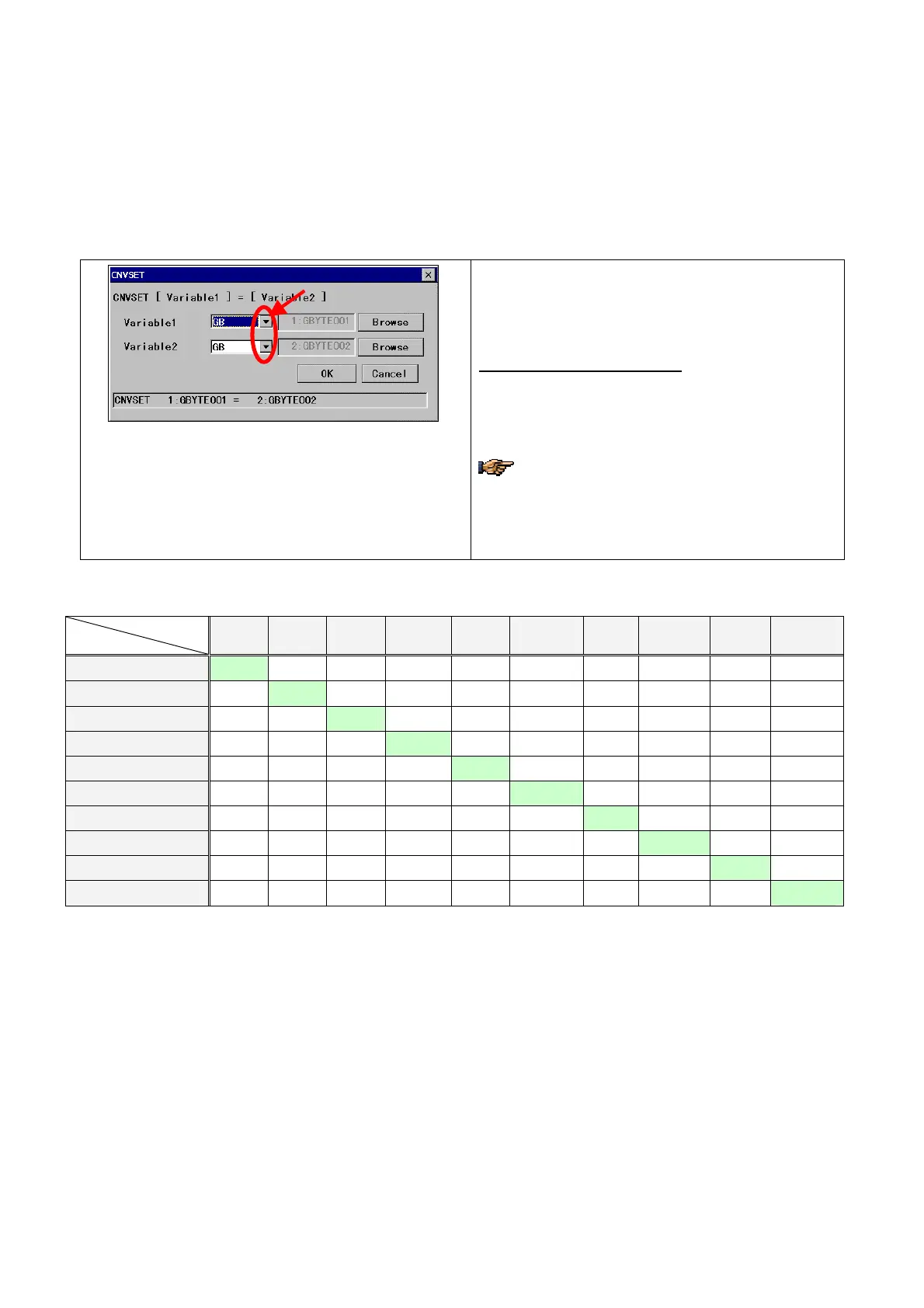
(1) Setting dialog box
[Variable 1 or 2]: Select an element from the list. Click
the small triangle button to the right of the box to display
the list of variable types.
The list of variable type contains:
GB
、LB、 GI、LI、 GL、LL、 GR、LR、 GP.X,GP.Y,GP.Z、
P.X,P.Y,P.Z,GD.X,GD.Y,GD.Z,GA.X,GA.Y,GA.Z,GP.G**、
P.G**
(** represents the external axis number (1,2,3,4…).)
Only the external axis numbers used in the
mechanism of the target program are displayed.
You cannot register any variables if the specified
variable is not used in the mechanism of variable
GP.
(2) Assignment rules
Table 1. Type conversion assignment rules
Assignment var.
Target var.
GB, LB GI, LI GL, LL GR, LR GP, P
GP, P
[Element]
GD
GD
[Element]
GA
GA
[Element]
GB, LB
◎ ◎ ◎ ○ × ○ × ○ × ○
GI, LI
◎ ◎ ◎ ○ × ○ × ○ × ○
GL, LL
◎ ◎ ◎ ○ × ○ × ○ × ○
GR, LR
◎ ◎ ◎ ◎ × ◎ × ◎ × ◎
GP,P
× × × × ◎ ×
XYZ
×
Rob
×
GP, P [Element]
◎ ◎ ◎ ◎ × ◎ × ◎ × ◎
GD
× × × ×
XYZ
× ◎ ×
XYZ
×
GD [Element]
◎ ◎ ◎ ◎ × ◎ × ◎ × ◎
GA
× × × ×
Rob
×
XYZ
× ◎ ×
GA [Element]
◎ ◎ ◎ ◎ × ◎ × ◎ × ◎
Where
◎ :Assignable
○ :Round off to one's digit to assign
× :Not assignable
XYZ
: Only XYZ coordinate values are assignable.
Rob
: Only robot articular angles are assignable.
(3) Errors in CNVSET command
An error occurs when
・ The assignment value exceeds the preset scope of the target variable type.
・ The target variable is set invalid.
・ The subject external axis no longer exists due to change of mechanism.








 To Next Page