10-8
10-6. Soft-limit settings
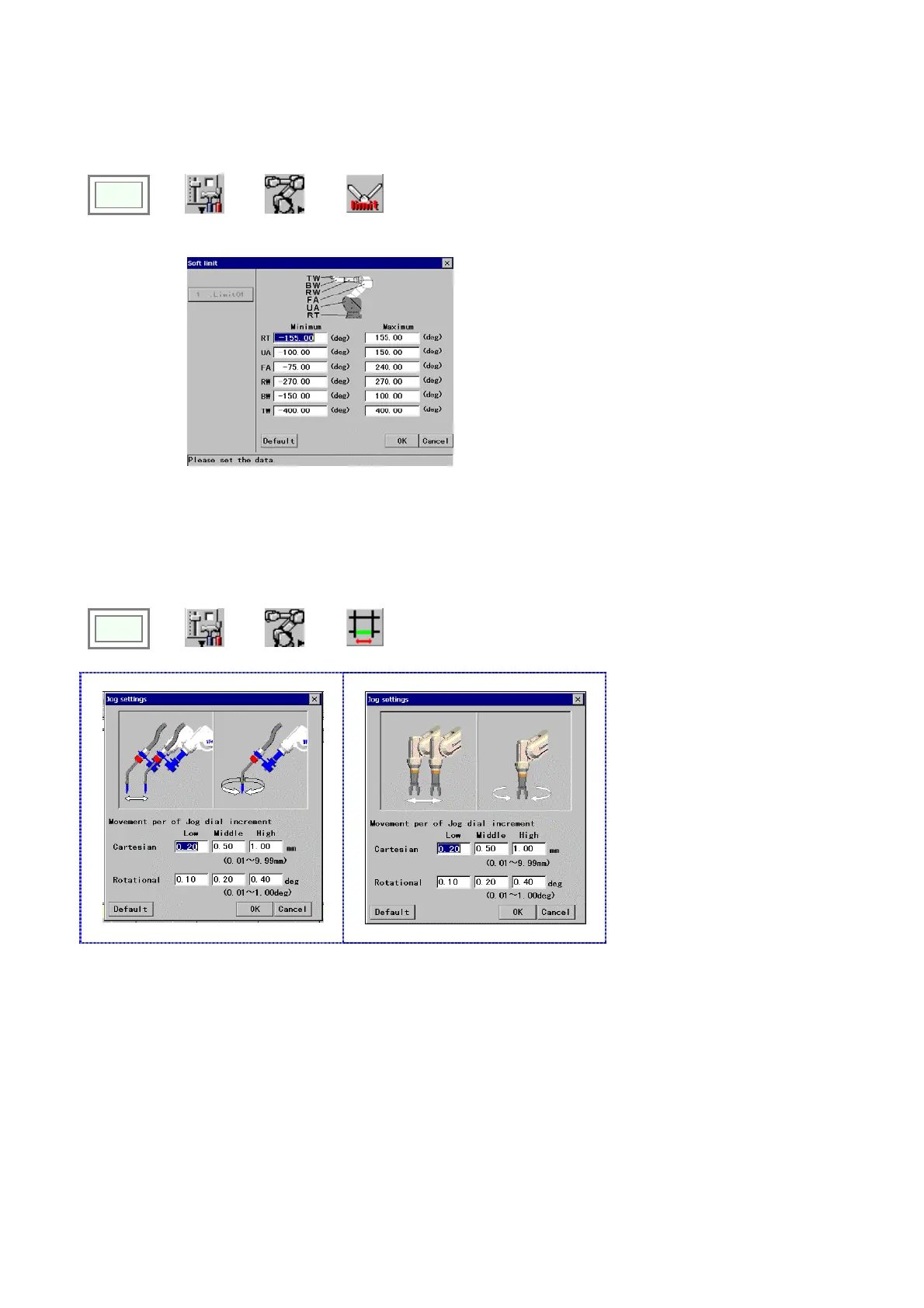
The operable range of each axis can be limited by means of software, this is called “Soft-limit”.
Click
>>
Set
>>
Robot
>>
Soft-limit
Î
[RT] Specifies the operating range of the RT-axis
[UA] Specifies the operating range of the UA-axis
[FA] Specifies the operating range of the FA-axis
[RW] Specifies the operating range of the RW-axis
[BW] Specifies the operating range of the BW-axis
[TW] Specifies the operating range of the TW-axis
[Default] Resets the settings in this dialog box to the
factory settings at shipment.
10-7. Jog settings
“Jog” is a type of operation to move the robot a little at a time. The “Jog settings” is to set the robot travel amount
corresponding to the jog dial increment.
Click
>>
Set
>>
Robot
>>
Jog
(Welding robots)
Î
(Handling robots)
Î
[Cartesian] Specifies the
Cartesian movement of the robot
per jog-dial increment
[Rotational] Specifies the
rotational movement of the robot
per jog-dial increment








 To Next Page