8-5
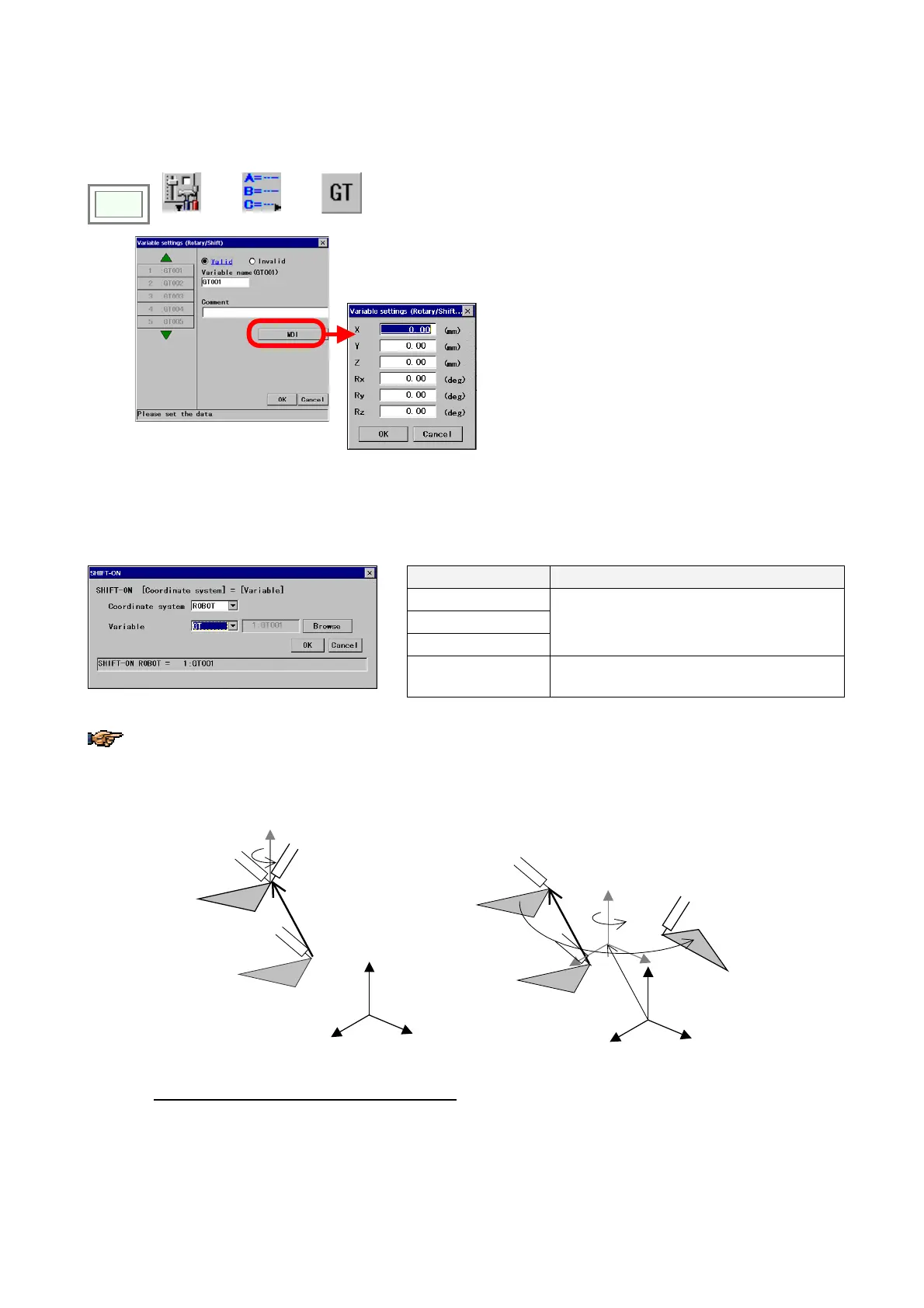
8-3-3. Rotary/Shift variable
(1) Settings
Click
>>
Set
>>
Variable
>>
Rotary/Shift
Î
[X] Parallel shift amount in the direction of X axis.
[Y] Parallel shift amount in the direction of Y axis.
[Z] Parallel shift amount in the direction of Z axis.
[Rx] Rotary shift amount with reference to X axis
[Ry] Rotary shift amount with reference to Y axis
[Rz] Rotary shift amount with reference to Z axis.
(2) Application
Use SHIFT-ON command to execute the “Rotary/Shift” conversion.
Coordinate system Rotary shift
ROBOT
TOOL
USER
It executes the parallel/rotary shift.
reference to X, Y and Z axes of the selected
coordinate system.
USER (3D)
It executes the 3D transformation with
reference to the user coordinate system.
Please note that if the ROBOT, TOOL or USER Coordinate system is selected, the rotary convertion after the
parallel shift is executed on its axis. However, in case of the USER (3D), the rotary conversion after the parallel
shift is executed with reference to the shifted User coordinate system as the axis of rotation.
USER coordinate system
<When “USER” is selected> <When USER (3D) is selected>
①
Parallel shift
②
Rotary shift
①
Parallel shift
②
Rotary shift
①
Parallel shift
USER coordinate system
Origin coordinates of the User coordinate system
:
Of the positions P1-P2-P3 which determine the User coordinate system, P1 is specified as its origin,
P1 and P2 is to determine the X-axis direction, and P1, P2 and P3 to determine the X-Y plane.








 To Next Page