11-9
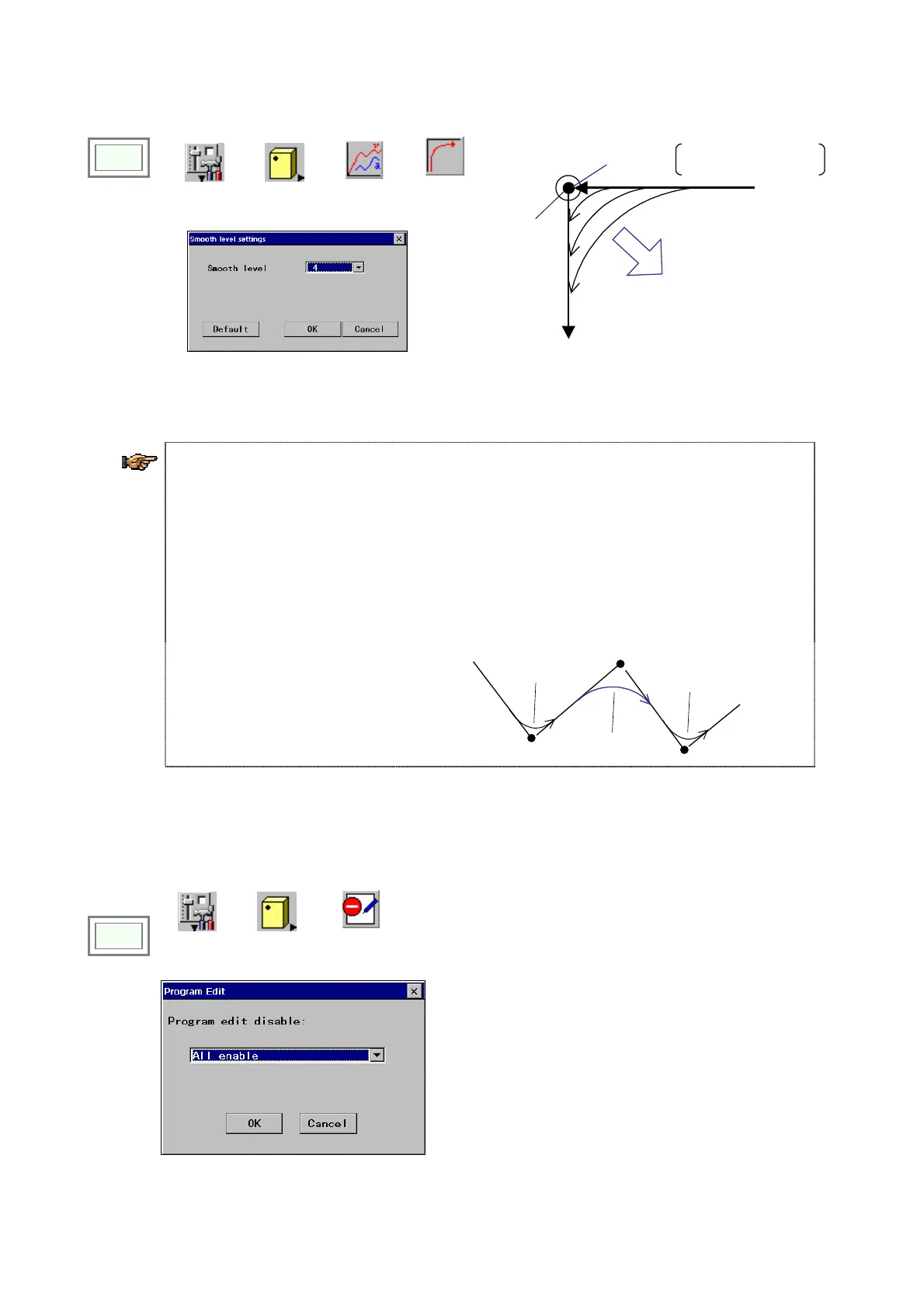
11-5. Smooth level
Click
>>
Set
>>
Controller
>>
Motion
paramete
>>
Smooth
level
Î
Smooth level =0
Teach point
Increase the smooth
level
The robot moves to the
taught point at the corner.
[Smooth level]: Specifies how smooth the robot turns
at a corner. [0 to 10]
[Default]: It is factory set to “4” at shipment.
4. When the smooth level is set to “0”, the robot pass through the exact taught point (at the
corner), therefore, it appears as if the robot makes a brief stop at the corner.
5. The larger the smooth level used, the smoother the turn at a corner becomes and also the
farther the actual locus becomes from the teaching point at the corner.
6. In the welding section, in order to ensure smooth movement of the robot (welding) on the
welding path the Smooth level automatically is set to 10.
7. +This smooth command has priority over the Smooth level settings. That is, although the
smooth level is preset to “4” if there is a command SMOOTH=8 in a program, the robot turns
the corner at smooth level 8.
:
MOVEL P2
SMOOTH = 8
MOVEL P3
MOVEL P4
:
P3
P2
P4
LEVEL=4
LEVEL=8
LEVEL=4
11-6. Disable program editing
It is a function that allow you to disable program editing through the teach pendant on whole programs basis.
Click
>>
>>
Set
>>
Controller
>>
Disable
program editing
[All disable]: Disable all programs.
[Position enable]: Only position data is editable.
[All enable]: all programs are editable.
<Note>
Even if [All enable] is selected, files which are
individually protected are not editable.








 To Next Page