10-6
10-5-2. “Cube monitor” setting procedure
Click
>>
Set
>>
Robot
>>
rea monito
>>
Cube
monitor
<Note> The specified output goes ON while the
robot is in the preset monitor area regardless of the
mode.
Î
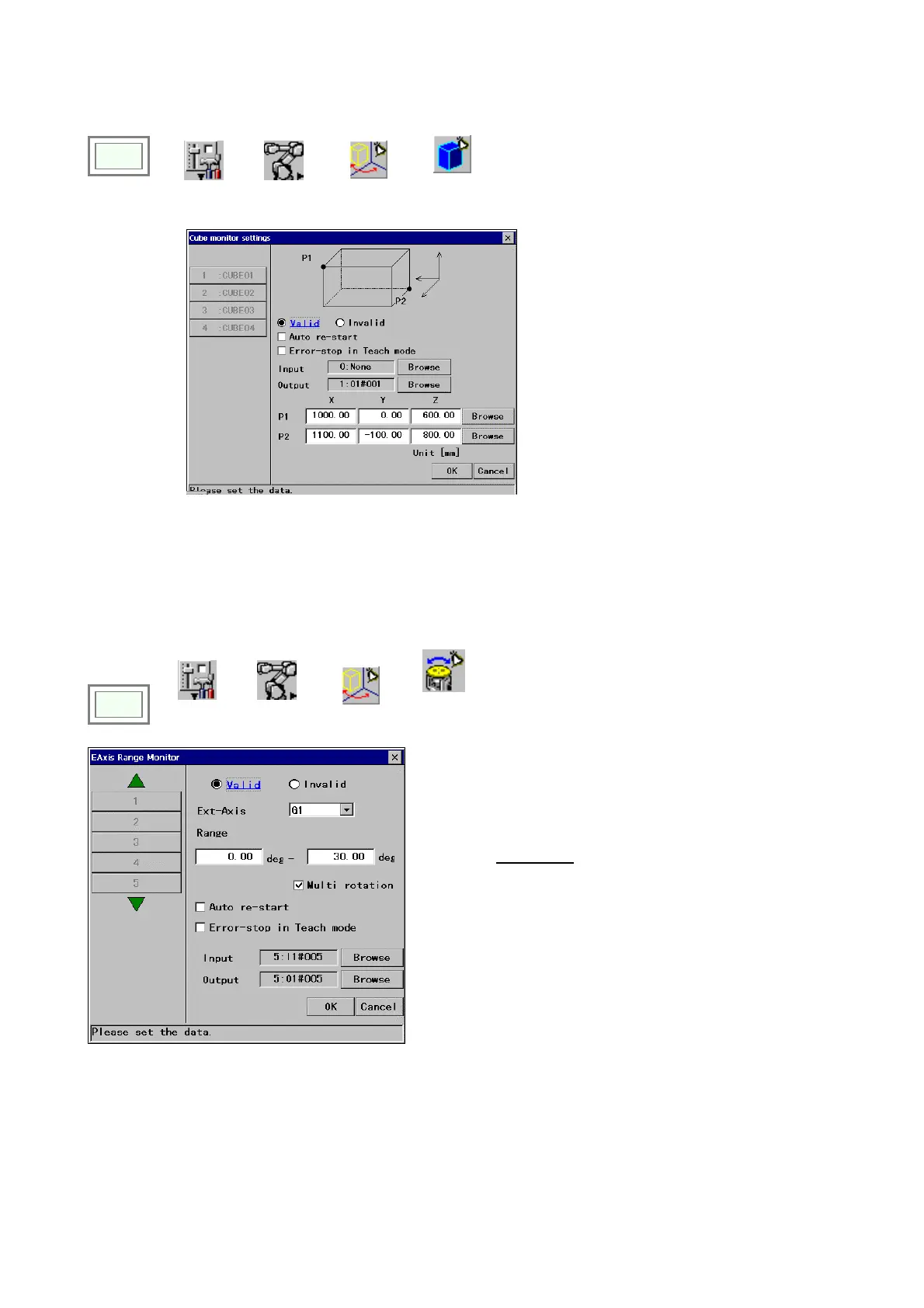
[Valid/Invalid] Specifies the validity of the function.
[Auto re-start] Click in the box to restart operation
automatically if the input signal goes OFF when the
robot is in wait state at the boundary of the specified
monitoring area.
[Error-stop in Teach mode] Click in the box to turn ON
the Input of the Cube monitor and also bring the robot
to an error stop when detected in Teach mode.
[Input] An input terminal to bring the robot to an error
stop before entering into the monitoring area.
[Output] Specifies an output terminal that stays in ON
state while the robot is in the specified monitoring area.
[P1/P2] Two opposite corners of the cubic monitoring
range
10-5-3. E-Axis Range Monitor
It is a function to turn ON an output when an external axis is positioned within a specified area. Like RT monitor and
Cube monitor, it is possible to bring the robot to an error stop before the external axis enters the specified area.
<Note> This function is available to a person with the
“programmer” or higher level.
Click
>>
>>
Set
>>
Robot
>>
rea monito
>>
Ext-Axis
range
monitor
[Valid/Invalid]: Whether to enable this setting. [Ext-Axis]: The
axis to be monitored.
[Range]: A range to be monitored (Enter smaller number to the
left.)
[Multi rotation*]: It is for rotary type external axis.
Click in the box for multi rotation support
[Auto re-start]: Click in the box to restart operation
automatically if the input signal goes OFF when the robot is in
wait state before the boundary of the specified monitoring area.
[Error-stop in Teach mode]: Click in the box to turn ON the
Input of the Cube monitor and also bring the robot to an error
stop when detected in Teach mode.
[Input]: An input terminal to bring the robot to an error stop
before entering into the monitoring area when it is ON.
[Output]: An output terminal that stays in ON state while the
robot is in the specified monitoring area.
Maximum monitoring objects: 10








 To Next Page