4-27
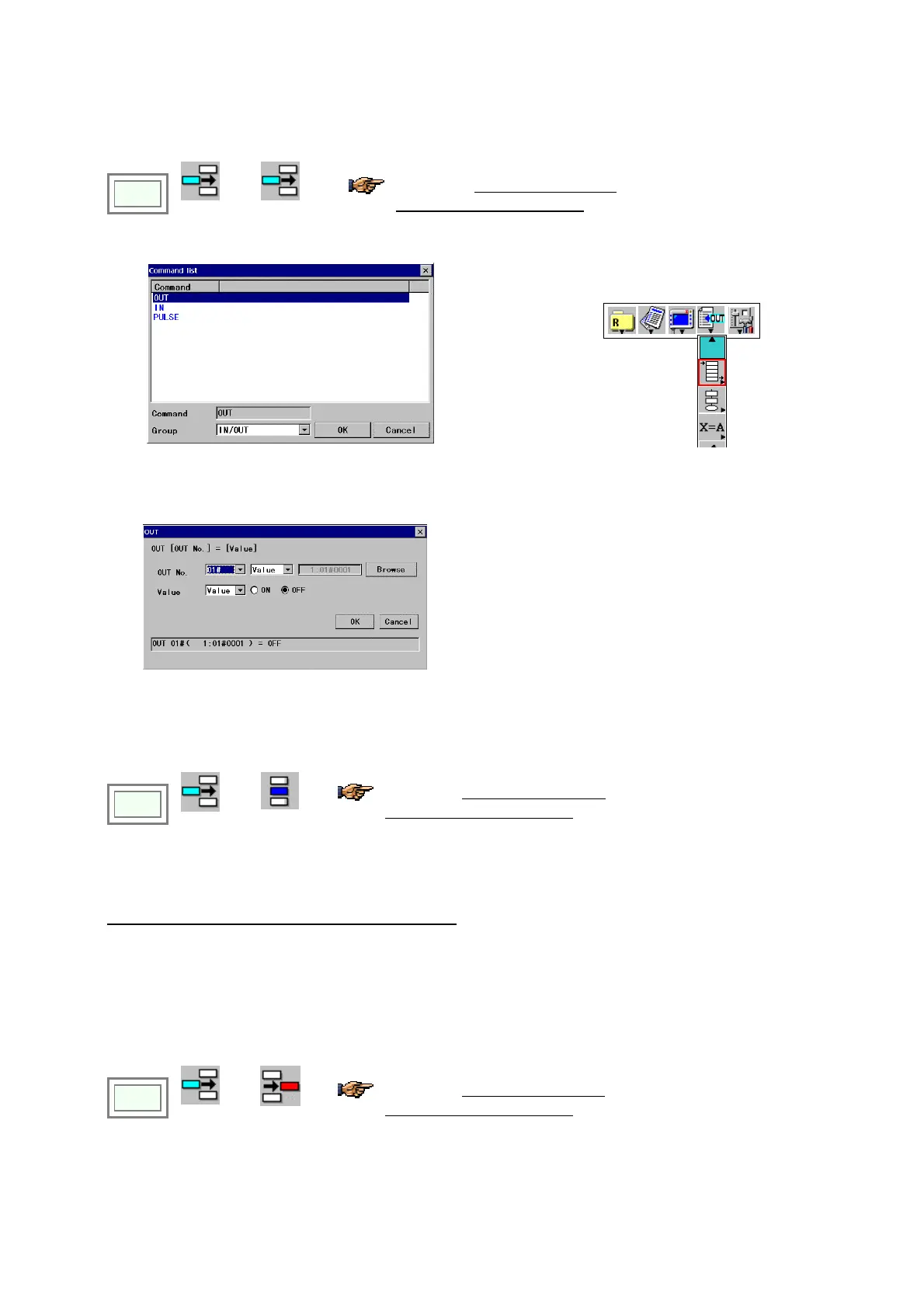
4-16-3. Add a sequence command
Move the cursor to the line you want to add a sequence command below.
Click
>>
(Edit type)
>>
Add
You will find the edit type icon used
in the preceding edit operation in
the menu bar.
Î
• Specify the command type you would like to add.
On the Command menu, click the sequence
command you want to add.
(Example: Add an OUT command)
EXIT
[Command] Indicates the selected command
[Group] Command group of the list to be displayed
[OUT No.] Specifies output terminal and terminal No.
Click Browse to select from the list.
[Value] Value to be output
4-16-4. Change a sequence command
Move the cursor to the line of the sequence command you want to change.
Click
>>
(Edit type)
>>
Change
You will find the edit type icon used
in the preceding edit operation in
the menu bar.
* The Command list (same as the above) appears.
• Set the parameters and then click the OK button.
When you change [CALL] or [PARACALL] command:
Click a CALL (or PARACALL) command you want to change to display the program to be called by the argument.
Then change the “Edit type” to “Change” and click the Enter key to display the edit dialog box.
4-16-5. Delete a sequence command
Move the cursor to the line of the sequence command you want to delete.
Click
>>
(Edit type)
>>
Delete
You will find the edit type icon used
in the preceding edit operation in
the menu bar.
• The teach pendant prompts you to confirm the deletion of the command. Click OK button to delete the command.








 To Next Page