4-32
4-20. File properties
4-20-1. File properties
It provides information particular to each file, for example, when it was saved or who create the file.
It also provides a place for you to add a comment.
Click
>>
>>
File
>>
Properties
>>
Properties
Î
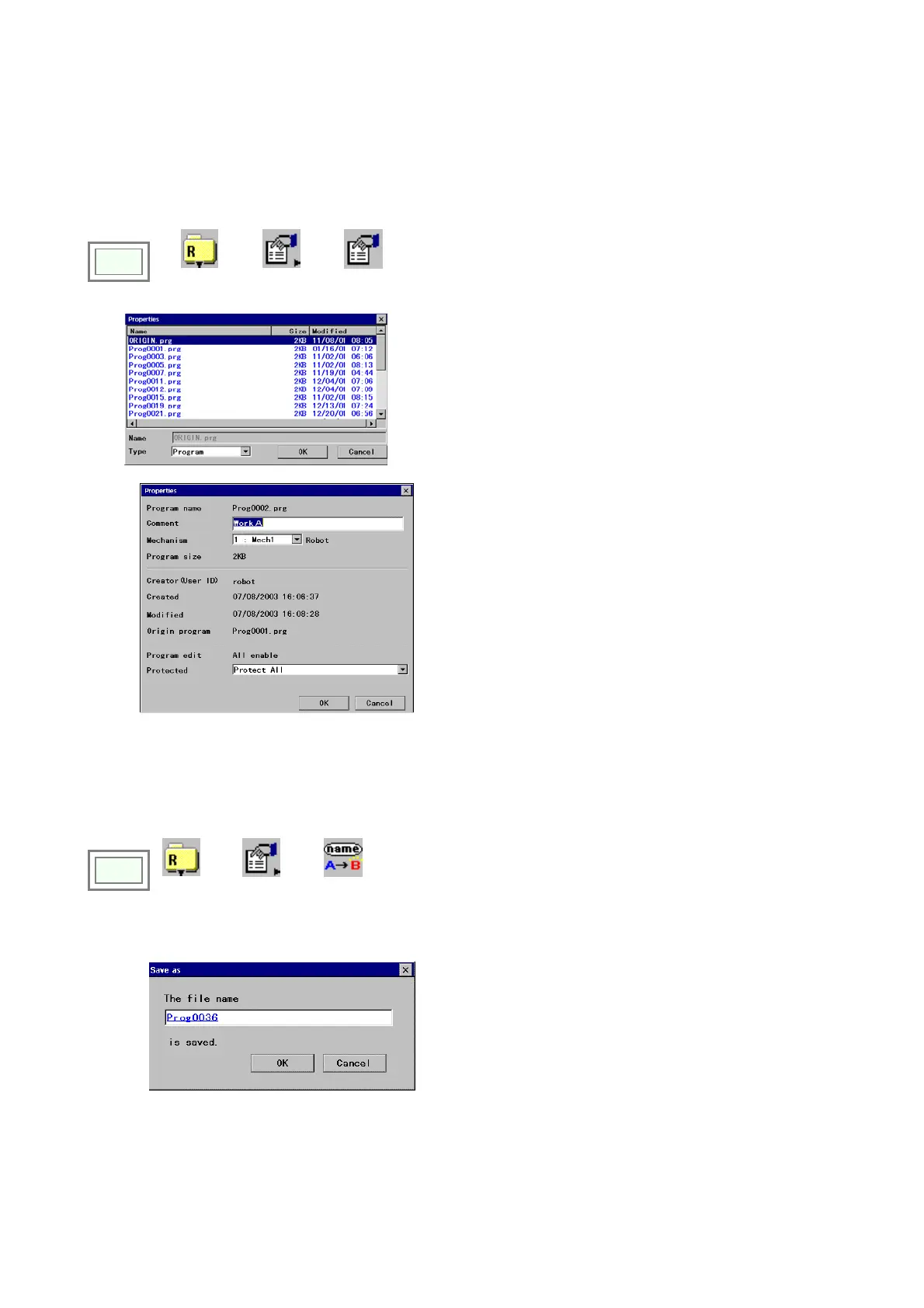
Specify a file you would like to see the properties of.
[Program name]: Specified program file name.
[Comment]: You can add a comment using up to 30 characters.
[Mechanism]: Applied mechanism.
“0” indicates the newly added axis.
[Program size]: File size
[Creator (User ID)]: User ID who created the program
[Created]: Date when the file was first saved.
[Modified]: Data when the file was saved last.
[Original program]: The original file name if the file was save
using “Save as” or was renamed.
[Program edit]: Current file protect state
[Protected]: Current protect level.
[OK]: Click to update the Command and/or Mechanism.
4-20-2. Rename a file
You can change the name of a file without changing contents of the file.
Click
>>
File
>>
Properties
>>
Rename
•
From the file list, select the file you want to rename.
[The file name]: Type a name for the specified file.
The file name can have up to 28 characters.
[OK]: to update the file name.








 To Next Page