10-4
10-3. Standard tool settings
It specifies the default tool to be used in new teach programs. That is, the tool specified here is that initially will be
displayed when you create a new program.
Click
>>
Set
>>
Robot
>>
Standard
tool
Î
[Standard tool]: Specifies the default tool.
10-4. RT monitor settings
Warning
· Never enter into the safety fenced area although the robot is stopped by this
function.
· Take measures so that people know if the robot is stopped by the RT monitor
function.
10-4-1. What is the “RT monitor” function?
• It finds out the direction of the robot by monitoring the angle of the RT axis. You can set the monitoring area
freely.
• The functions of the RT monitor:
(1) It outputs a signal while the robot is in the specified monitoring area.
(2) It informs an external device that the robot is in the specified monitoring area.
• The robot stops at the boundary of the specified monitoring area when an external signal is input.
• Use this function:
(1) When multiple robots are used and interference may be the case depending on the direction of those robots.
Use this function to avoid collision.
(2) In a system where a conveyer is located close to the robot,
with this function, you can stop or reduce the speed of the conveyer when the robot is at a specific direction, or
you can disable the robot to travel toward the conveyer while the conveyer is in operation.
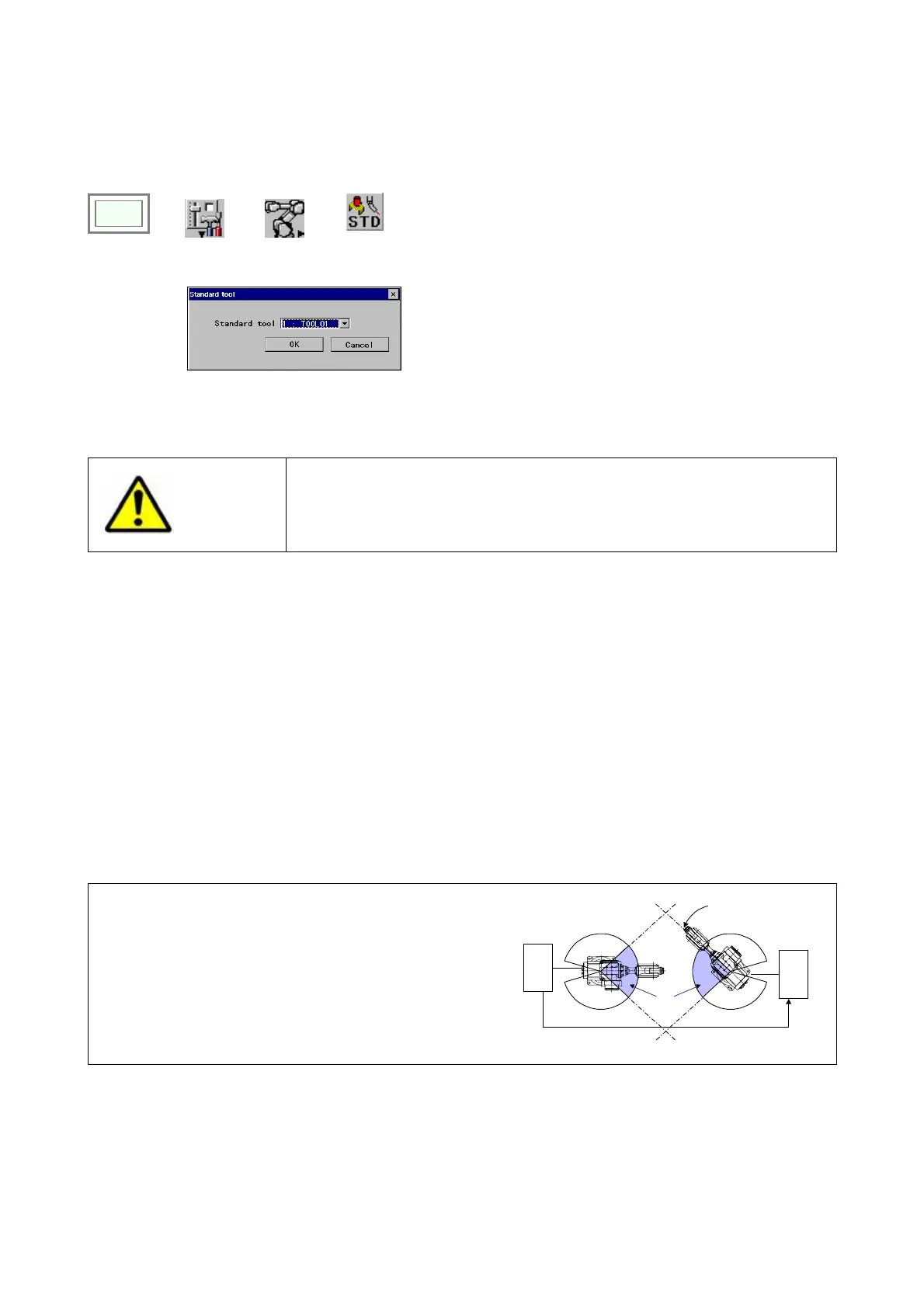
Example application:
Use this function to avoid two robots being in the work area at
the same time.
In the figure on the right, as the robot on the left is in the
monitoring area, the RT monitor output is output.
By connecting the RT monitor output terminal of the robot
on the left side to the RT monitor input terminal of the robot
on the right, the robot on the right will stop at the boundary
of the monitoring area.
Stop
Monitoring
area
Output ON
In
ut ON








 To Next Page