11-6
11-2. Login and Logout
This function is to individualize data by programmer (or user ID) and also to limit scope of authority in settings and
programming according to the registered user level.
Please refer to section “User management settings” for details of the User ID.
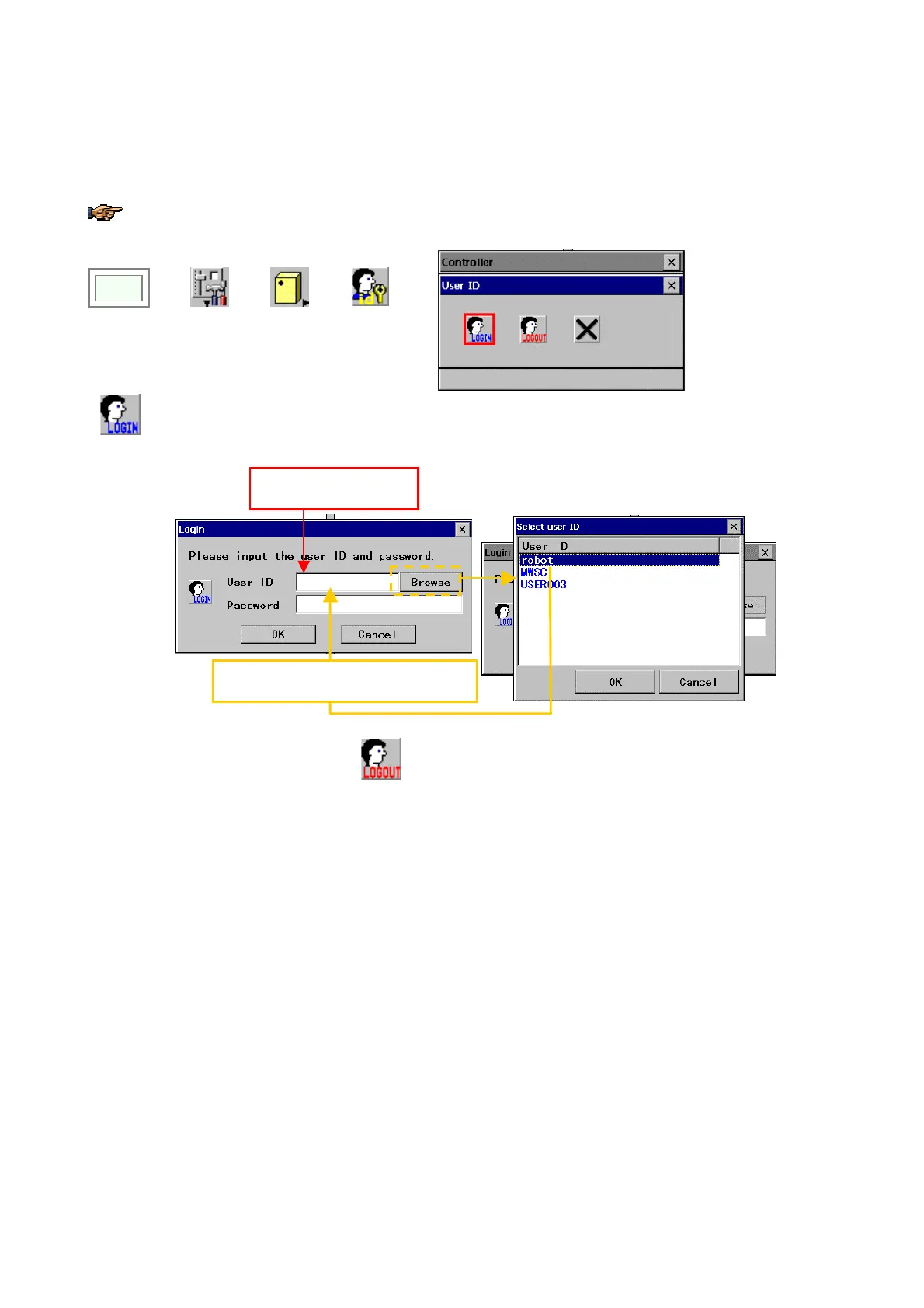
Click
>>
Set
>>
Controller
>>
User ID
Î
Click the “LOGIN”
icon.
Login
Type a user ID that has been registered in the User ID box.
Or you can also click on the Browse button and select a User ID form the list.
robot
****
The selected user ID will be displayed.
Type a user ID direct.
●
After operation is completed, click the
Logout
icon to logout from the current user level and change to the operator
level.








 To Next Page