15-13
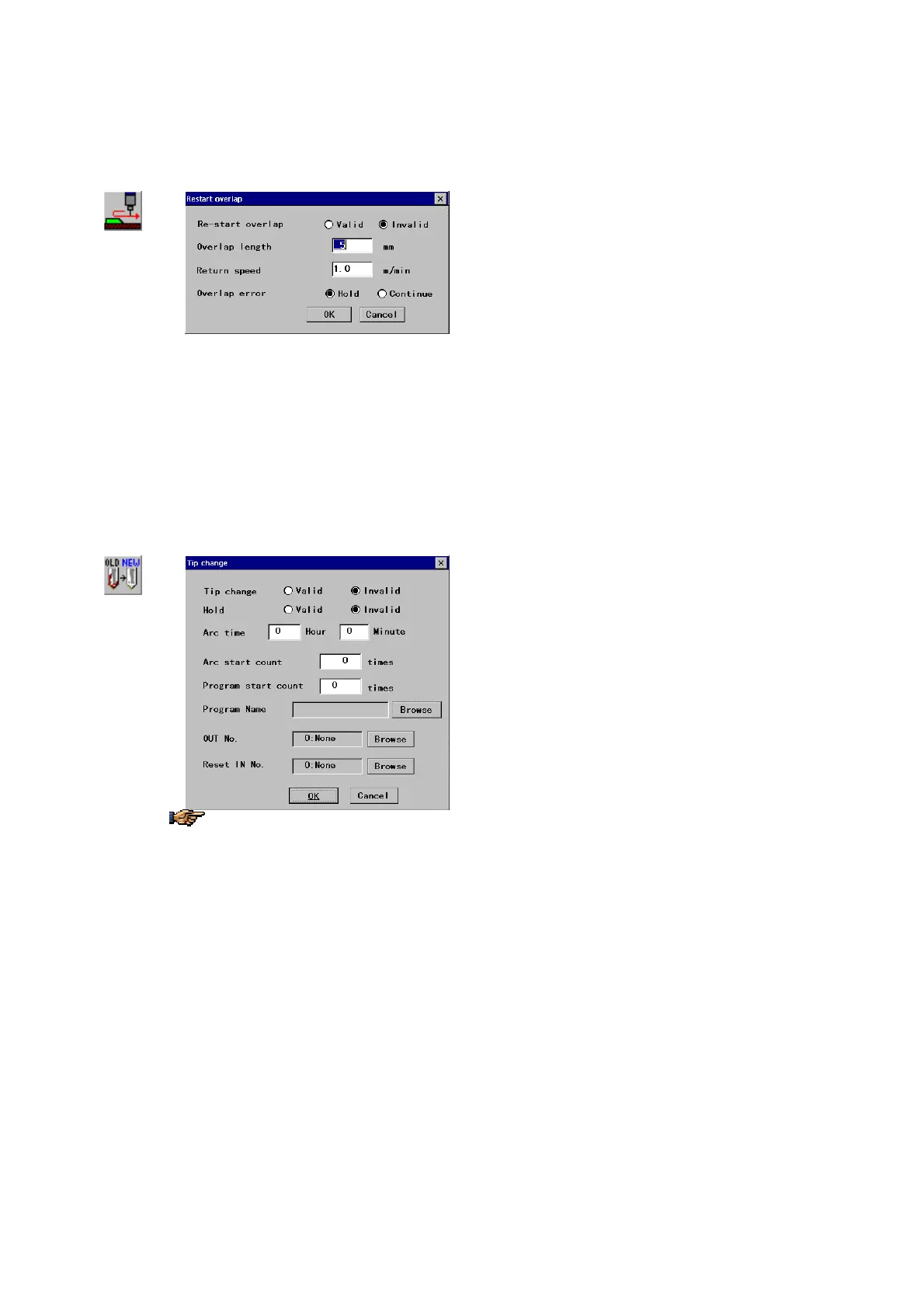
15-2-10. Restart overlap
It is to automatically move the robot back a preset distance at restart after a hold state in order to restart welding by
overlapping the weld bead.
Restart
overlap
Î
[Overlap length]: Specifies the overlapping length (or
how long the robot should move backward)
[1 to 50
mm
]
[Return speed]: Specifies the travel speed when the
robot moves backward for overlapping. [0.1 to 9.9
m/min]
[Overlap error]: Selects whether to stop as an error or
[Hold] or continue operation [Continue] when the robot
goes in the following conditions.
When the robot reaches the preceding teaching point by
overlapping the specified length.
When the robot is moved on a teaching point in trace
operation in holding state..
15-2-11. Tip change
It is to specify whether to display the Tip change warning message on the teach pendant when tip replacement is needed.
Tip change
Î
The [Reset IN No.] functions
independently from tip change. That
is, it resets the accumulated values
whenever the specified input terminal
is turned on regardless of tip change
timing.
[Tip change]
Specifies whether to use this function
(
Valid) or not (Invalid).
[Hold]: Specifies whether to hold the robot when the tip
change warning appears (
Valid) or not (Invalid).
[Arc time]:
Specifies how much arc on time should be
executed before changing the tip.
[Set range: 0 hours 0 minutes to 99 hours 59 minutes]
[Arc start count]: Specifies the number of arc starts to
be executed before changing the tip.
[Set range: 0 to 99999]
[Program start count]: Specifies how many times the
specified program should be started before changing the
tip. [Set range: 0 to 999]
[Program Name]: Specifies the program to count the
number of program starts executed.
[OUT No.]: Specifies the output terminal to output when
the tip change is required.
[Reset IN No.]: Specifies which input terminal to trigger
the reset of all the accumulated values.








 To Next Page