10-1
10. Robot settings
10-1. User coordinate system settings
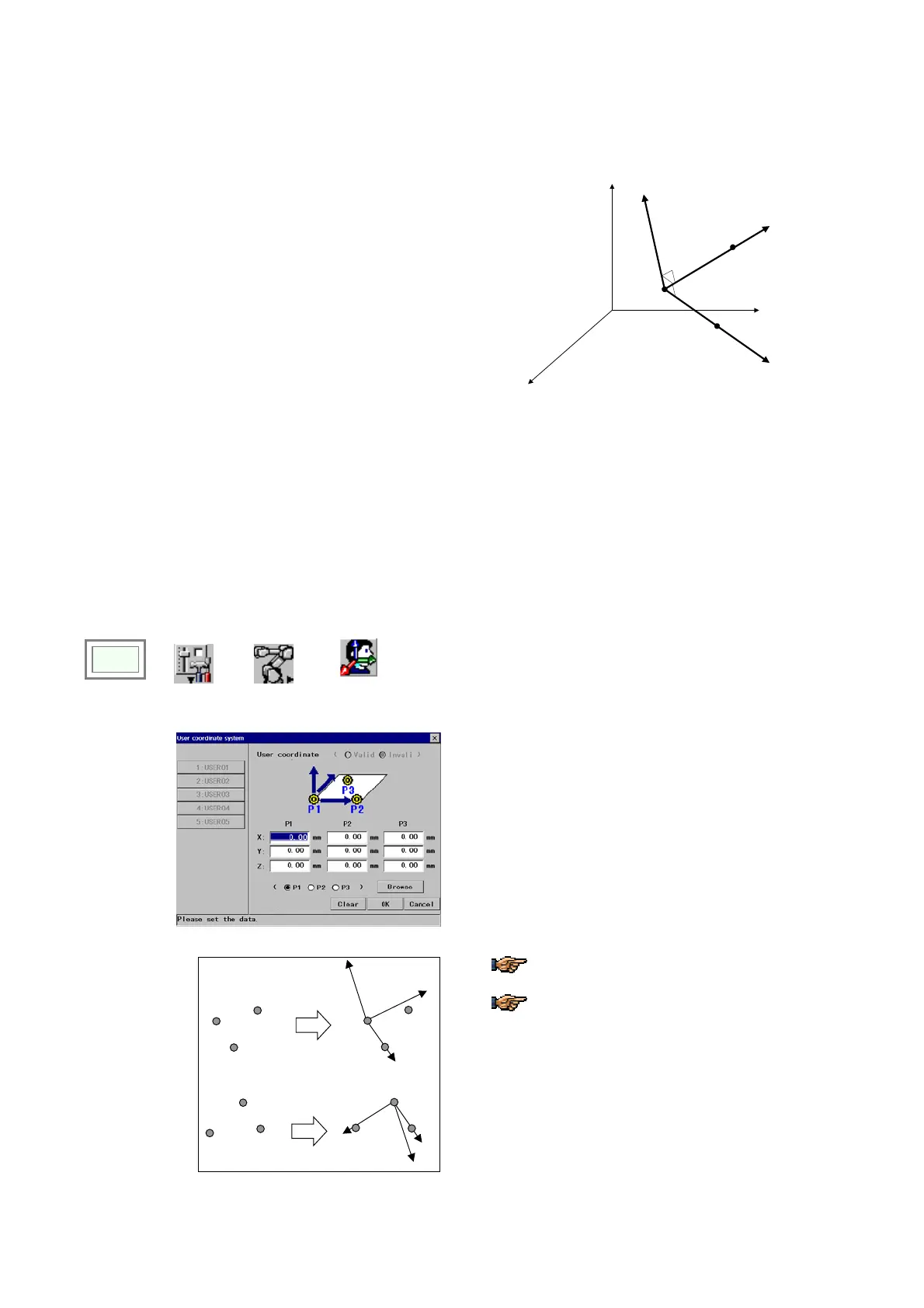
10-1-1. What is a User coordinate system
It is a coordinate system that can be defined by the
user.
For example, if you are using a tilted table, you can define a
coordinate system based on the table surface and operate
the robot in the defined coordinate system.
P
1
P
3
P
2
X
u
Y
u
Z
u
A user coordinate system is defined by three points,
P
1
, P
2
and P
3
.
Where,
P
1
: Origin of the user coordinate system
P
1
P
2
: Direction of X-axis (X
u
-axis)
P
1
P
2
P
3
: X-Y plane of the user coordinate system
Axis perpendicular to the plane X
u
-Y
u
(right-handed):
Z-axis of the user coordinate system (Z
u
-axis)
10-1-2. Setting procedure
Click
>>
Set
>>
Robot
>>
User
coordinate
Î
[Valid/Invalid] Specifies the validity of the function.
[P1] Specifies the origin of the user coordinate system
[P2] Specifies a point to define the direction of X-axis
from the origin (P1)
[P3] Together with the P2, specifies the X-Y plane.
[Browse] Click the check box of P1, P2 or P3, and then
click this button to select a set of X, Y and Z values from
the global teach point list.
[Clear] Click to cancel the user coordinate system
settings you have made.
[OK] Click to save the user coordinate system settings
you have made.
1
2
3
X
Z
1
2
3
1
2
3
X
Z
1
2
3
To ensure an accurate system definition, be
sure to teach points that are as far apart as possible.
The positions P1-P2-P3 determine the Y-axis
and Z-axis direction. Be sure that your points are
correct to ensure the desired results.








 To Next Page