4-2
4-2. Turn ON Servo Power
Warning
Prior to turning ON the servo power make sure that no personnel are present
within the robot work envelope.
1. Turn ON the power switch of the robot controller main body, then
the system data in the controller will be transferred to the teach
pendant to enable robot operation from the teach pendant.
2. Hold a Deadman switch lightly. (The servo ON switch starts
flashing.)
Press the Servo-ON switch. (The servo-ON switch lights up
solidly.)
3. Keep holding down the Deadman switch lightly while you work.
Releasing or holding the Deadman switch hard shuts off the
servo power. In that case, hold the Deadman switch lightly and
press the Servo-On switch to re-energize the servo power.
Transferring system data
When you turn ON the power source of the controller,
Make sure to allow at least 3 seconds of cooling time before turning ON the power again.
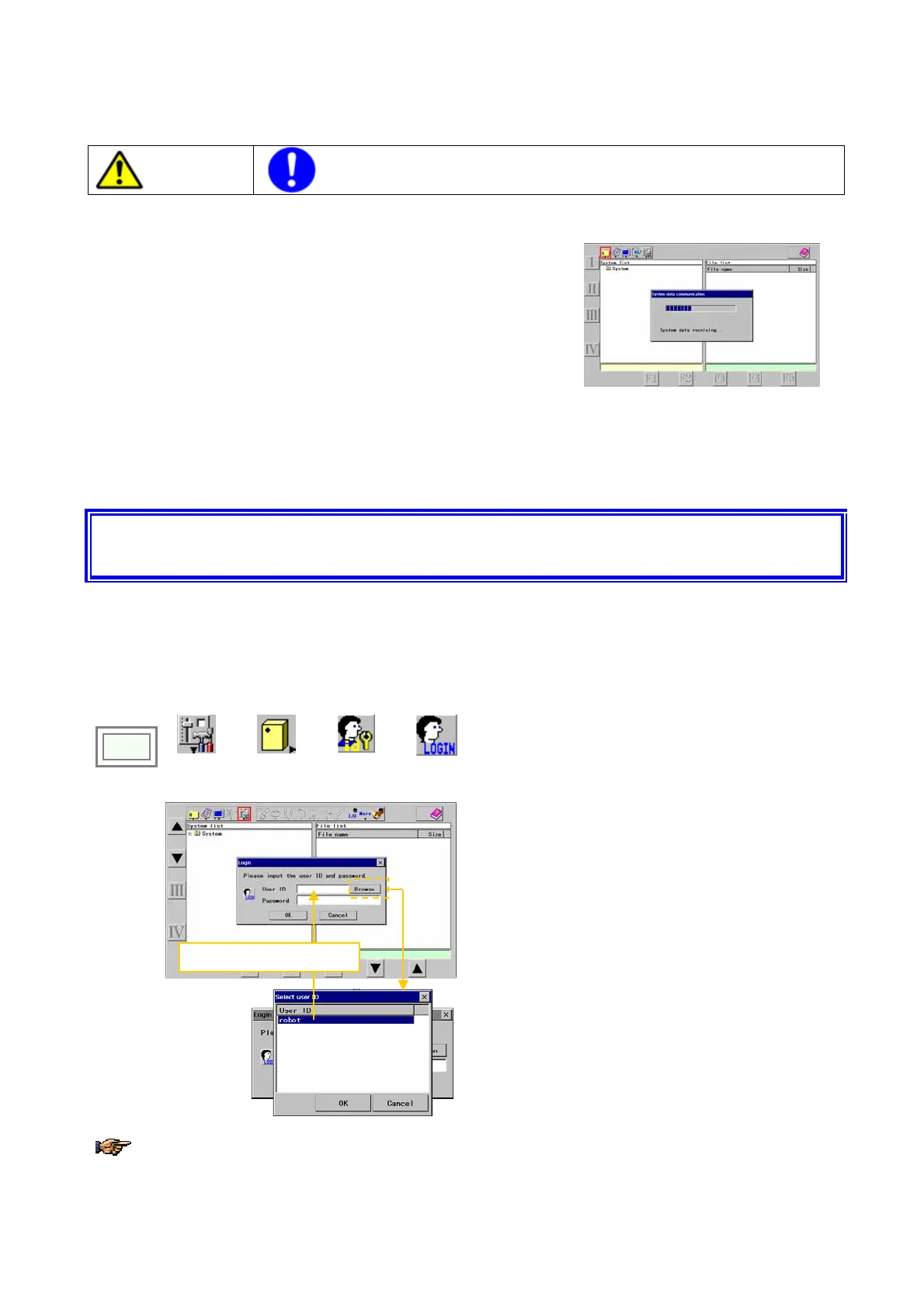
4-3. User ID setting for the first time
You must set the User ID to perform teaching or changing of robot settings. It is so designed that with the User ID
settings that originally came at shipment it is not possible to edit.
Click
>>
Set
>>
Controller
>>
User ID
>>
Login
Î
The selected user ID will be displayed.
[User ID]: Type “
robot”. (all in lower case)
[Password]: Type “
0000”. (4 zeros)
[OK]: To logon to the system as a User whose level is
to teach and change the robot settings.
[Browse]
You can also press this Browse button and select
Robot from the User ID list in the “Select user ID” box.
Then the User ID you have selected appears in the
User ID box in the “Login” box.
For details of User registration, refer to section “Setting and changing User ID” in the manual of advanced
operation.








 To Next Page