11-10
11-7. Error handling
11-7-1. What is “Error handling”?
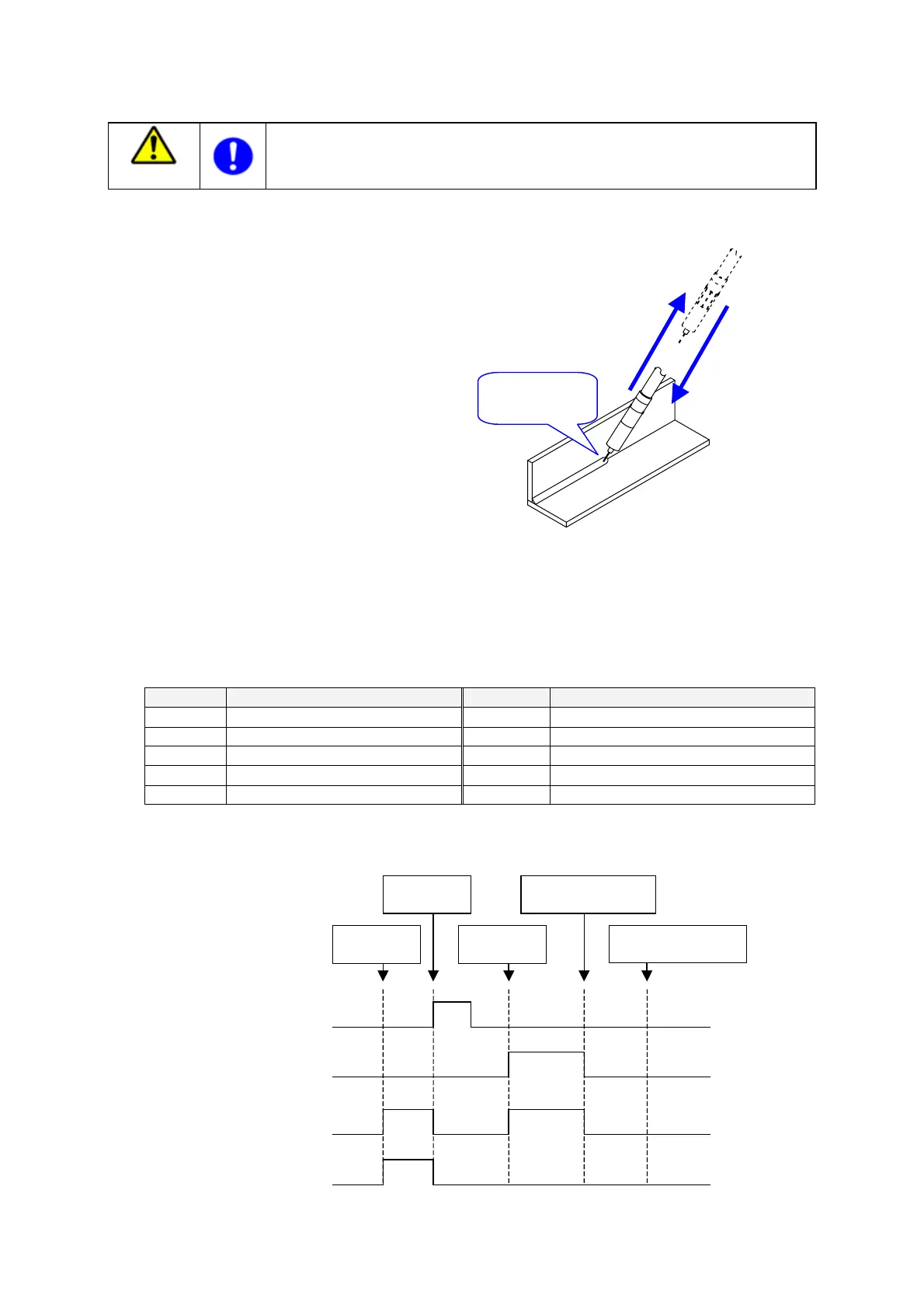
A function which is turned on by an external input
signal when the robot operation is terminated
because of the occurance of a welding error such as
“no arc” during welding operation. When this
function is executed, the robot automatically retracts
the tool (welding torch) in the tool direction the
preset distance from the current position (where the
error occurred) . When it is re-started after the
welding error condition has corrected, the robot
moves the torch back to the point where the
operation has been suspended to resume welding
operation.
With this function, it is possible to move the robot to an idle position for tip change or other works arised from a
welding error occurred during welding operation without switching to manual operation using the teach pendant.
This function is applicable regardless of the interpolation type applied in welding operation.
< Errors this function corresponds >
This function corresponds to the errors listed in the following table.
Code No. Description Code No. Description
W0010 No current W0150 Retry over
W0020 No arc
W0330
MIG / TIG Force error
W0025 No arc detected by robot
W0340
MIG / TIG Force count over
W0030 Wire stick
W0350
MIG / TIG Force Wire buckling
W0031 Stick check time out
W0360
MIG / TIG Force buffer over
< Status of I/O signals >
The following figure shows status of each I/O signal when the error handling function is ON.
ON
ON
OFF
OFF
ON
OFF
ON
OFF
Retraction start
in
ut
Retracted output
Hold status output
Error output
Occurrence of
Welding error
Retraction
starts
Retraction
ends
Error corrected,
and restart operation.
Return to the point
where the error occurred
Warning
Make sure that no personnel are present within the safety fence before turning ON the
error handling input. The robot starts the error handling motion immediatelly after the
error handling input is turned ON.
Retraction movement
welding error
rr
Resume operation
after the cause of the
welding error has
been removed.








 To Next Page