18-15
18-8. Application example of EAXS_SFT-ON/EAXS_SFT-OFF
A command that shifts position of the external axis(axes) between the EAXS_SFT-ON and EAXS_SFT-OFF commands.
<Notes>
(1) This “External axis shift” command is applicable to a called program within the shift section.
(2) This “External axis shift” command is not applicable to a program called by PARACALL command.
(3) Make sure to use EAXS_SFT-ON and EAXS_SFT-OFF commands as a set.
The EAXS_SFT-ON command is effective once executed until execution of the EAXS_SFT-OFF command,
therefore, if a program having the EAXS_SFT-ON command executed ends without execution of the
EAXS_SFT-OFF command, the shift made by the EAXS_SFT-ON command will also be retained the next time the
program is started.
You can insert EAXS_SFT-OFF command together at the end of the program or at the beginning of the program
additionally. Adding an EAXS_SFT-OFF command other than the shift section won’t cause an error.
(4) This function is not applicable to an operation moved into the shift section using trace operation.
Sample program:
● BeginofProgram
TOOL=1
● MOVEPP1
EAXSSFT-ONG1=+100
● MOVEPP2
● MOVEPP3
● MOVEPP4
EAXSSFT-OFF
● MOVEPP5
● EndofProgram
Shift section
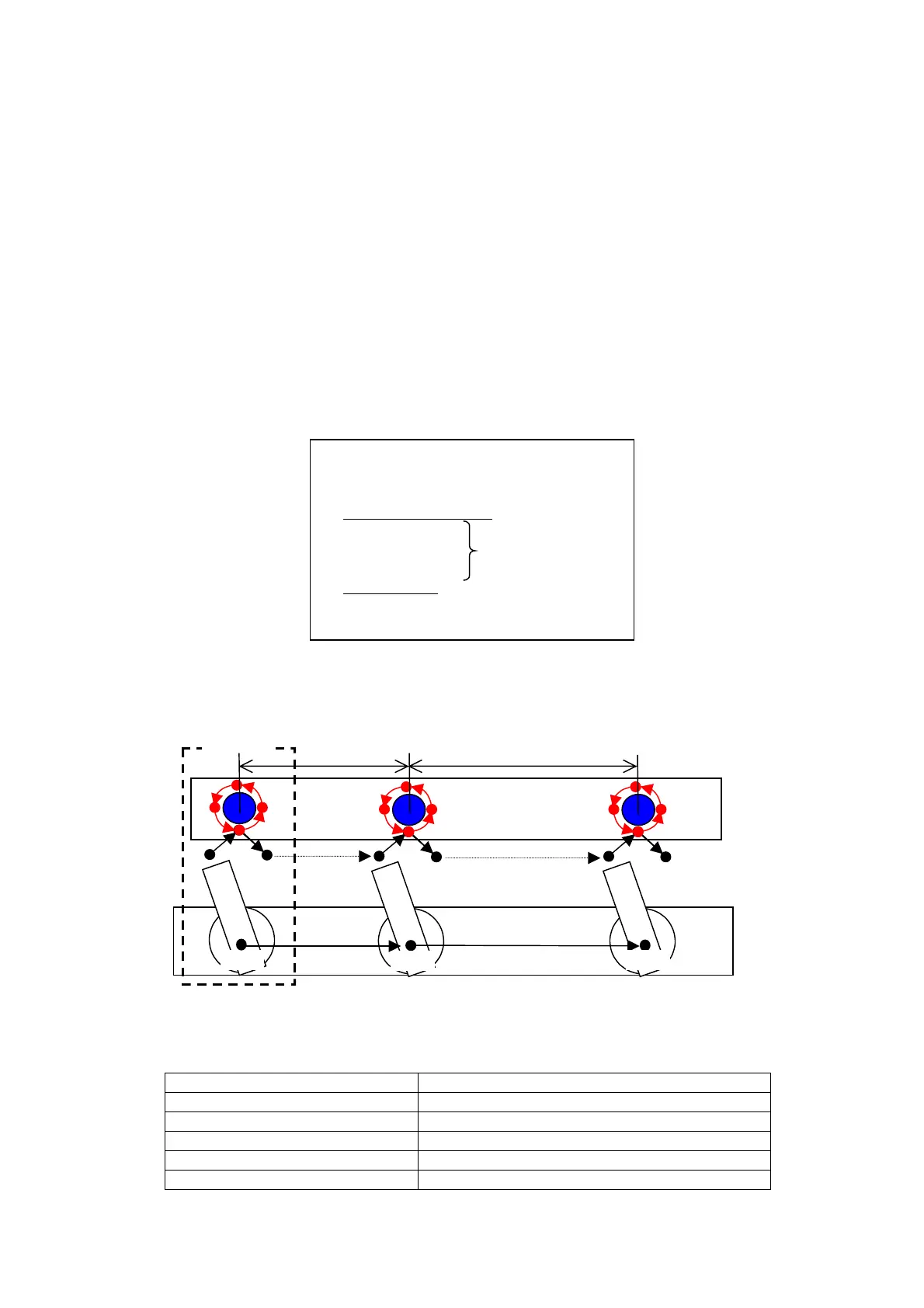
18-8-1. Application example 1
Do the same operation to works aligned on the same work table at certain distances
By using these commands, you only need to teach the operation once.
Prog0001
+
800mm
Robot
External axis G4
+
1000mm
Robot
Robot
800mm
1000mm
Work table
Precondition : Distance between 1
st
and 2
nd
works : +800 mm
Distance between 2
nd
and 3
rd
works: +1000 mm
CALL Prog0001 Processing the first work
EAXS_SFT-ON G4 = +800 Shift the external axis (G4) by +800mm.
CALL Prog0001 Processing the second work
EAXS_SFT-ON G4 = +1800 Shift the external axis (G4) by+1800mm
CALL Prog0001 Processing the third work
EAXS_SFT-OFF G4 Terminate the shift of the external axis (G4).








 To Next Page