11-7
11-3. Resume settings
It is a function to resume the settings active at power loss (power off) when power is regained (power on).
Click
>>
Set
>>
Controller
>>
Resume
Î
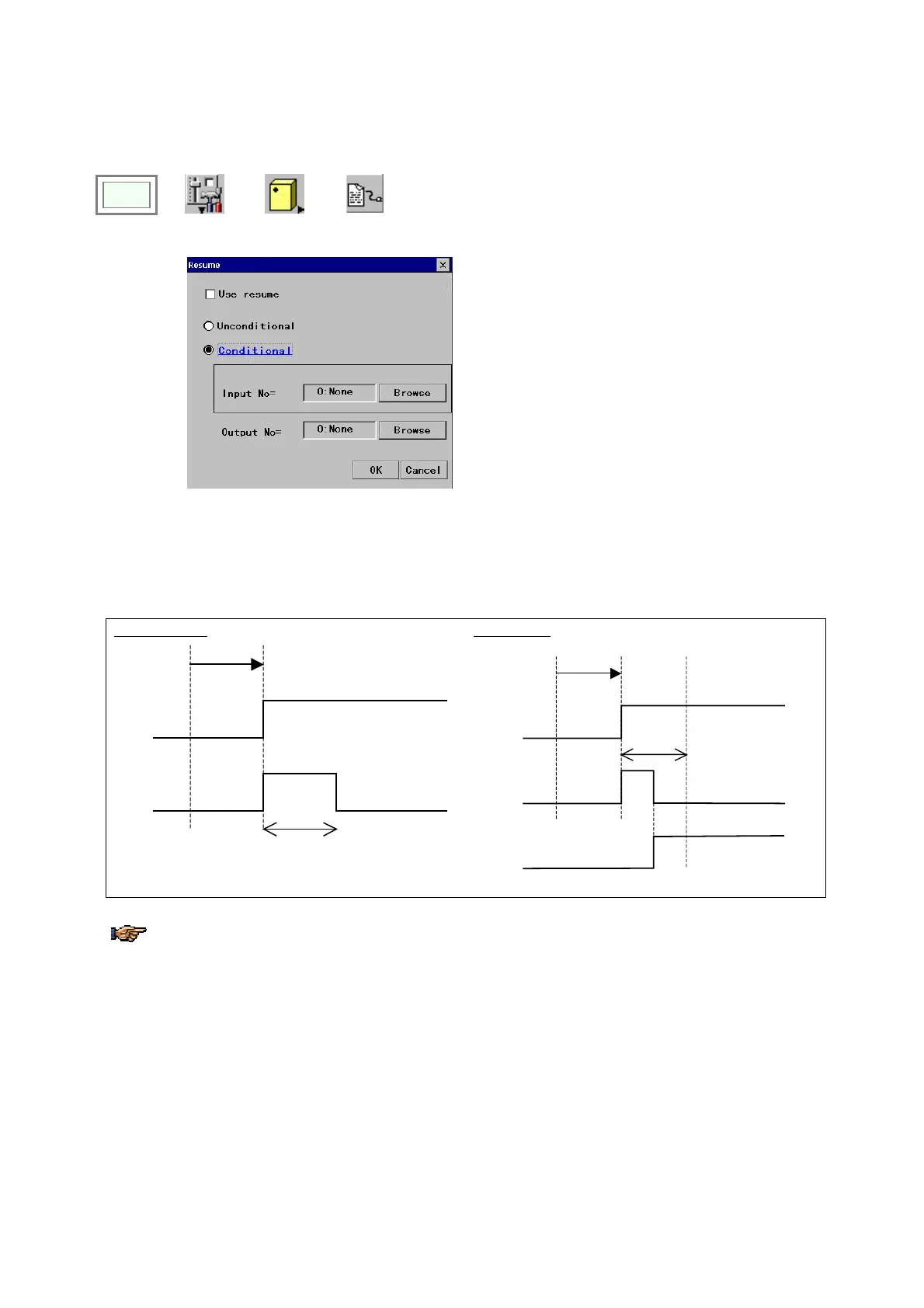
[Use resume]: Check the box to enable the resume
function.
[Unconditional]: Check the box to enable the resume
function at all times.
[Conditional]: Check the box for conditional resume.
[Input No.]: (for conditional resume)
Resume function is effective only when the input(s)
specified here is on.
[Output No.]: (for conditional resume)
When the specified input terminal(s) is ready, the signal
is output to the output terminal specified here.
<I/O timing>
When the ready signal goes on at power ON, the output signal turns ON simultaneously and stays on for about 3
seconds.
If conditions are specified, input signal is accepted while the resume output is ON. And once the input signal is
accepted, the output signal goes OFF.
Unconditional
Conditional
‘Ready’ output
‘Resume’ output
bout
3 seconds
Power ON
‘Ready’ output
‘Resume’ output
bout
3 seconds
Power ON
‘Resume’ input
.
The input signal is accepted only at the moment that it is turned on, therefore, if the input signal has been ON
when the ‘Resume’ output goes ON, the input signal won’t be accepted.
To resume teaching data, it is necessary to turn on the “Auto-backup while editing” in the ‘Default folder’ dialog
box. (For “Auto-backup while editing” settings, see “Edit folder (Default folder settings)”.)








 To Next Page