4-16
4-11. Trace operation
Trace is used to check the actual position or conditions of taught points which have been saved. With this operation, it is
also possible to change teaching point data.
4-11-1. Trace start/end
Use the trace icon and the motion function key to trace points.
Trace icon Function
Start Trace operation is operable while the green lamp is lit.
End
While the green lamp is off, trace operation is not operable.
It is possible to end trace operation by pressing the function key next to the trace
function icon.
Function key Function
or
Hold down the
(or ) key and the Jog dial, then the robot moves forward (or
backward) until it reaches the next taught point, and then stops.
The robot performs trace operation only while the Jog dial or the
is held down. Once the Jog dial
or the
is released, the robot stops.
When direction of the
is not matched with the
, the robot cannot move. (Ex.
against
)
4-11-2. Add teaching points
Turn ON the
Robot
motion
ON
icon lamp, and move the robot to the new location you want to add as a teaching point, and
then save it.
Click
>>
Edit type
>>
Add
You will find the edit type icon used
in the preceding edit operation in
the menu bar.
1. Bring the edit window to an active state.
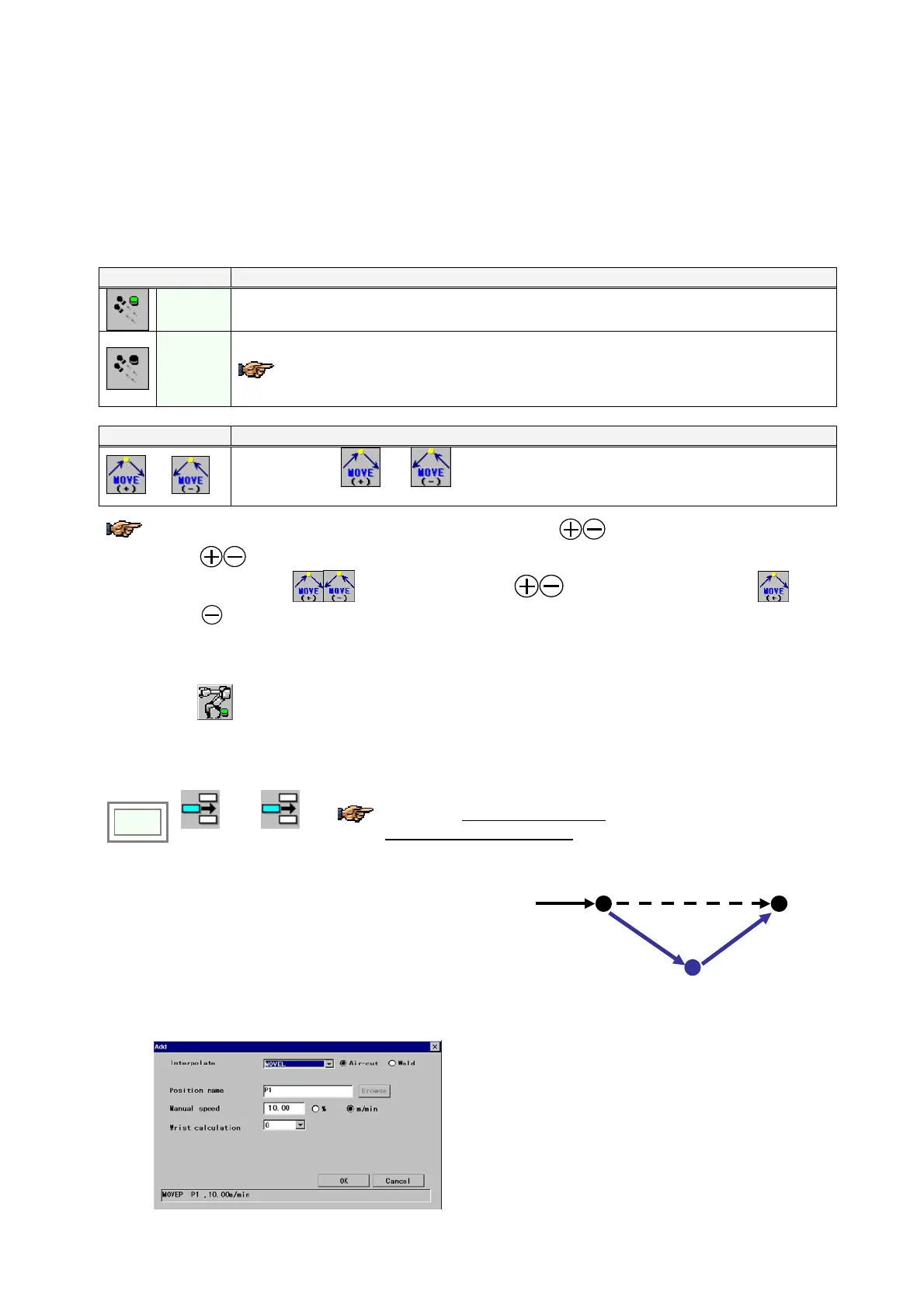
2. Press the Enter key. The dialog box below
appears.
3. Set parameters in the box if necessary and click the
OK button to add it as the teaching point below the
line where the cursor is positioned.
1
2
(added point)
[Interpolate] Specifies an interpolation type between
teaching points. For example, MOVEL means that the robot
makes linear movement.
[Position name] Specifies position variable of the teaching
point.
[Manual speed] Specifies the robot travel speed from the
previous teaching point to the current teaching point.
[Wrist calculation] Normally set “0”. Or specify 1, 2 or 3
for special calculation.
(The field is not available if the teaching point is “MOVEP”)








 To Next Page