12-5
12-5. Programming (Teach) Folder settings
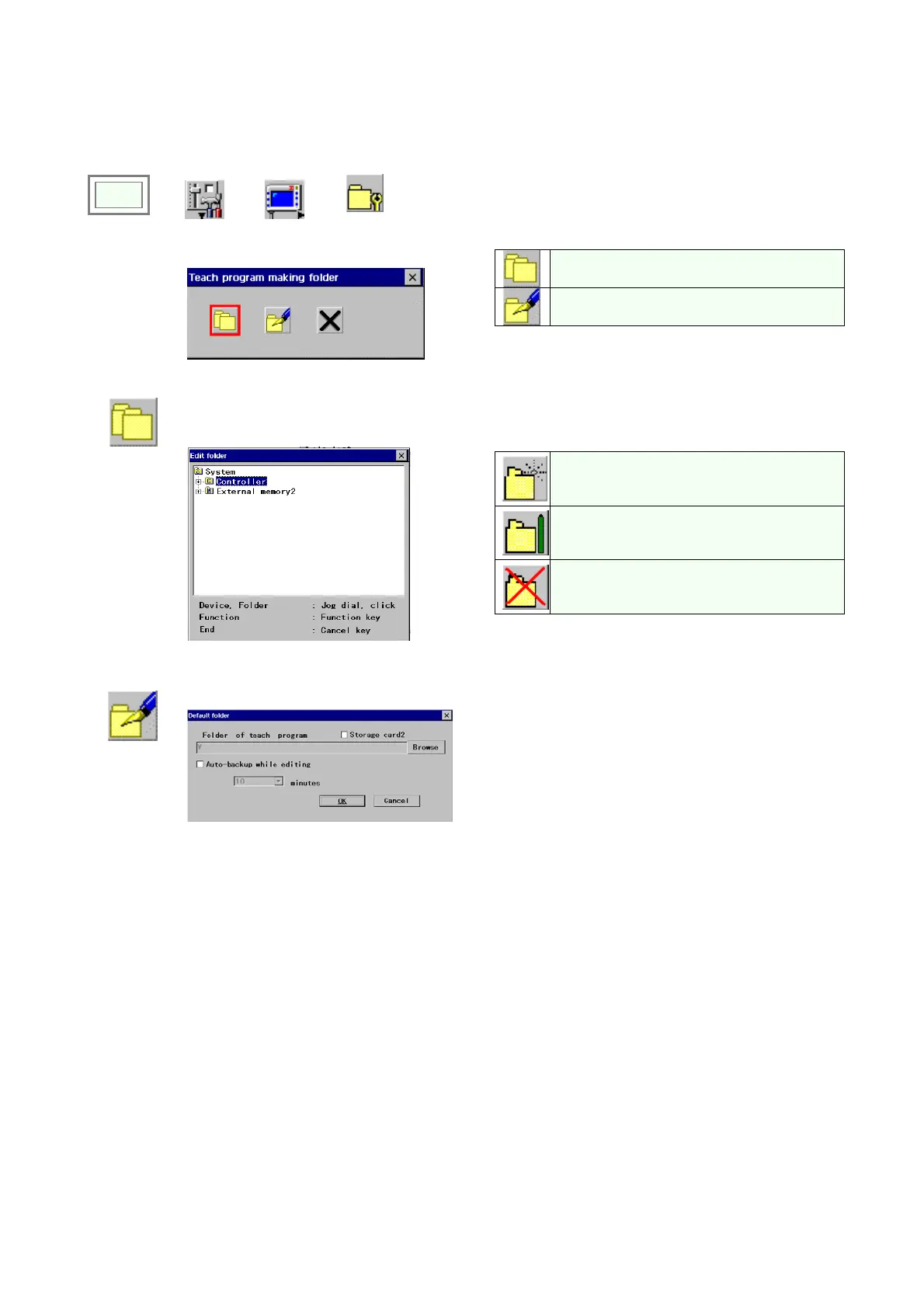
This function allows the user to define the default folder in which teaching programs will be saved.
Edit folder
Default folder
Click
>>
Set
>>
TP
>>
Folder
settings
Î
(1) To edit a folder
Corresponding User function icons appear next to
the User function keys F1 to F3.
To make a new folder under the selected
folder.
To rename the selected folder.
To delete the select folder.
Î
Press the
Cancel key to end.
(2) To set default folder details
Î
[Folder of teach program] Specifies the folder to save
the program in and also to open the program from.
[Auto-backup while editing] Click to make a backup
copy of the working program automatically at every
specified time interval (in minutes). (Set range 5 and 10
to 120, increment of 10)




 To Next Page