4-18
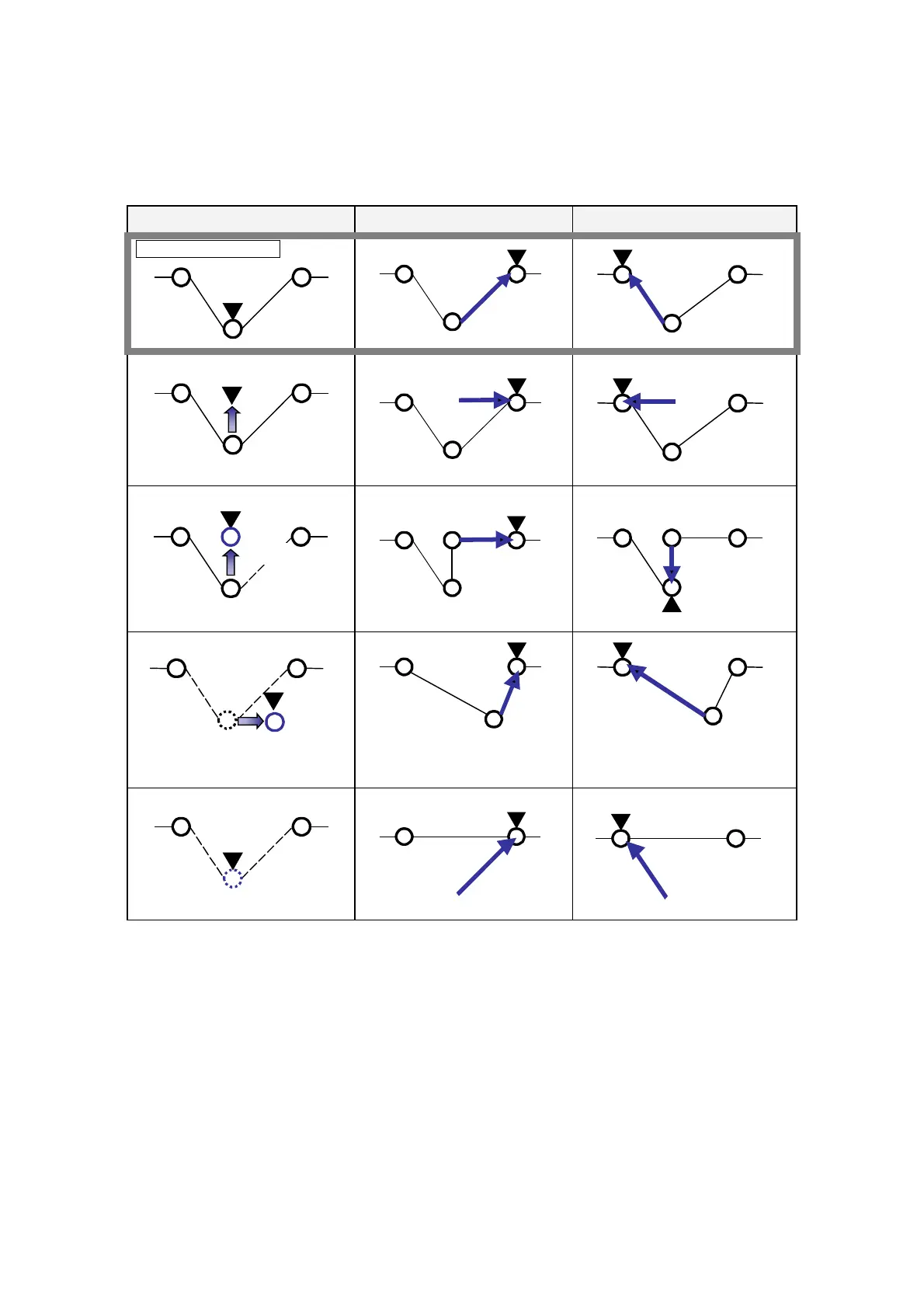
4-12. Trace motion after editing
The following examples show the robot movement of trace forward/backward operation after each editing in trace
operation
• Stop the robot on the teaching point 4 and then edit the point
Manual edit Trace forward Trace backward
Original robot motion
4
5
3
4
5
3
4
5
3
Manually move the robot
4
5
3
(Moves the robot manually)
4
5
3
4
5
3
Add a point
4
5
3
6
New point
(Add the teaching point 6)
6
4
3
5
4
6
3
5
Change position of a point
4
5
3
New position
(Change the teaching point 4)
4
5
3
4
5
3
Delete a point
4
5
3
(Delete the teaching point 4)
53
5
3
(▼ indicates location of the robot control point after exit or trace forward/backward.)








 To Next Page