6-4
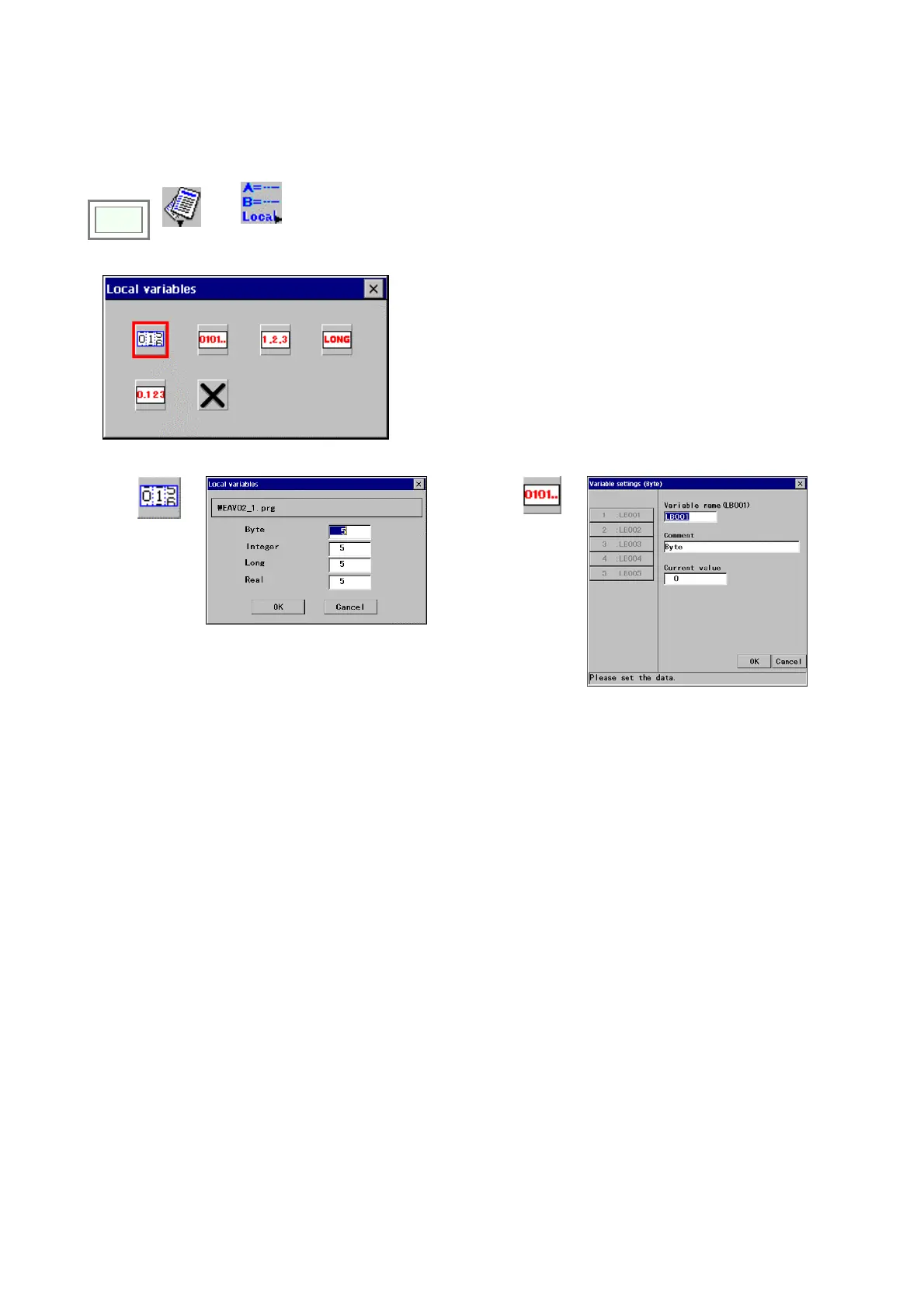
6-7. Edit local variable
It is a function to change name and/or comment of a local variable, and also edit the value of a local variable. It also can
increase the number of local variables to be registered.
Click
>>
Edit
>>
Local
variables
Î
Select a variable type you want to edit.
(Examples)
Number
adjustment
Î
Enter a number of local variable to be
registered in the box of the variable type you
want to change.
Set range: 5-100
Byte
Î








 To Next Page