14-11
14-5-6. Multi-welders settings
Different welder number is registered in each program. With this function a welder can be changed per program.
Note
This function is not available in following conditions.
(1) The robot controller is GX type, which is the model with a built-in welding power source.
(2) The system uses Robot coordinating function, MIG/TIG-FORCE or/and Spin arc sensor.
Procedure
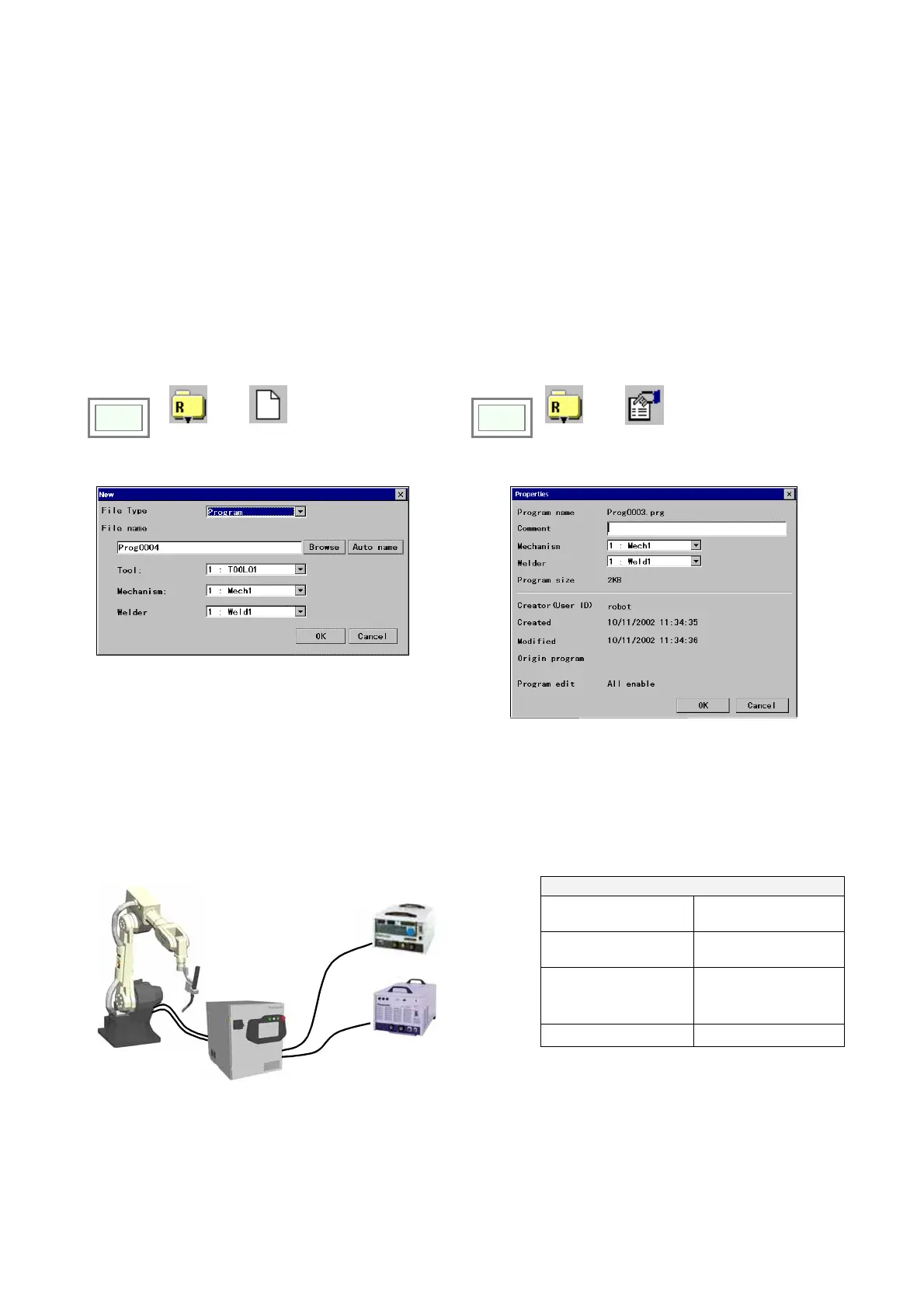
After adding a Multi welder in SYSTEM menu, a welder used in the program is registered in NEW or ROPERTY screen in
FILE menu.
Click
>>
File
>>
New
(or)
Click
>>
File
>>
Properties
NEW
PROPERTY
Note
・A welder is selected in the list of Welder set as default.
・When Multi welder is not added in SYSTEM menu, “welding” column is not displayed.
Example: A system has a CO2/MAG welder and a TIG welder, and the welding torch is automatically changed with a tool
changer.
Program
CO2_01.prg is set ”YD-350GB2” as welder, Program TIG_01.prg is set “YC-300BZ2” as welder.
Program example
CALL CO2_01.prg CO2/MAG program 1
CALL CO2_02.prg CO2/MAG program 2
CALL
TOOLCHG_CtoT.prg
Changing a tool from
MAG torch to TIG
torch.
CALL TIG_01.prg TIG program
CO2/MAG welder
YD-350GB2
TIG welder
YC-300BZ2








 To Next Page