6-2
6-3. Paste
It inserts the data that has been either Cut or Copy in the clipboard into the file.
Move the cursor to the line where you would like to insert the data. (The data will be inserted below the line where the
cursor is positioned.)
Paste
Insert the data as per stored in the clipboard.
Click
>>
Edit
>>
Copy
>>
Paste
>>
Paste
(Reverse)
Insert the data in reverse order.
· [Paste (Reverse)] is useful to edit data for reciprocating motion.
Teach the first half of the motion and copy it and then do Paste (Reverse) to complete the latter half of
the motion.
· Pasting the data stored in the clipboard once does not delete the data from the clipboard.
You can Paste the data as many times as you want.
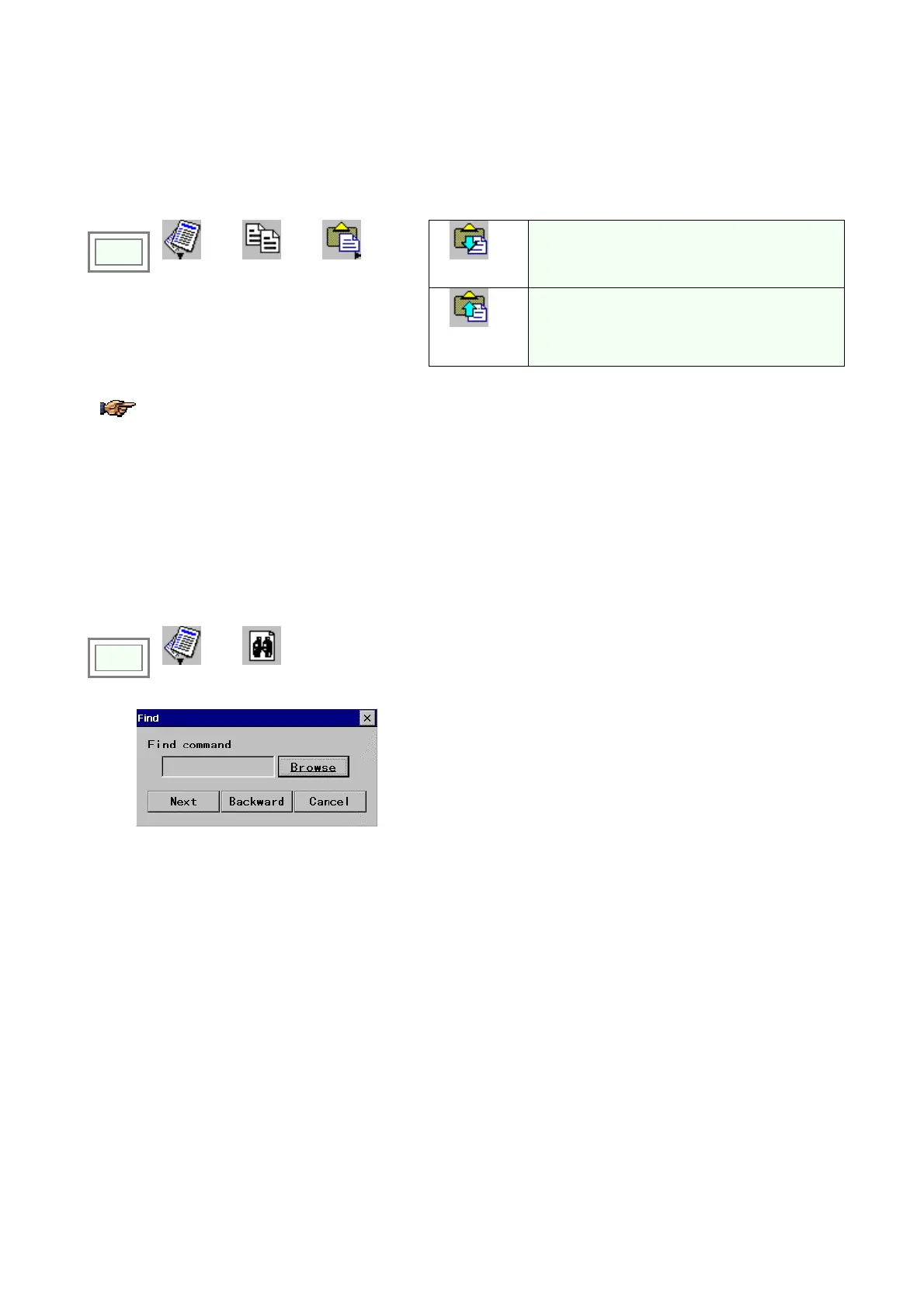
6-4. Find
Find the command in the file that satisfies the condition you specified.
Click
>>
Edit
>>
Find
Î
[Browse]: Displays a list of commands
[Next] Search forward, from the cursor position toward the
end of the file.
[Backward] Search backward, from the cursor position
toward the beginning of the file.








 To Next Page