12-3
12-2-2. Robot move key
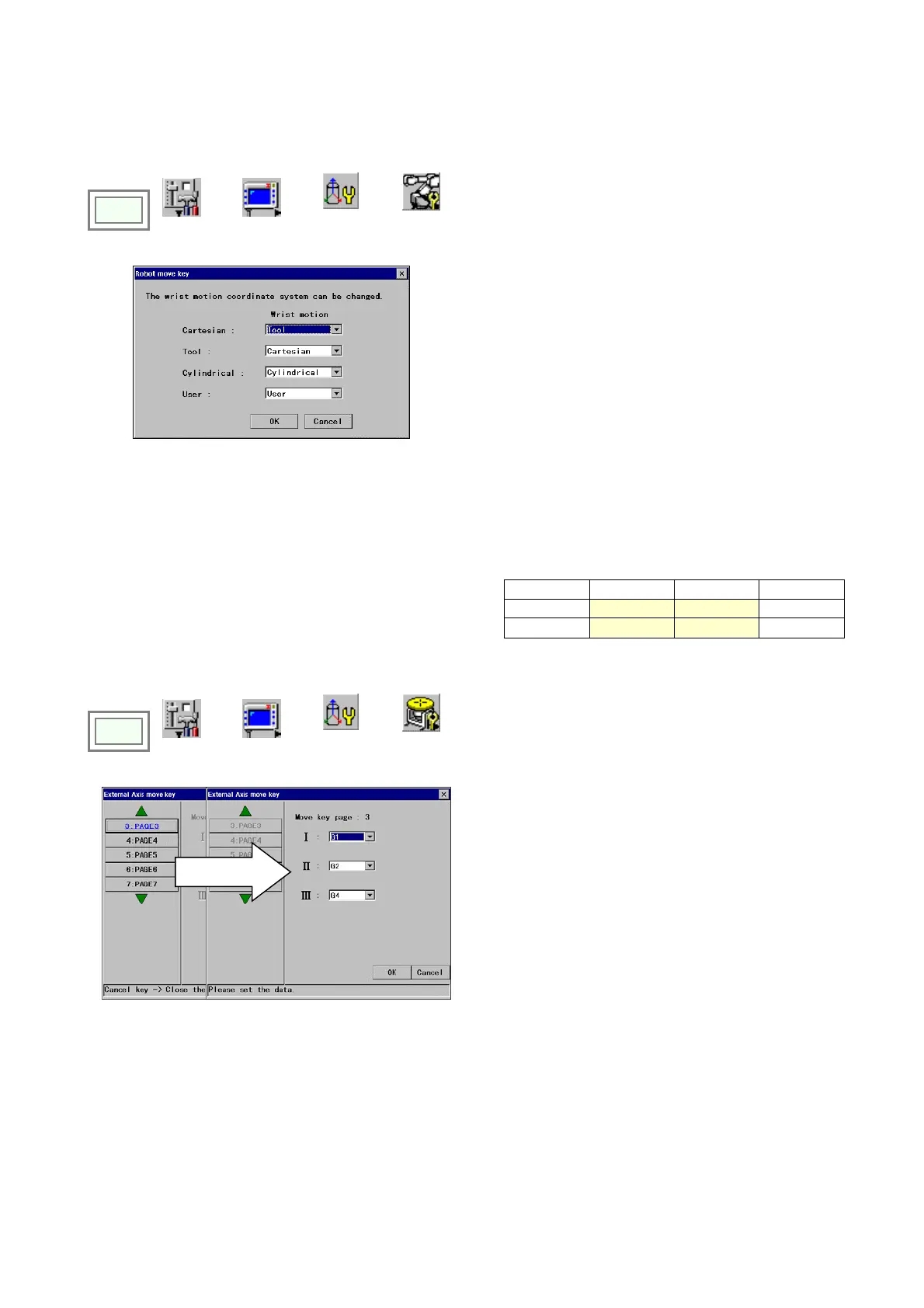
It is a function that allows you to change coordinate system of the wrist motion.
Click
>>
Set
>>
TP
>>
Key
customize
>>
Robot move
key
Select a wrist motion of a coordinate system you want to
change from the list. (Press on the triangle to display the
list.)
( *Figure on the left shows when the wrist motion of the
Cartesian coordinate system is changed to “Tool” and that
of the Tool coordinate system to “Cartesian”.)
12-2-3. External axis key
It is a function that allows you to change the external axis key assignments to the keys. (* This function is available
when the external axis function is set.)
(Use page 3 onwards.)
.
[I] [II] [III]
3 PAGE G1 G2 -
Applicable example: In case of a system with two sets of twin-axis
positioner, assign external axes of each set on one page for
greater availability of the keys
4 PAGE
G3 G4 -
Click
>>
Set
>>
TP
>>
Key
customize
>>
External axis
key
Select a page
Assign an external axis number to each key (I, II, III).








 To Next Page