12-2
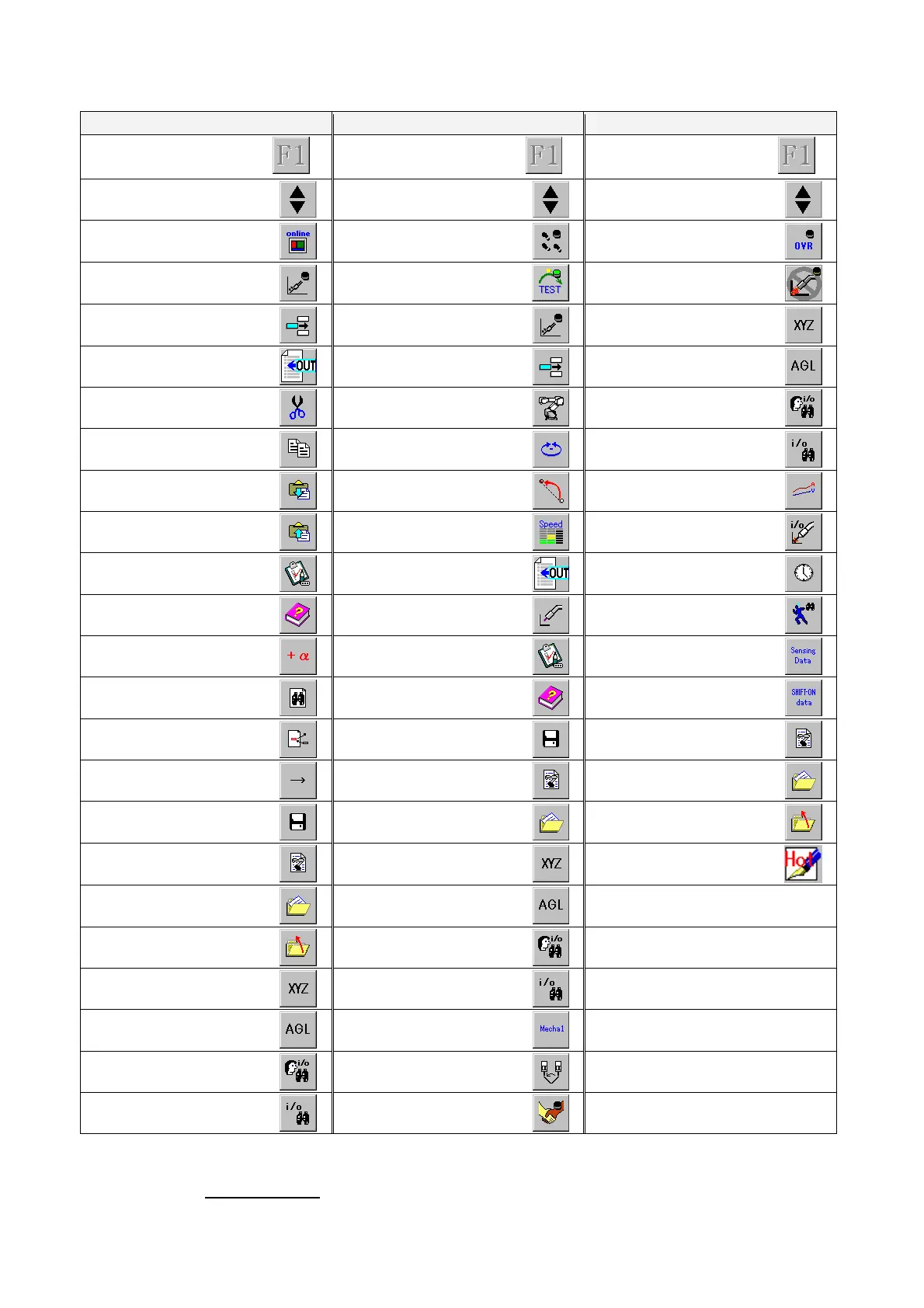
List of functions applicable as User function keys in each operation type
EDIT (Robot motion: OFF) TEACH (Robot motion: ON)
AUTO
(None)
…
(None)
…
(None)
…
Change page
Change page
Change page
Online
Trace
Override
(
*
4)
Wire/gas check
(
*
4)
Program test
Arc lock
(
*
4)
Add/Change/Delete
Wire/gas check
(
*
4)
XYZ
Add command
Add/Change/Delete
Angle
Cut
Change Robot E-Axis
(
*
2)
Display I/O terminal
Copy
Select coordinate system
Display status IN/OUT
Paste
Interpolation
Current/Voltage
(
*
4)
Paste (Reverse)
Speed
Weld input
(
*
4)
Teach settings
Add command
Accumulate time
Help
Air-cut/Weld
(
*
4)
Operate state
Option
Teach settings
Sensor data
(
*
1)
Find
Help
SHIFT-ON data
Replace
Save
Program files
Jump
Program files
Recent files
Save
Recent files
Close
Program files
XYZ
Hot edit
(*5)
Recent files
Angle
Close
Display I/O terminal
XYZ
Display status IN/OUT
Angle
Select mechanism
(
*
2)
Display I/O terminal
Harmo-coordinate sys.
(
*
3)
Display status IN/OUT
Harmonious
*1
Available when the “Touch sensor” function (option) is added.
*2
Available when the “External axis” or “Multi-cooperative robot control” function (option) is added.
*3 Available when Harmonic movement function (option) is added.
*4 Not available for Handling robots.
*5 This icon is displayed when “Hot edit” function is set valid.








 To Next Page