11-11
11-7-2. Setting procedure
Click
>>
>>
Set
>>
Controller
>>
Advance
setting
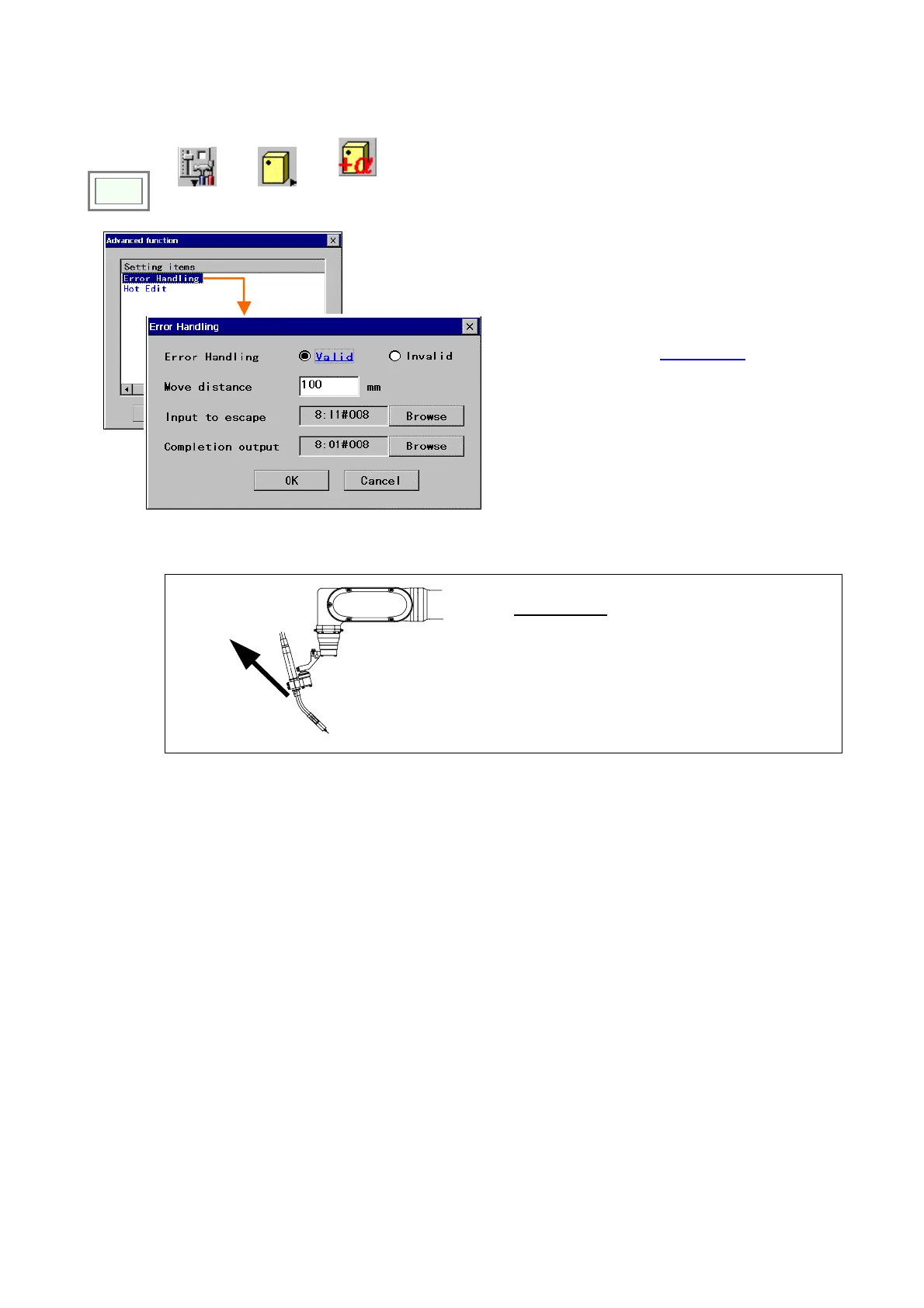
Select “Error Handling”.
[
Valid/Invalid]: Select whether or not to enable
this “Error handling” function.
[Move distance]: Sets a distance from the point
where the welding error occurred to the point where
the robot moves in the tool direction
* (idle position)
with linear movement. (Set range: 1 - 200 mm.)
[
Input to escape]: Sets an input terminal (User
input) No. to execute the error handling function.
The robot starts the error handling function when
the input terminal specified here is turned ON.
[Completion output]: Sets an output terminal
(User input) No. to output the completion of retract
movement (the robot reaches the idle position.)
And it goes off when the robot gets away from the
idle position.
Select “0:None” if the output is not necessary.
* Tool direction:
X direction of the point in the tool coordinate
system.
Direction
of retraction








 To Next Page