11-3
11-1-3. Program select method
• If a program is reserved while running another program, the reserved program will be started automatically after
the completion of the current program.
• If the result exceeds the set range (from 1 to 999), then the program reservation is disregarded.
• It is possible to reserve up to 16 programs. (Programs on and after the 16th program will be disregarded.)
• When the program select is disregarded, no select response will be output.
• Input ‘Cancel’ clears all selected programs except the currently running program.
• To check the program select status, click on Display change (View menu) and then click Operate state.
• It is possible to clear all selected programs during operation (except in override) by switching the mode select
switch to the ‘TEACH’ position.
11-1-4. Signal method
When the start input is turned ON, the same numbered program is selected.
Then the selected program will be executed.
With this method, you can only program the program numbers 1, 2, 4, 8, 16, 32, 64, 128, 256 and 512.
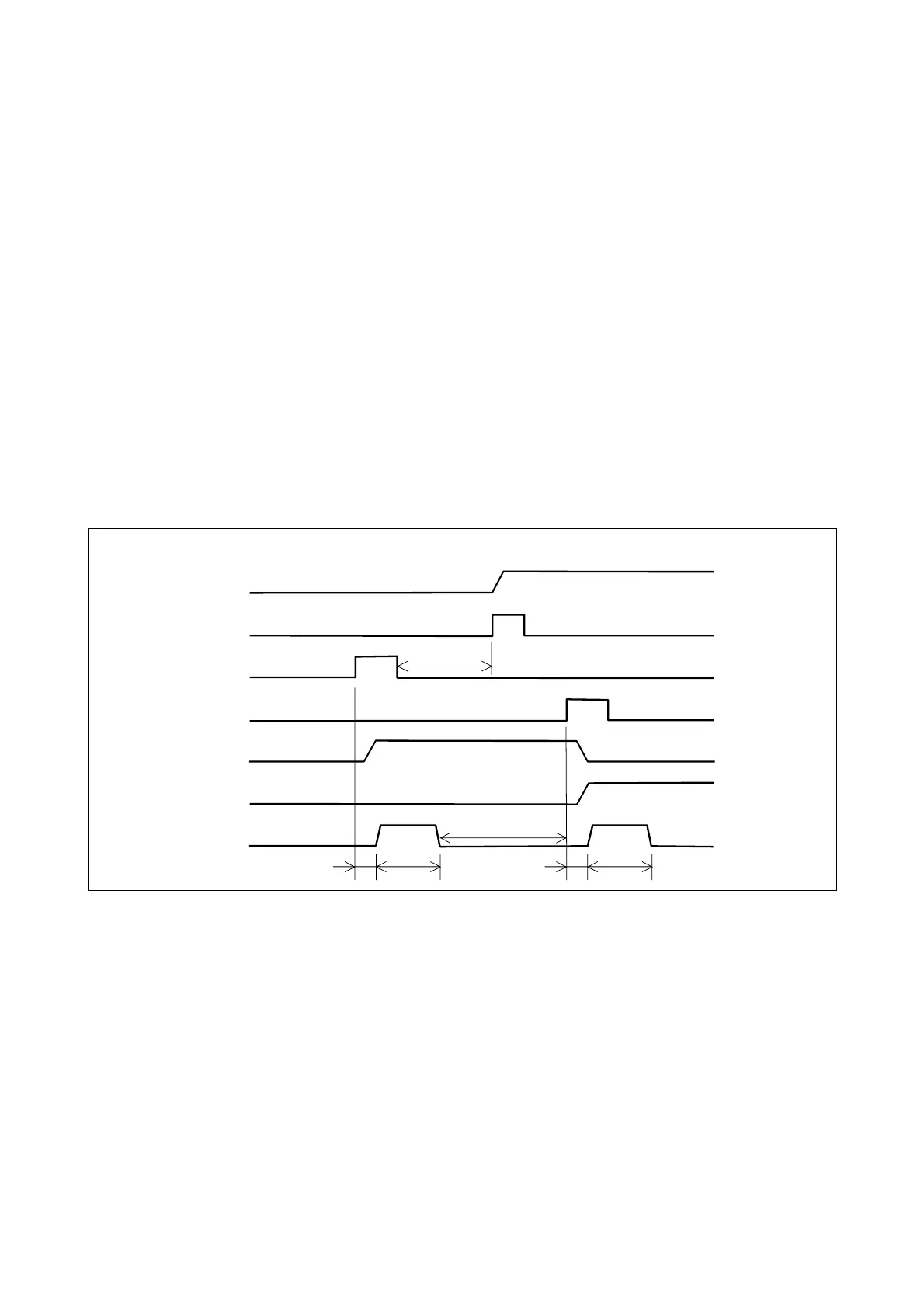
Timing chart
Running output
Program reserve XXX
Reserved output XXX
Start input
Start operation
bout
0.5 s
Program reserve YYY
Reserved output YYY
bout
0.2 s
bout
0.5 s
bout
0.2 s
Prog0XXX.prg is selected.
Prog0YYY.prg is selected.
0.2 s or more
0.1 s or more
Output strobe
• “XXX” and “YYY” indicate ‘program reserve’ numbers you specified (001,002,004,008,016,032,064,128,256 or
512).
• The input signal must be kept ON for 0.2 seconds or more.
• ‘Start input’ may not be received if it is input in less than 0.2 seconds after the previous input is received.
• It requires at least 0.1 second after the ’output strobe’ signal is turned OFF to reserve the next program select input.
• After the completion of the current program, the robot automatically starts the next reserved program if any.








 To Next Page