2-2
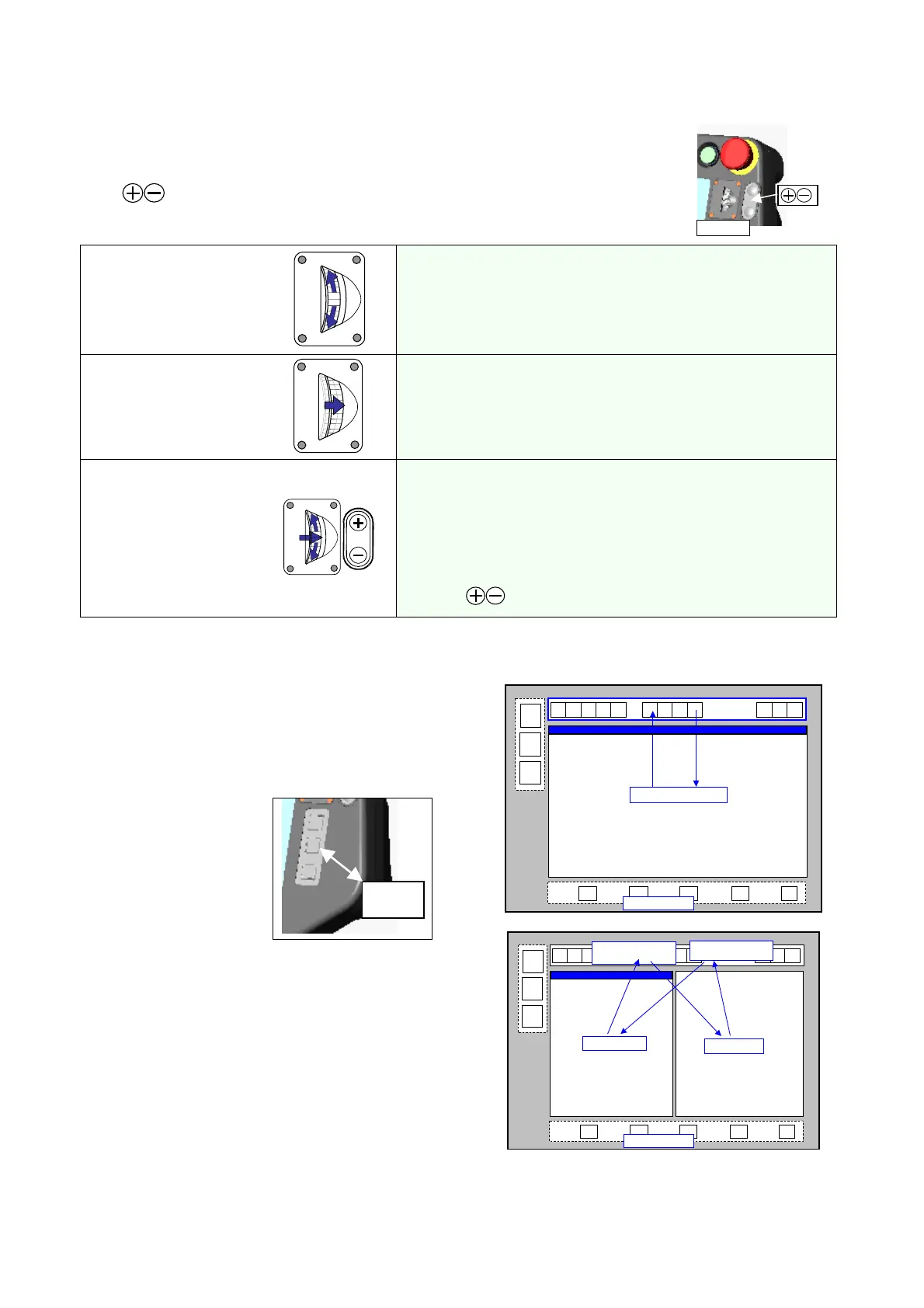
2-1-1. Jog dial and +/- key
This dial is used to control movement of the robot arm, the external axis or the cursor on the
screen. It is also used to change data or select a choice.
The
key is used to control continuous movement of the robot arm in the same
manner as Jog drag opration.
Jo
dial
(1) Jog up/down
1. To move the robot arm or the external axis
Jog up: in (+) direction
Jog down: in (-) direction
2. To move the cursor on the screen.
3. To change data or select a choice.
(2) Click
Specify the selected item and save it.
(3) Jog drag
Hold down and then jog
up/down.
To retain current operation of the robot arm.
· The jog rotation amount of the dial after pressed determines
the change value.
· Stop the jog rotation to release.
· Di rection of movement is the same as that for Jog up/down.
·
The
key works in the same manner as Jog drag.
2-1-2. Window change key
•
It switches between menu icon bar and edit
window.
•
It switches between the main window and the
sub-window.
Window
change
The active window is highlighted.
Keys on the teach pendant are effective only
to the active window.
Window is active
Menu is active
User functions
①
②
Main window
Menu
(Main window is active)
User functions
Sub-window
Menu
(Sub-window is active)








 To Next Page