14-6
14-5. System settings
The ‘System settings’ are settings that configure all equipment including the robot that comprises the system. You can
also check, change or cancel the connection settings among the robot, external axis and optional equipment.
Click
>>
Set
>>
Management
tool
>>
System
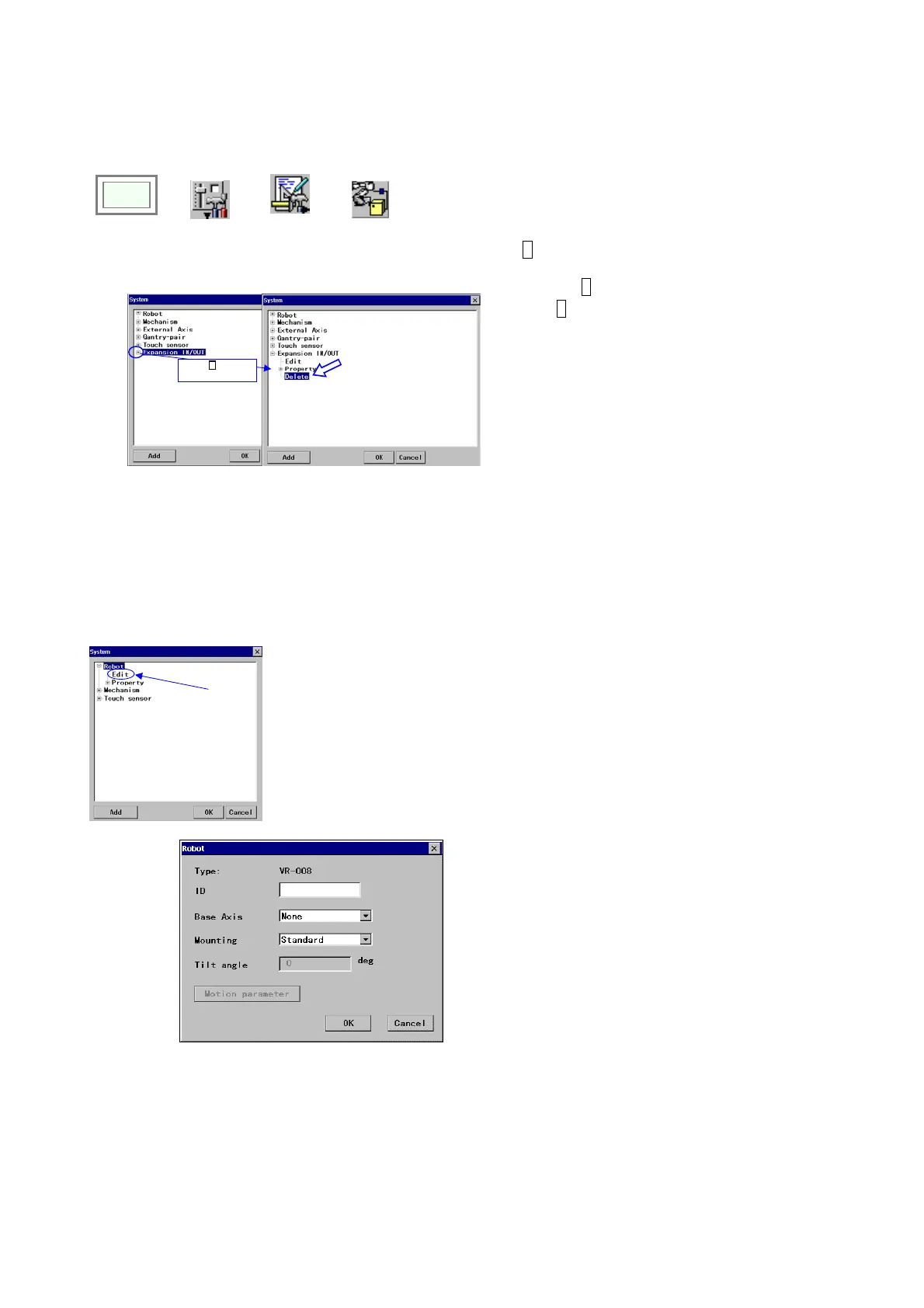
<System settings screen>
Î
Click ‘+’ to open
items in it.
+ mark to the left of each item, if any, indicates
that the item contains sub-item(s). Click
the
+ mark to open the sub-item(s).
Click – mark to the left of each item, if there is,
to close the sub-item(s).
Select the
Delete to delete the item (cancel the
connection settings of the item).
[Add] Displays a setting dialog box to add an item.
14-5-1. Robot settings
A function to register the applied robot installation type, such as standard, wall, angle or ceiling, and to adjust the XYZ
(direction of travel of the robot manipulator) to match with the coordinate axes. It is also possible to register the robot
identification name.
<System settings screen>
On the ‘
System settings’ screen, select Edit under
Robot, and then click the OK button to display
setting dialog box.
Î
[Type] Specifies the applied manipulator type.
[ID] Specifies the robot identification name.
(Character string. Max. 8 characters.)
[Base Axis] Specifies the external axis on which the
robot is mounted. If the robot is mounted on more
than one external axis, specify the one closest to the
robot. If the robot is structure mounted, select
“None”.
[Mounting] Robot installation type. (standard,
angle, ceiling)
[Tilt angle] Specifies the angle if the robot is
installed on an incline slantly.
*[Motion parameter] Parameters to be set by
service engineers.








 To Next Page