15-21
15-5. Changing Analog type welder settings
This section explains welder data settings when analog type welding machines are connected.
Click
>>
Set
>>
Arc welding
>>
(
User specified
welder name
1)
Î
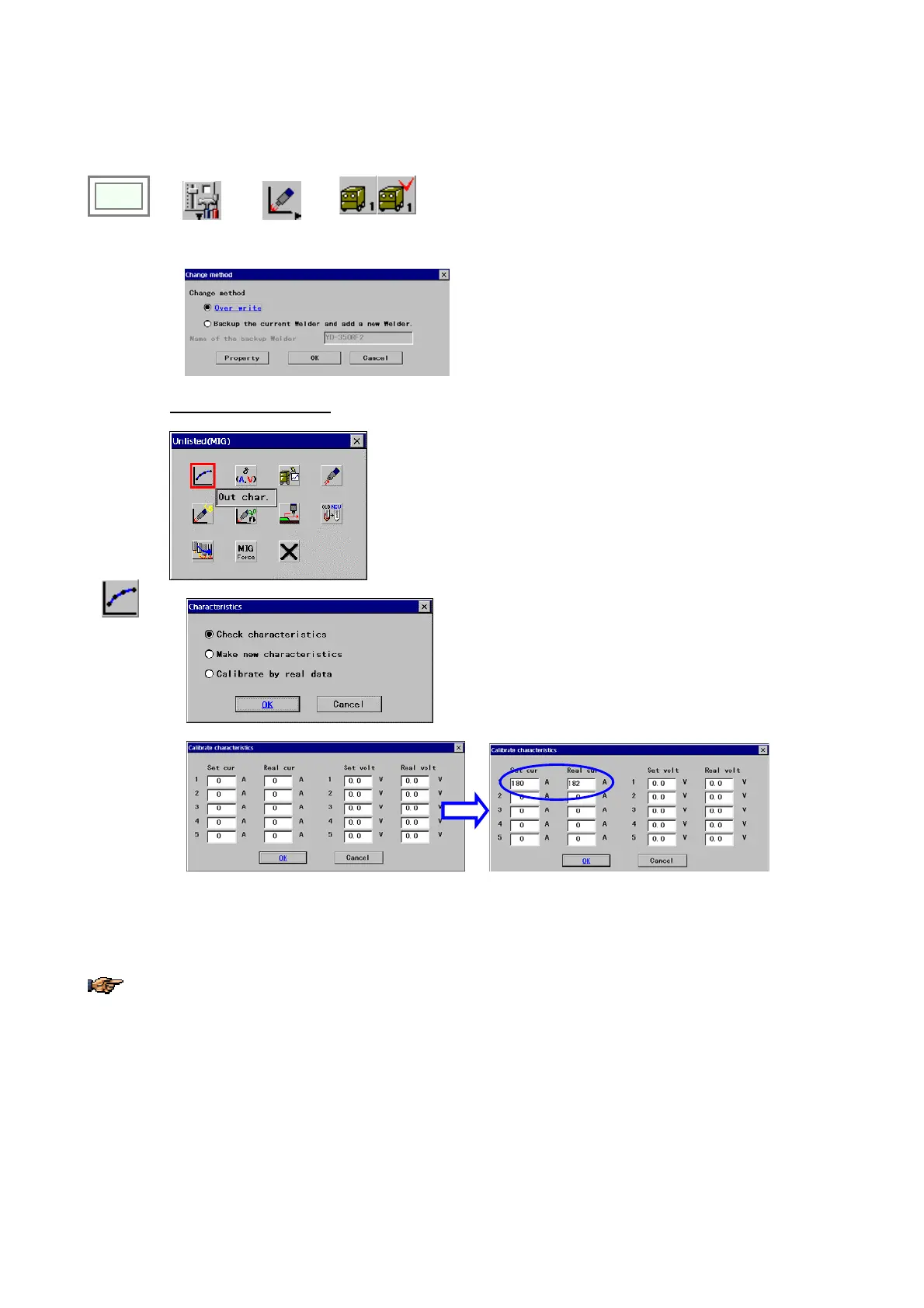
[Over write] Check this item to edit the current settings.
[Backup the current Welder and add a new Welder]
Check this item to make a copy of the currently defined
welder to add another welder. When you select this
item, you must specify the name of the welder you want
to make a copy of. ([Name of the backup Welder])
Example: Unlisted (MIG)
* Parameters vary with selected welder type.
Out Char
Î
Select “Check characteristics”.
(The example shows changes in case that the actual output current is 182A when the set value is 180A.)
Click the
OK
button to end.
Details of other items, please refer to section “Welder data settings for CO2/MAG/MIG welding.”








 To Next Page