12-4
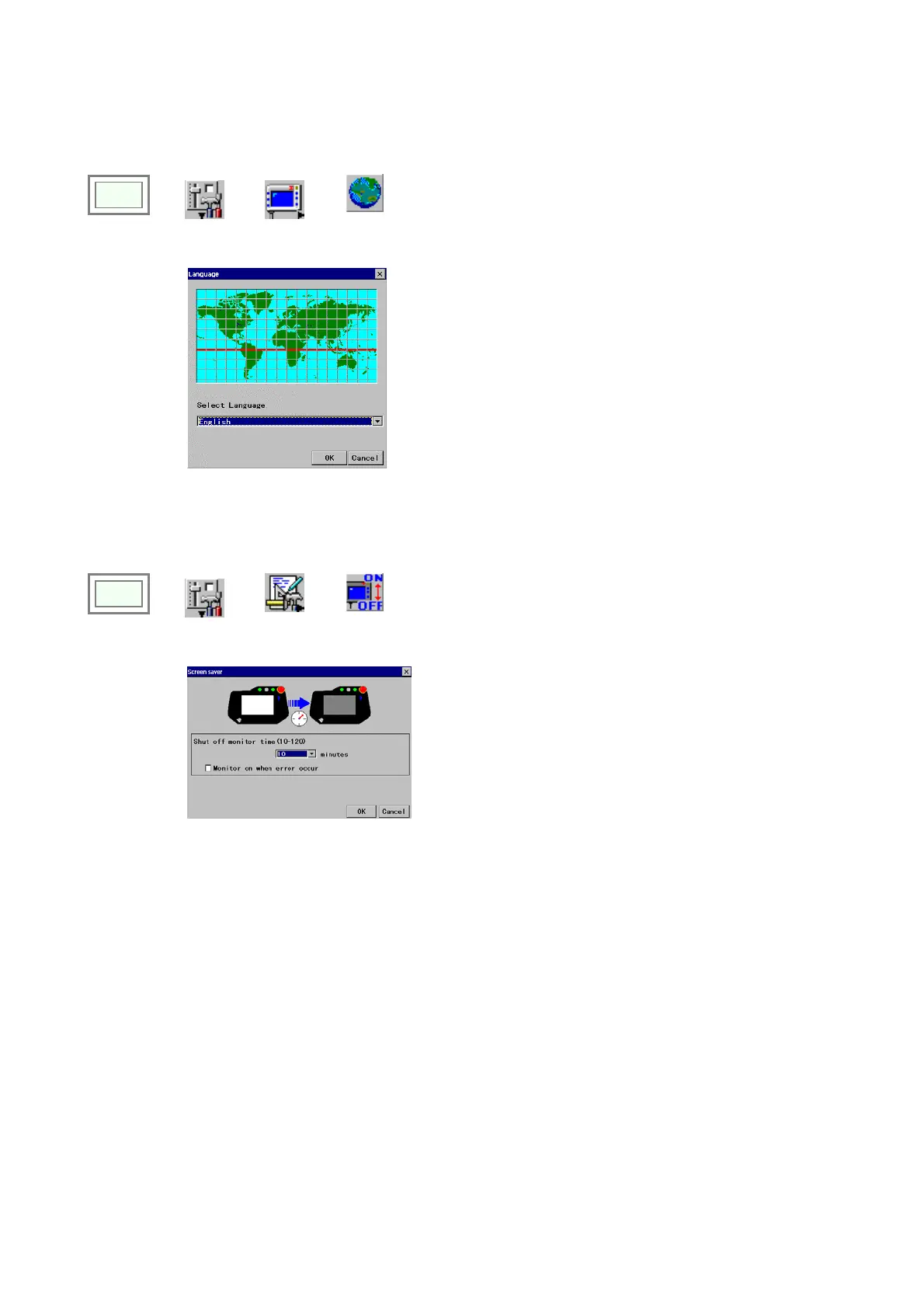
12-3. Language settings
It specifies the language to be used in menus, dialog boxes etc. (Japanese, English etc.)
Click
>>
Set
>>
TP
>>
Another
language
Î
[Select language] Specifies the menu language from
the list.
12-4. Screen saver settings
It is a function to lengthen service-life of the LCD by turning OFF the screen after a specified time duration of no operation.
Click
>>
Set
>>
Management
tool
>>
Screen
saver
Î
[Shut off monitor time (10-120)]
Specify how much
time (between 10 to 120 minutes) to wait for the next
robot operation before automatically switching off the
screen.
Select [Invalid] if you don't want the screen to be
switched OFF.
[Monitor on when error occur] Click it to turn ON the
screen when an error occurs.
This setting is available only when the shut off monitor
time is specified.








 To Next Page