15-7
15-2. Welder data settings (CO2 /MAG/MIG)
It is to set the parameters of each defined Panasonic welder.
Click
>>
Set
>>
Arc welding
>>
(
User specified
welder name
1)
Î
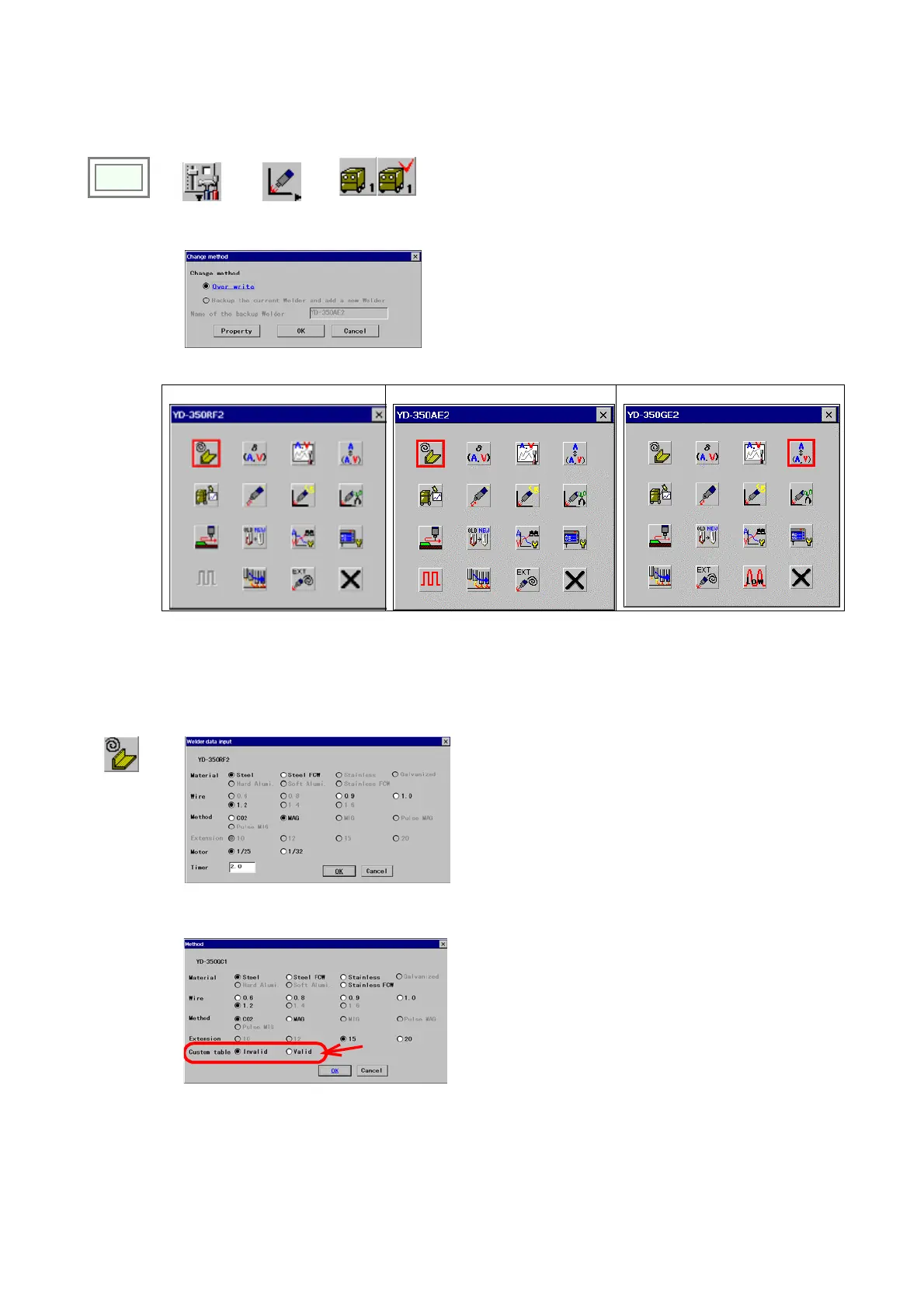
[Over write] Check this item to edit the current settings.
[Backup the current Welder and add a new Welder]
Check this item to make a copy of the currently defined
welder to add another welder. When you select this
item, you must specify the name of the welder you want
to make a copy of. ([Name of the backup Welder])
Exclusive setting menu for each Panasonic welding power source.
YD-350RF2 (CO2/MAG) YD-350AE2 (MIG) YD-350GE2 (Full digital MIG)
15-2-1. Wire/Material/Weld method
It is to specify material of the wire and welding method to be applied in welding operation.
Settings must be performed for each welders if more than one welder are connected to the robot.
Wire/Material/
Weld method
Î
[Material]
Specify the material of the wire to be applied.
[Wire] Wire size (diameter) to be applied.
[Method] Welding method to be applied.
[Motor] Specifies reduction rate of the wire feed motor.
[Timer] Specifies how much time the robot will wait
before detecting a NO ARC state. It is provided to
prevent chances to detect the unstable state
immediately after the arc start as a NO ARC error.
* Please note that any function that is not supported by the
welder connected to the robot is not selectable.
[Custom table] Set to Valid when you use a custom
table.
* Please note that only service level personnel can set the
custom table.








 To Next Page