15-14
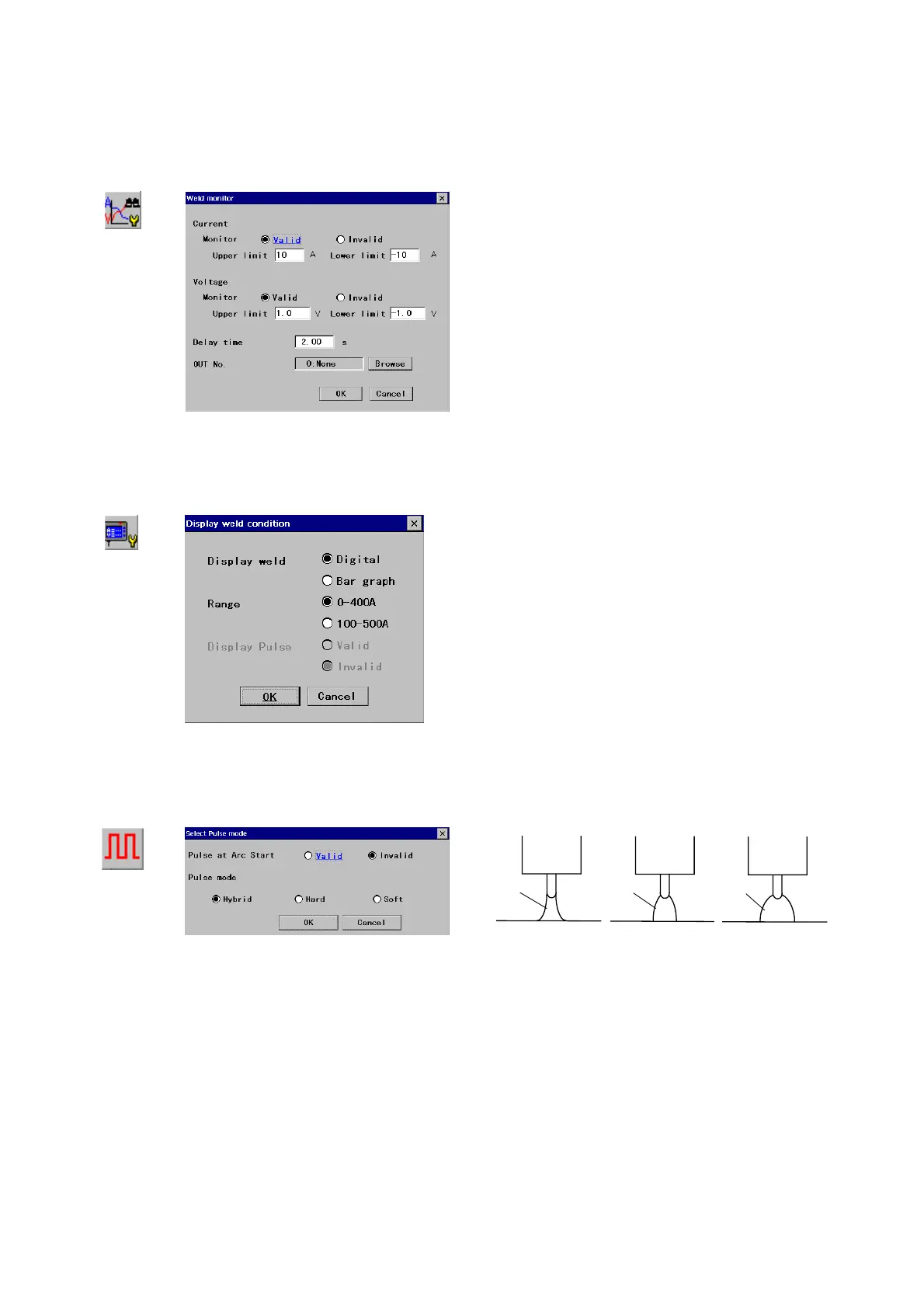
15-2-12. Weld monitor
It monitors whether the actual welding conditions are within the set ranges or not. This function is useful to maintain and
control welding quality.
Weld
monitor
Î
[Current]: Specifies whether to use this function (Valid)
or not (
Invalid). If valid, then specify the welding
current monitoring range. [Set range: -50 A - 50 A]
[Voltage]: Specifies whether to use this function (Valid)
or not (
Invalid). If valid, then specifies the welding
voltage monitoring range. [Set range: -5.0 - 5.0 V]
[Delay time]: Specifies how much time (in seconds) the
robot will wait before monitoring after the arc start.
[Set range: 0.5 - 5.0]
[OUT No.]: Specifies the output terminal when the robot
moves out of the monitoring range.
15-2-13. Display weld condition
It displays welding conditions (amperage and voltage) sent from the welding machine on the teach pendant.
Display
weld condition
Î
[Display weld]
Specifies how the welding conditions are
to be displayed.
[Range] Specifies the scale range to be displayed.
[Display pulse] Specifies whether to display the pulse
condition. (Make sure to set to ‘Invalid’ is the applied
welding machine does not support this function.)
15-2-14. Pulse settings
It is to set the default pulse mode of the connected pulse welding machine.
Set pulse
mode
Î
Hybrid mode
Torch
rc
Hard mode
Torch
rc
Soft mode
Torch
rc








 To Next Page