4-22
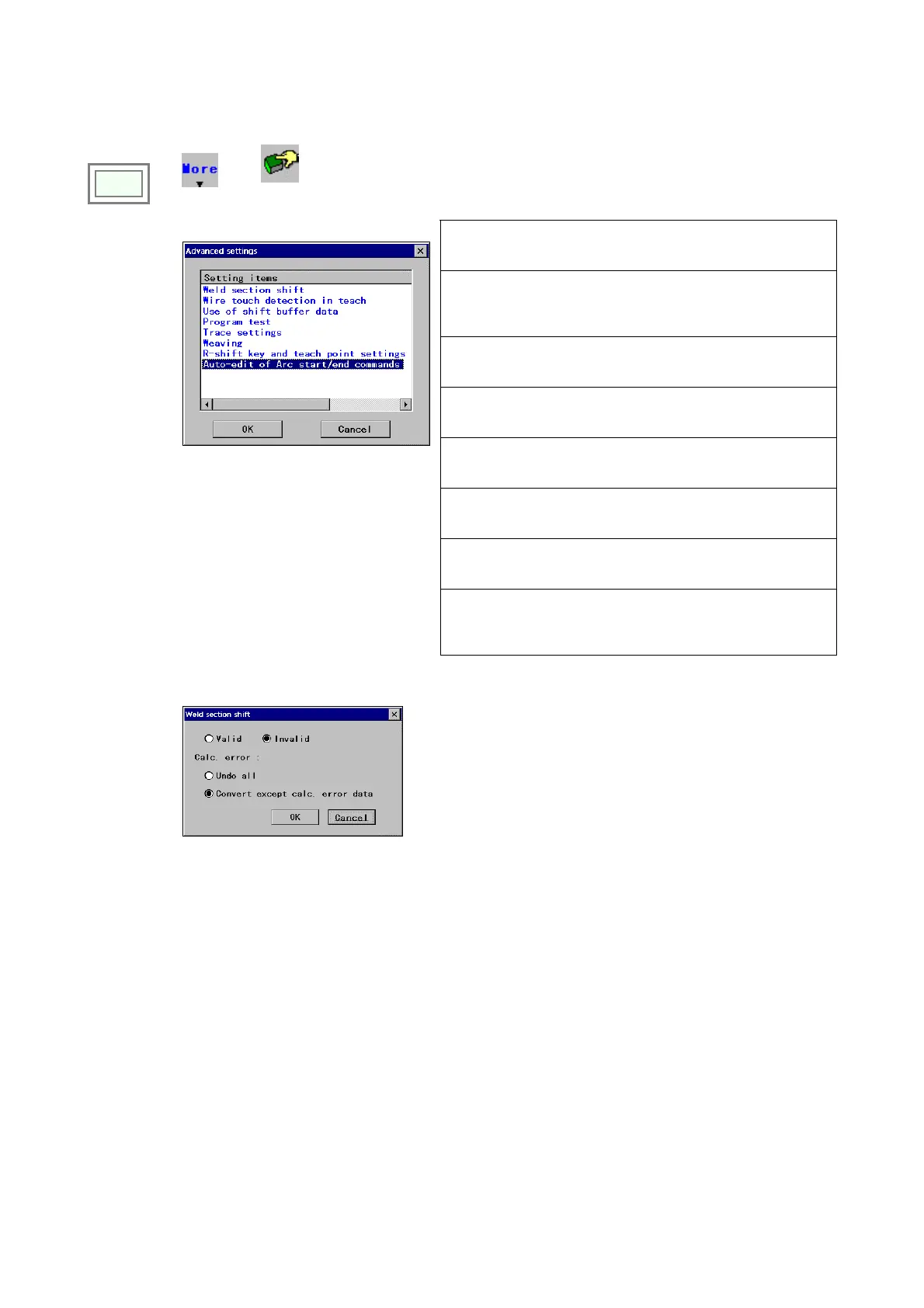
4-15. Advanced settings
It is settings for advanced functions available.
Click
>>
MORE
>>
Advanced
settings
[Weld section shift]
A function to shift all points of a welding section according to the
shift value of the welding start point automatically.
[Wire touch detection in teach]
*Available if the “Touch sensor (option)” is applied.
A function that enables the use of touch sensor in teaching
operation to reduce its teaching task.
[Use of shift buffer data]
A function to determine whether to execute shift processing, such
as sensing resut, in trace operation.
[Program test]
The program is tested by performing robot motion and actual
welding under the safety condition in TEACH mode.
[Trace settings]
A function that enables trace operation at the speed other than
teaching speed.
[Weaving]
A function that enables to specify weaving settings for each
teaching point individually.
[R-shift key and teach point settings]
It specifies how the confirmation dialog box is to be displayed at
teach point settings.
Î
[Auto-edit of arc start/end commands]
It specifies whether to display the confirmation box in case that a
significant change in program structure will be made by weld
sequence edit operation.
4-15-1. Weld section shift
Î
[Valid/Invalid] Specifies the validity of the function.
[Undo all] Select not to shift any point when a calculation error
occurs.
[Convert except…] Select to shift points except the points of
calculation error data.








 To Next Page