8-2
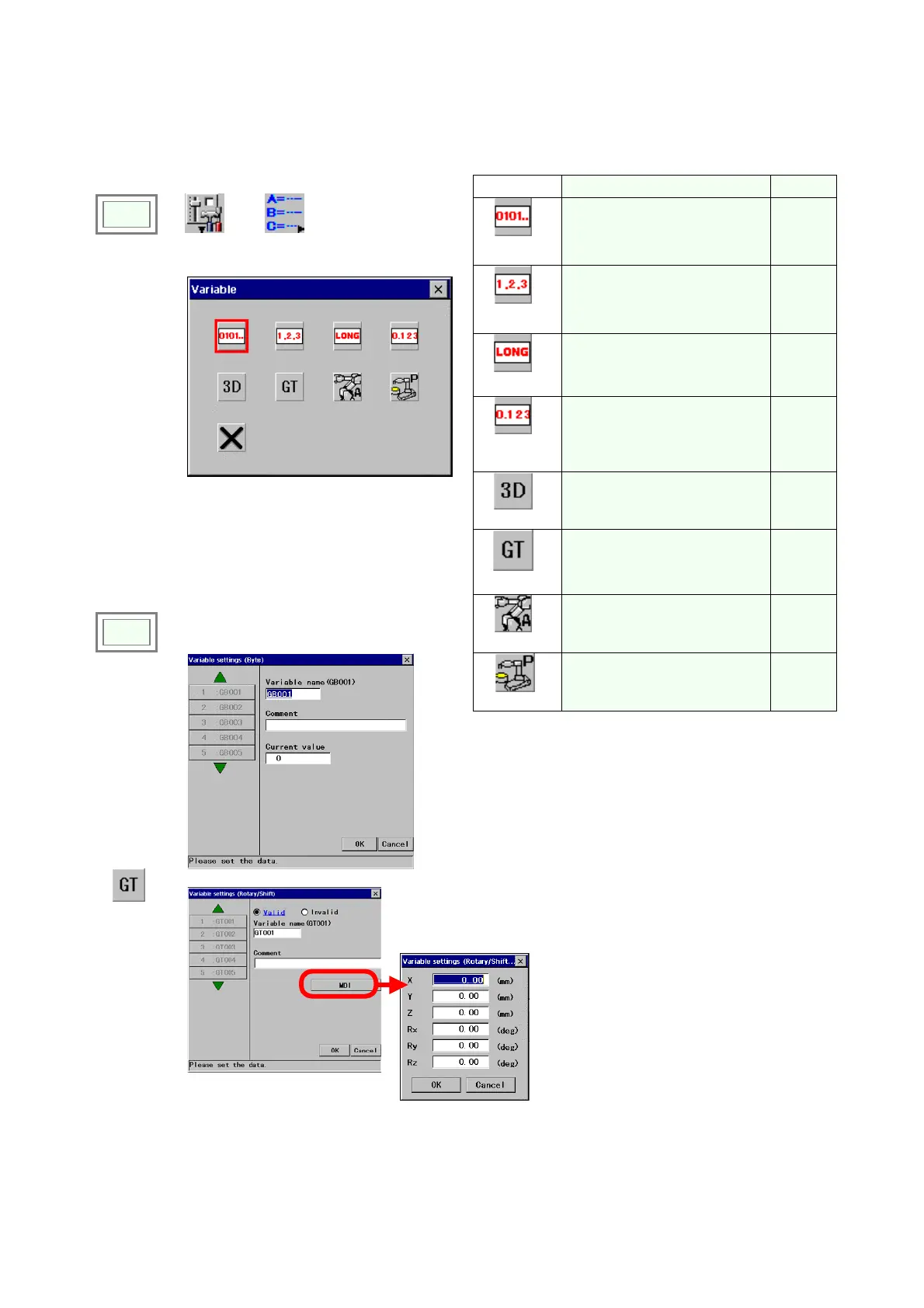
8-2. Global variable settings
It is to specify and register a variable name to be used as a global variable.
Icon
Description Q’ty
Byte
Sets 1-byte integer variable.
[Range: 0 to 255]
100
Integer
Sets 2-byte integer variable.
[Range: -32768 to 32767]
100
Long
Sets 4-byte integer variable.
[Range: -2147483648 to
2147483647]
100
Real
number
Sets real number variable.
[Range: -9999.999 to
9999.999]
100
3D
Sets three-dimensional
variable. (X, Y and Z)
100
Click
>>
Set
>>
Variable
Î
Rotary/Shift
Sets a rotary/shift variable the
rotary/shift conversion amount
is to be assigned to.
20
Click
>>
A desired variable button.
Robot
Sets robot variable.
100
Position
Sets teaching point variable.
100
Î
[Variable name] Displays the selected variable name
[Comment] Provides a space for you to add comment
about the variable. Comments can have up to 20
characters.
[Current value] Displays the current set value of the
selected global variable.
*
Rotary/Shift
Î
[X] Parallel shift amount in the direction of X axis.
[Y] Parallel shift amount in the direction of Y axis.
[Z] Parallel shift amount in the direction of Z axis.
[Rx] Rotary shift amount with reference to X axis
[Ry] Rotary shift amount with reference to Y axis
[Rz] Rotary shift amount with reference to Z axis.








 To Next Page