15-1
15. Arc welding machine settings
The settings available only for welding robots.
(1) Controller with Built-in welding power source
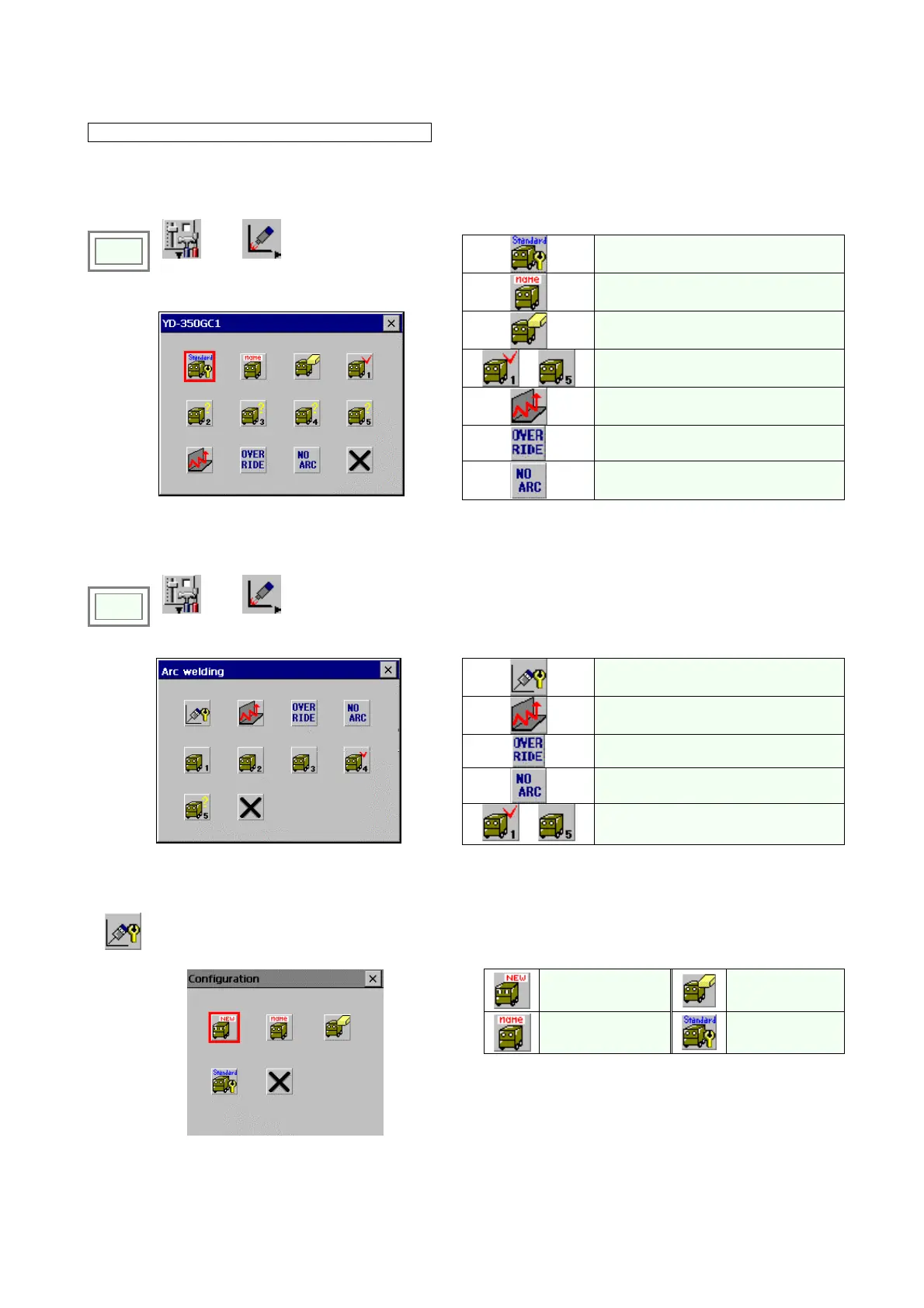
GX type robot controller has a following initial screen for arc welding settings.
Set welder characteristics.
Click
>>
Set
>>
Arc welding
Rename the welder characteristics.
Initialize the welder characteristics.
-
Set parameters of built-in welding
power source (up to 5 kinds)
Weaving settings
Override
Î
No arc detection
(2) Standard controller
An initial screen for standard G2 controller is shown below.
Click
>>
Set
>>
Arc welding
Configuration
Weaving
Override
No arc detection
Î
-
Welder settings
15-1. Configuration settings
It sets the environment of the connected arc welding machine in the robot.
You can specify up to five welding machines (Welder 1 to 5.) and save their setting data.
Add a welder
Delete a welder.
Rename a welder.
Set a welder as
Default
Configuration
Î








 To Next Page