4-29
Slope control for welding conditions
The slope control makes smooth transition of welding arc and welding bead.
Welding method Command Function
CO2/MAG/MIG
ARCSLP
Slope command for MAG/MIG welding condition
TIGSLP
Slope command for TIIG welding condition
TIG
WFDSLP
Slope command for filler wire feed speed
TIG/MIG Force
WSPDSLP
Slope command for wire feed speed
Note
Refer the details of the command to “Robot command” section in Advanced operation.
Smooth bead transition
Welding start/welding end sequence programs
Five sequence programs each for welding start and welding end are factory set at shipment.
They are stored ArcStart or ArcEnd sequence or “Teach settings”.
Refer to the later section “ArcStart or ArcEnd sequence” in this document for details of sequnce programs.
Arc-ON program ArcStart1 to ArcStart5
Arc-OFF program ArcEnd1 to ArcEnd5
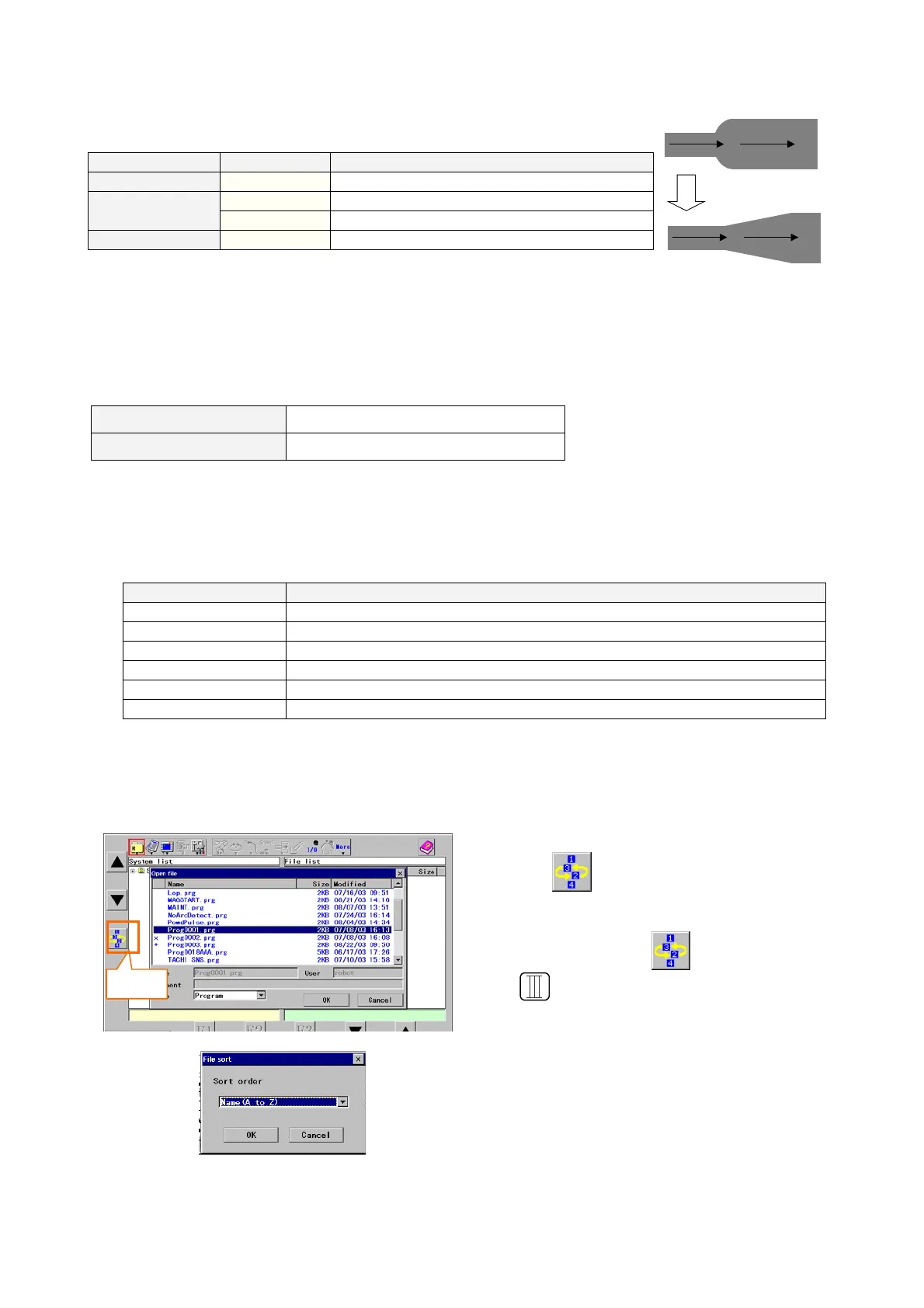
4-16-7. File sort
Files in the displayed file list (by File open operation or so on) can be sorted in the following orders.
Sort key Sorting order
Name (A to Z)
Alphabetical order* of file name. (from A to Z)
Name (Z to A)
Alphabetical order* of file name. (from Z to A)
Time (New to Old) In order of time (from latest to old)
Time (Old to New) In order of time (from oldest to new)
Size (Small to Big) In order of ascending size (small to big)
Size (Big to Small) In order of descending size (big to small)
* Alphabetical order applies the order of character code.
Name (A to Z): in order of “symbols”, “numbers” and then “alphabet A to Z”
Name (Z to A): in reverse order of the above. (i.e. alphabet Z to A, “numbers” and then “symbols”.
<Operating procedure>
Sort
Click the
(Sort) icon.
Note:
Sorting is available if the (Sort) icon appears on
the
key position while a list of files is displayed
on the screen.
Select a desired sort order, and then click OK.








 To Next Page