14-1
14. Management tool settings
14-1. User management settings
Attention!
Please make sure to remember your User ID and password. Remember the system monitors access.
So DO NOT give out your user ID or Password.
The robot is designed to administer all robot users individually.
Registration of a User ID allows the robot to record data based on the user logged onto the system.
By allocating User ID’s to personnel, their range of access to the system (i.e. program edit, system setup, etc.) can be
controlled.
User level Description Range of operation
Operator Robot operators Robot operation
Programmer Persons who are in charge of teaching Robot operation and teaching
System administrator Robot system administrators Robot operation, teaching and setting
Attention!
Only users of the system administrator level can set, change and delete all parameters.
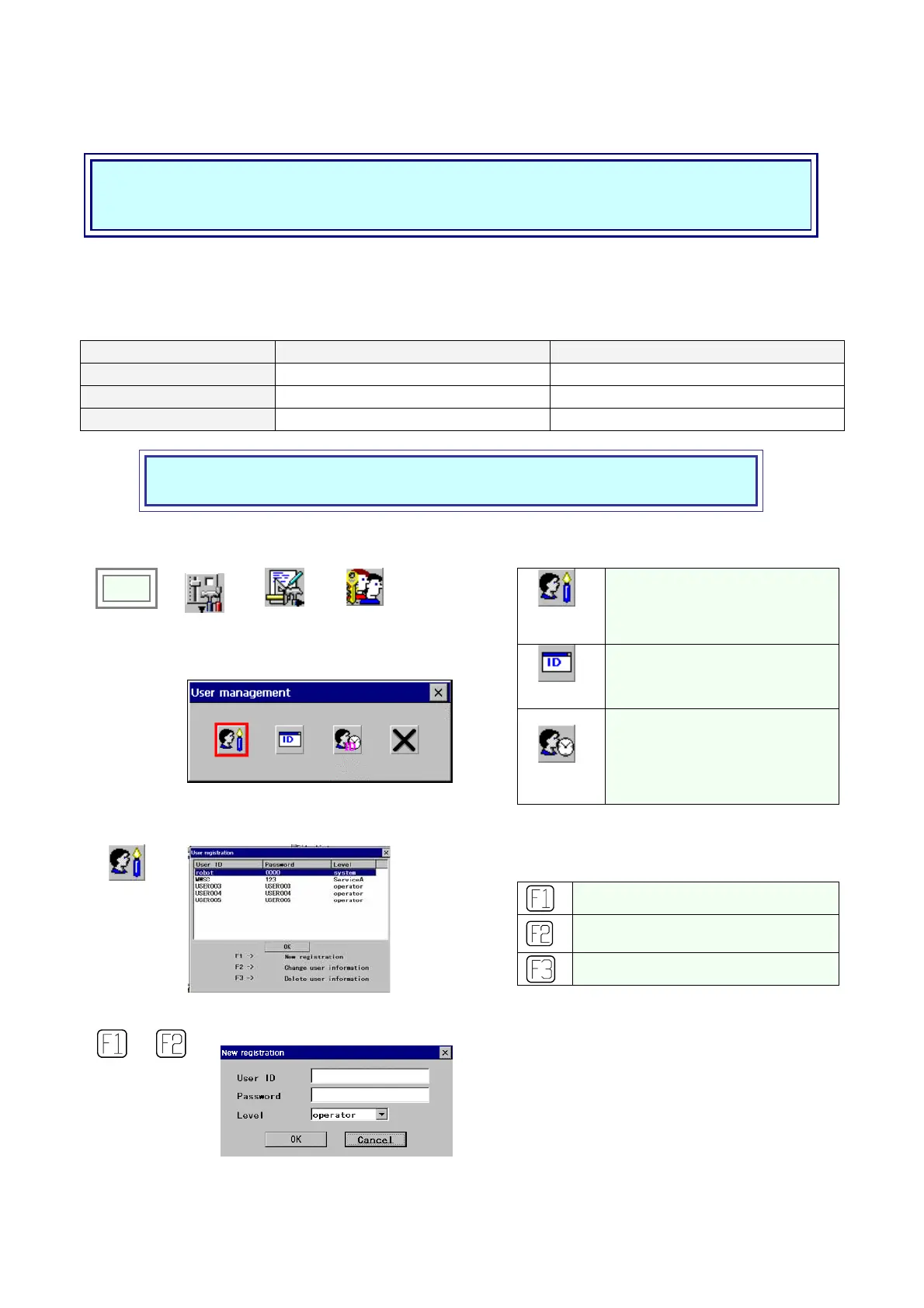
You can add or delete a user and also change the level of a user.
User
registration
Registers and changes user(s).
Auto login
Display the login dialog box at
power on
Click
>>
Set
>>
Management
tool
>>
User
management
Î
Auto logout
Monitors inactivity time and goes in
the operator level when that time
exceeds the time value. It’s
provided to prevent another user to
work on the current program.
(1) To register a user.
To register a new User ID
To change the registration data
(password, user level etc.).
To delete a User ID.
User
registration
Î
For a new registration or change.
or
Î
[User ID] User name
[Password] Login password
[Level] User level
· operator: Robot operators
· programmer: Programmers (do teaching
and editing programs)
· system: System administrators.








 To Next Page