4-26
4-16. Edit files (Basic operation)
While teaching or tracing, file edit operation make possible editing the current working program with operating keys on the
teaching pendant.
Turn OFF the
Robot
motion
OFF
icon lamp to edit files on the window of the teach pendant.
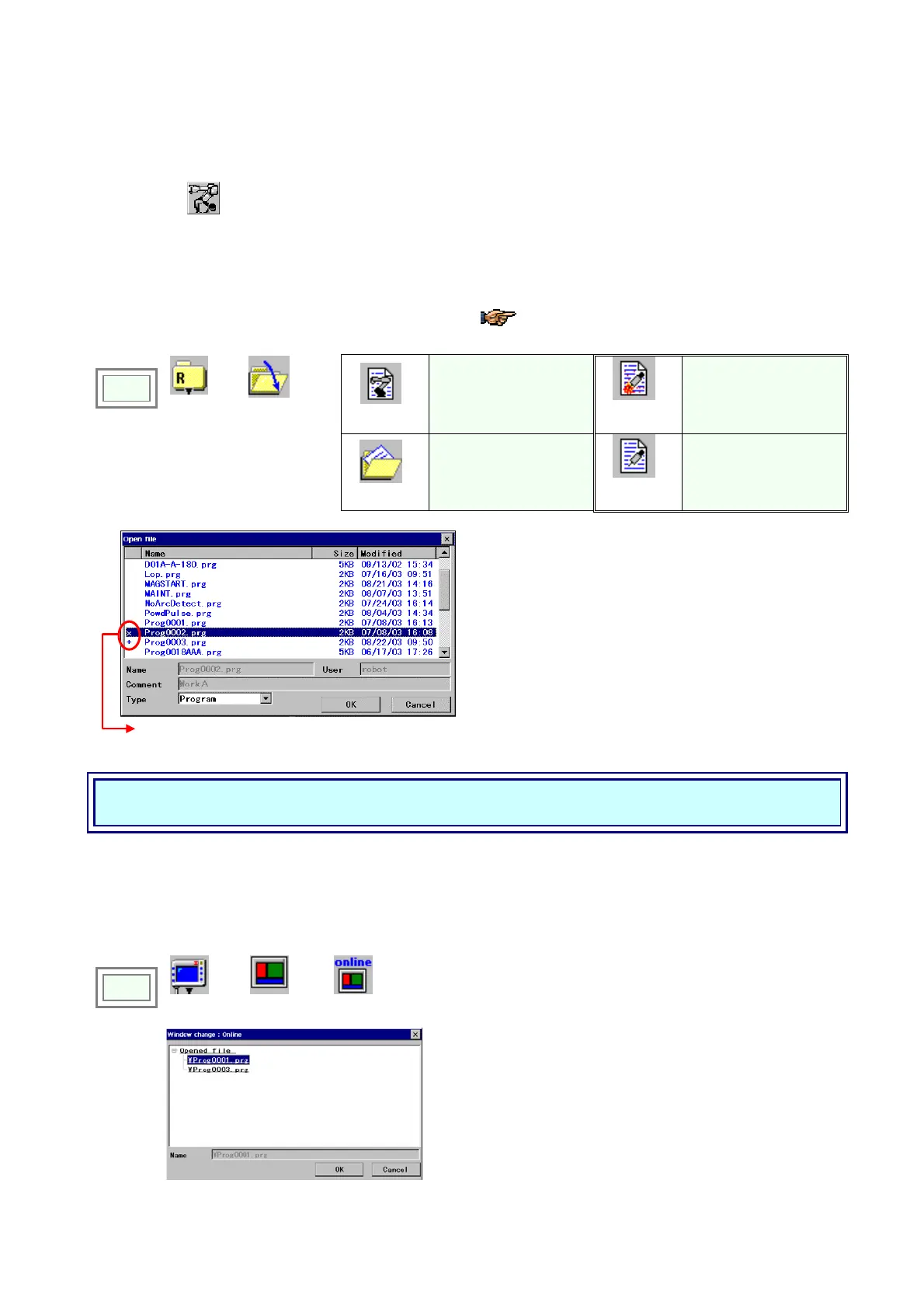
4-16-1. Open a file
To edit a file, you need to open the file you want to edit.
This procedure is necessary only if you want to
edit a file other than the current working
program.
Program
Displays a list of all
program files.
Arc start
program
files
Displays a list of arc
start program files.
(Welding spec.)
Click
>>
File
>>
Open
Recent
files
Displays a list of files
recently used in Teach
mode.
Arc end
program
files
Displays a list of arc end
program files.
(Welding spec.)
Jog the dial over the files and select the file you want to
open. Then click the jog dial to open the file.
Î
[Name] Specify the name of file to open.
[User] Indicates user name of the specified file.
[Comment] Indicates comments of the specified file.
[Type] Program/Arc start/Arc end
Symbols indicate those files are protected.
Please refer to section “File protect” for details.
Attention!
Unless otherwise specified, the explanation is on the premise that the file you want to edit is open.
4-16-2. Display a file on top of the screen
When you open more than one window, u se this function to display the specified file on top. You can edit the file that is
displayed on top.
Click
>>
View
>>
Window
>>
Operation
Î
A list of files currently open on the teach pendant appears.
Move the cursor to the file you would like to display on
top, and then click the OK button.








 To Next Page