CLUTCH
M6040, M7040, WSM
2-S6
5. DISASSEMBLING AND ASSEMBLING
[1] REMOVING PTO CLUTCH PACK AND HOLDER
(1) Separating Transmission Case
Separating Transmission Case
1. Refer to "(3) Separating Transmission Case" on page 3-S28.
2. Refer to "[2] DISASSEMBLING AND ASSEMBLING" on page
10-S33.
9Y1210143CLS0007US0
(2) PTO Clutch Pack and Holder
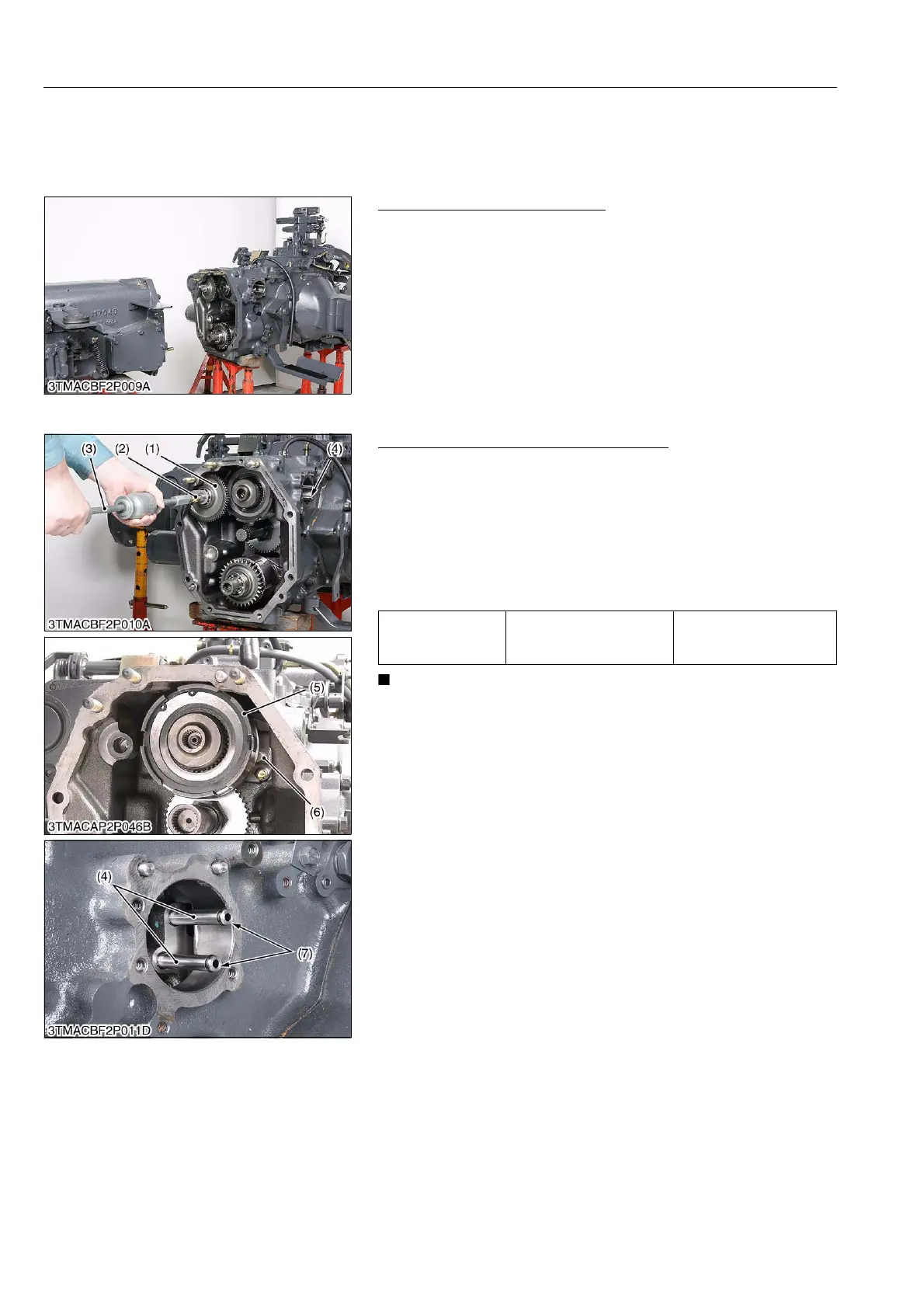
Removing PTO Clutch Pack and Holder
1. Remove the pin (2) with sliding hammer (3).
2. Take out the hydraulic pump drive gear (1).
3. Remove the pipes (4).
4. Remove the PTO clutch holder mounting screws.
5. Remove the PTO clutch (5) with holder (6).
(When reassembling)
• Apply transmission fluid to the O-rings (7).
• Replace the O-rings (7) with new one, if they are damaged.
• After assembling the PTO clutch assembly, be sure to
check the piston operation by air-pressure.
9Y1210143CLS0008US0
Tightening torque
PTO clutch holder
mounting screw
23.5 to 27.4 N·m
2.4 to 2.8 kgf·m
17.4 to 20.3 lbf·ft
(1) Gear
(2) Pin
(3) Sliding Hammer
(4) Pipe
(5) PTO Clutch
(6) Holder
(7) O-ring



 To Next Page