ELECTRICAL SYSTEM
M6040, M7040, WSM
9-S20
[7] METER PANEL
(1) Setting Mode (Select the PTO Display Mode Switching, Tractor Model
Select and Entering Travel Speed Coefficient)
• To perform the meter panel, the operator must be seated on the tractor.
9Y1210143ELS0033US0
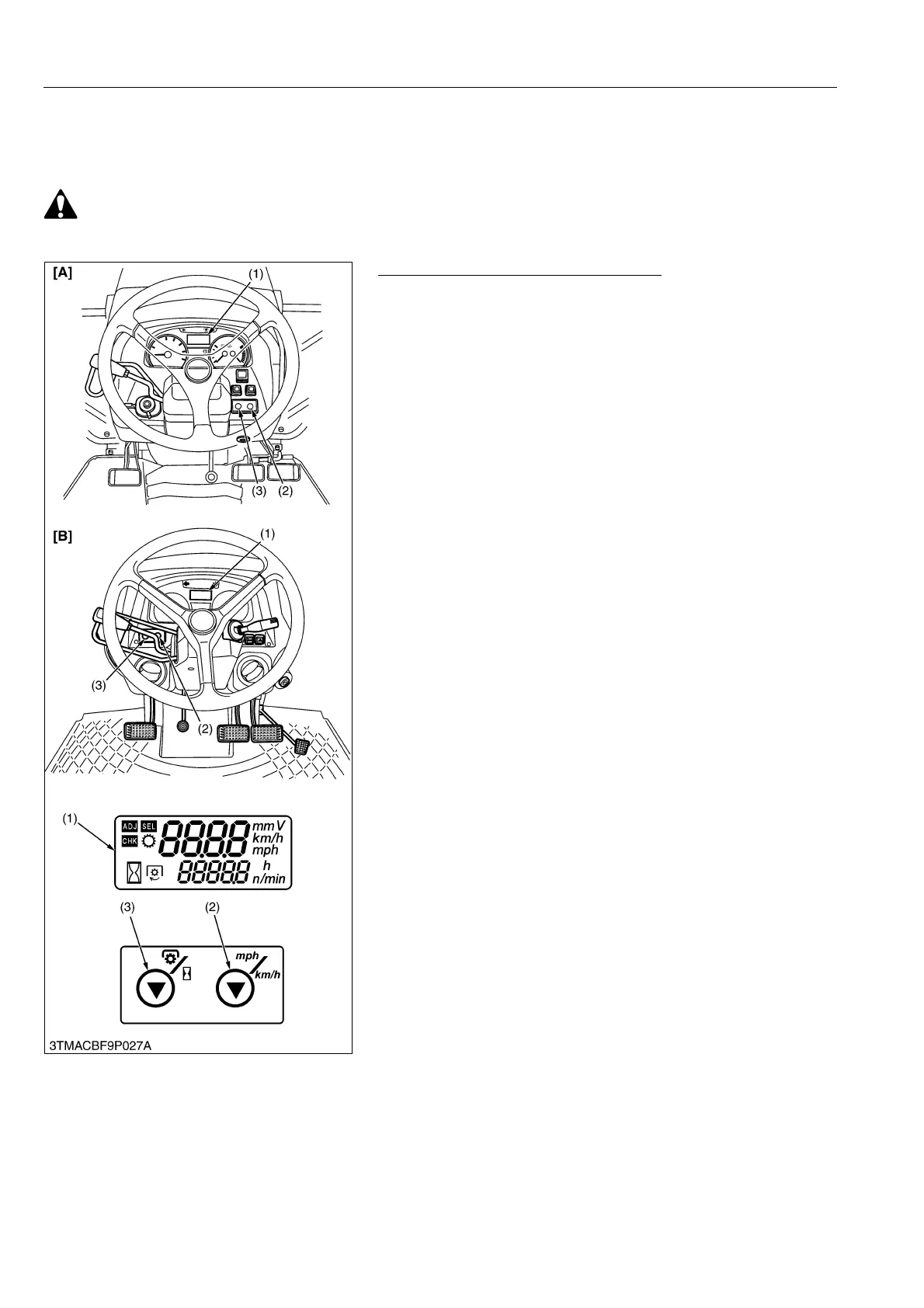
LCD Monitor Indication (Setting Mode)
The following settings and checking can be done by using the
LCD monitor (1), PTO/Hour meter select switch (3) and traveling
speed select switch (2).
1. Setting Mode:
Input the various dates (PTO speed display mode switching,
entering the traveling speed coefficient and model select) to the
meter panel.
2. Checking Mode:
Check a voltage of various sensor (fuel unit sensor, coolant
temperature sensor and monitor voltage (battery voltage)) or
rotation of engine.
9Y1210143ELS0034US0
(1) LCD Monitor
(2) Traveling Speed Select Switch
(3) PTO/Hour Meter Select Switch
[A] ROPS Model
[B] CABIN Model



 To Next Page