CABIN
M6040, M7040, WSM
10-S31
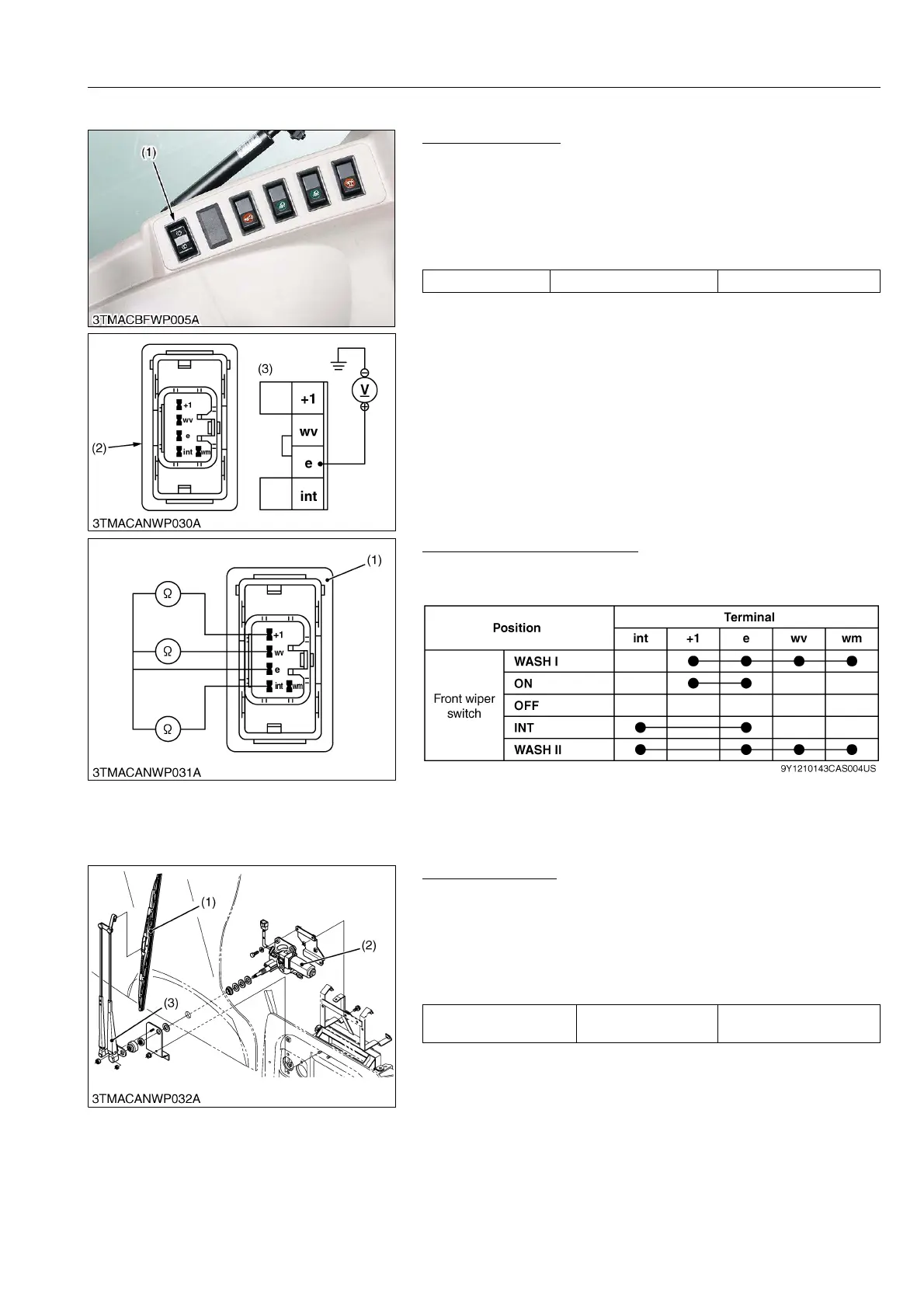
(11) Front Wiper Switch
Connector Voltage
1. Disconnect the 6P connector from front wiper switch (1).
2. Turn the main switch to "ON" position.
3. Measure the voltage with a voltmeter across the connector
terminal e of wiring harness side and chassis.
4. If the voltage differs from the battery voltage, the wiring harness,
fuse or main switch is faulty.
9Y1210143CAS0053US0
Front Wiper Switch Checking
1. Check the continuity through the switch with an ohmmeter.
2. If continuity specified below is not indicated, the switch is faulty.
9Y1210143CAS0054US0
(12) Front Wiper Motor
Front Wiper Motor
1. Raise up the front wiper arm (3).
2. Turn the main switch to "ON" position.
3. Push the front wiper switch to "ON" position.
4. Count the number of wiper arm rocking per minutes.
5. If the number differs from the factory specifications, replace the
wiper motor assembly.
9Y1210143CAS0055US0
Voltage Terminal e – Chassis Approx. battery voltage
(1) Control Panel
(2) 6P Connector (Switch Side)
(3) 6P Connector (Wire Harness Side)
(1) 6P Connector (Switch Side)
No. of wiper arm swing
frequency at no load
Factory specification 25 to 43 times/min
(1) Wiper Blade
(2) Wiper Motor
(3) Wiper Arm



 To Next Page