CABIN
M6040, M7040, WSM
10-S52
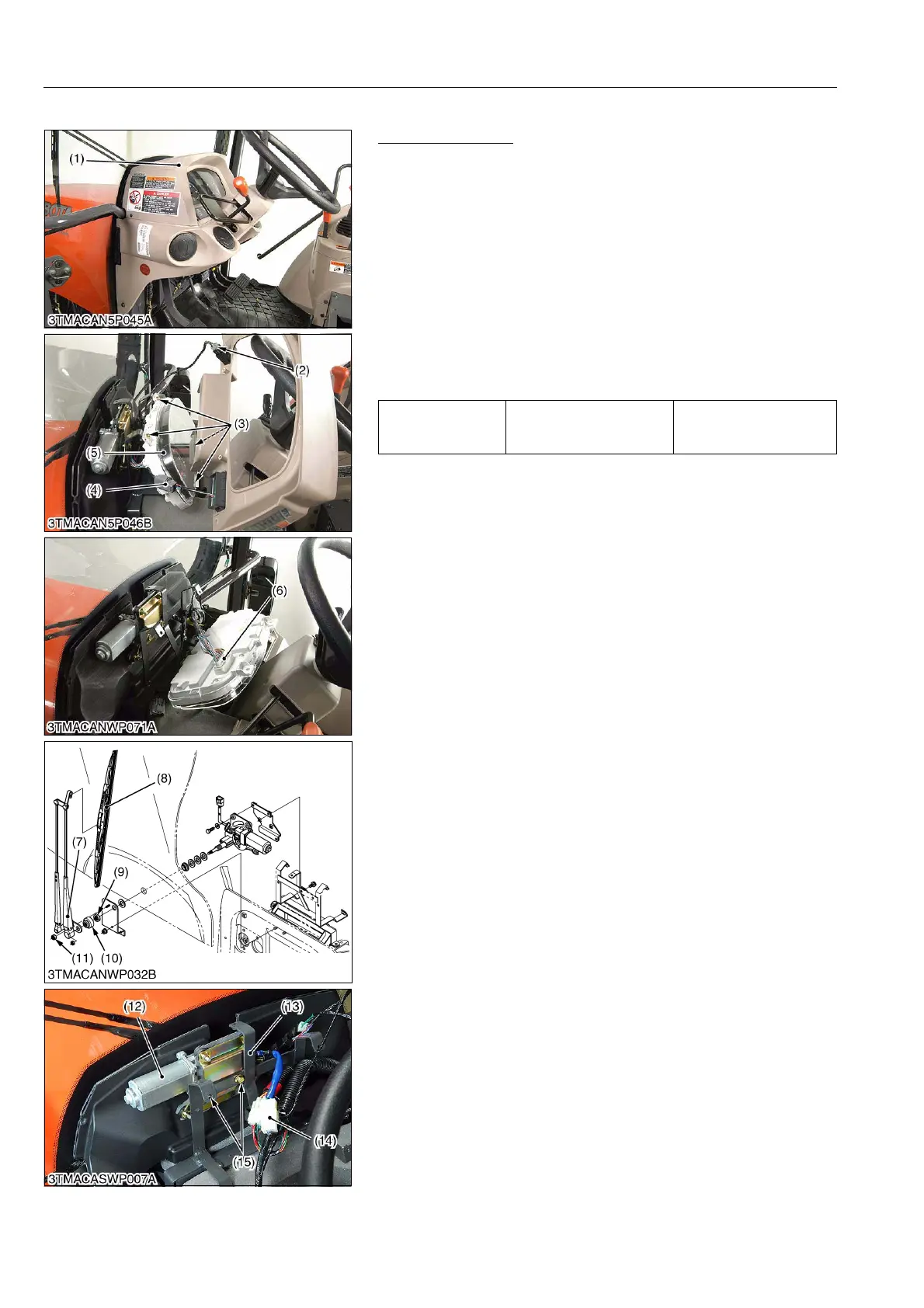
(7) Wiper Motor
Front Wiper Motor
1. Remove the panel cover (1).
2. Disconnect the 5P connector (2) from hazard switch.
3. Disconnect the 3P connector (4) from display switch.
4. Remove the meter panel (5) mounting screw (3).
5. Disconnect the 40P connector (6) from meter panel (5) and
remove the meter panel (5).
6. Disconnect the 4P connector (14) from front wiper motor (12).
7. Remove the wiper arm mounting nut (11) and wiper arm (7).
8. Remove the wiper link cap (10) and nut (9).
9. Disconnect the earth lead setting screw.
10. Remove the front wiper motor bracket (13) mounting screws
(15), then take out the front wiper motor (12).
(When reassembling)
9Y1210143CAS0096US0
Tightening torque Wiper arm mounting nut
6.3 to 9.3 N·m
0.7 to 1.0 kgf·m
5.0 to 6.9 lbf·ft
(1) Panel Cover
(2) 5P Connector (Hazard Switch)
(3) Screw
(4) 3P Connector (Display Switch)
(5) Meter Panel
(6) 40P Connector (Meter Panel)
(7) Wiper Arm
(8) Wiper Blade
(9) Nut
(10) Wiper Link Cap
(11) Nut
(12) Wiper Motor
(13) Wiper Motor Bracket
(14) 4P Connector (Wiper Motor)
(15) Screw



 To Next Page