GENERAL
M6040, M7040, WSM
G-80
[2] TREAD ADJUSTMENT
• When working on slopes or when working with trailer, set the wheel tread as wide as practical for
maximum stability.
• Support tractor securely on stands before removing a wheel.
• Do not work under any hydraulically supported devices. They can settle, suddenly leak down, or be
accidentally lowered. If necessary to work under tractor or any machine elements for servicing or
adjustment, securely support them with stands or suitable blocking beforehand.
• Never operate tractor with a loose rim, wheel, or axle.
9Y1210143GEG0116US0
(1) Front Wheels
Front tread width can be adjusted as shown with the standard
equipped tires.
To change the tread width
1. Remove the wheel rim and disc mounting bolts.
2. Change the position of the rim and disc (right and left) to the
desired position, and tighten the bolts.
3. Adjust the toe-in. (See page G-29.)
• Always attach wheels as shown in the figure.
• If not attached as illustrated, transmission parts may be
damaged.
• When re-fitting or adjusting a wheel, tighten the bolts to the
following torques then recheck after driving the tractor 200
m (200 yards) and thereafter according to service interval.
(See page G-22.)
• Wheels with beveled or tapered holes: use the tapered side
of lug nut.
(To be continued)
Toe-in Factory specification
2.0 to 8.0 mm
0.08 to 0.31 in.
Tightening torque
Front wheel
mounting nut
M16
259.9 to 304.0 N·m
26.5 to 31.0 kgf·m
191.7 to 224.2 lbf·ft
Front disc
mounting nut
M16
259.9 to 304.0 N·m
26.5 to 31.0 kgf·m
191.7 to 224.2 lbf·ft
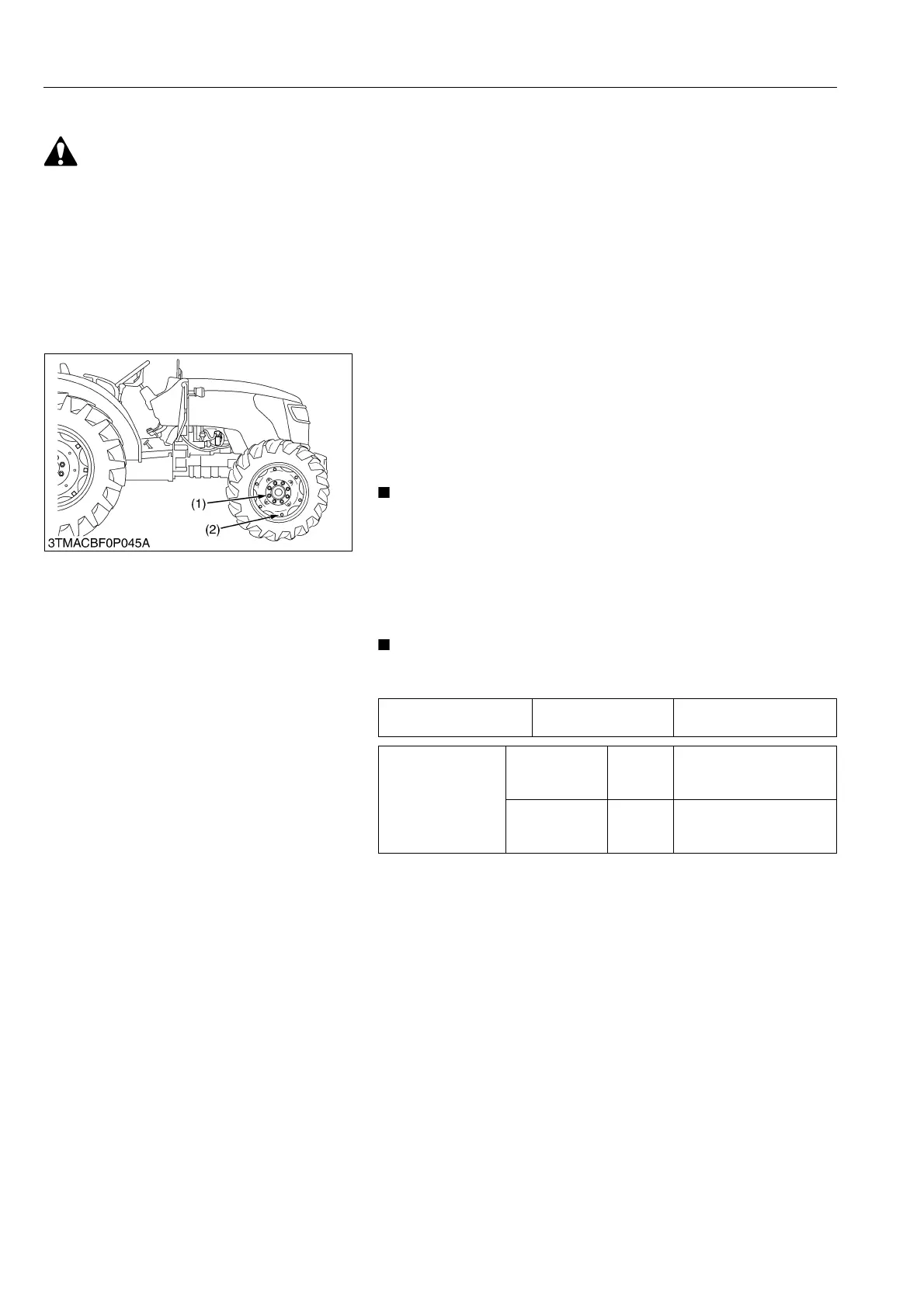
(1) Front Wheel Mounting Nut
(2) Front Disc Mounting Nut
(3) Front Wheel Disc
(4) Front Wheel Rim
(a) Tread



 To Next Page