CABIN
M6040, M7040, WSM
10-S28
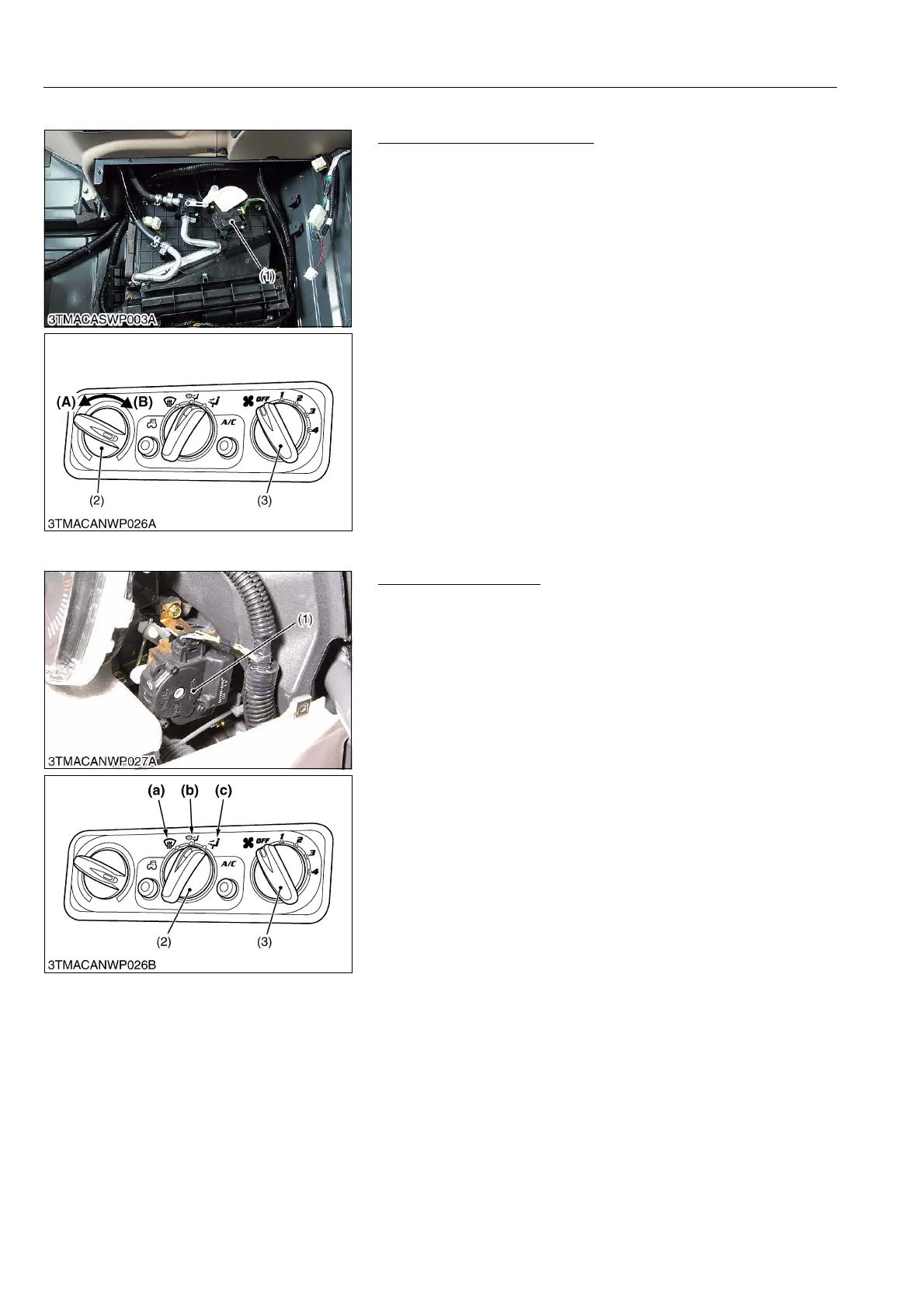
(7) Temperature Motor
Temperature Motor Checking
1. Confirm whether the temperature control dial (2) is defective.
(See page 10-S24.)
2. Turn the main switch to "ON" position.
3. Turn the blower switch (3) at 1 position.
4. Turn the temperature control dial from "COOL" position (A) to
"WARM" position (B). At the time, confirm the motor is
operating.
5. If the motor does not operate, replace it.
9Y1210143CAS0049US0
(8) Mode Motor
Mode Motor Checking
1. Confirm whether the mode switch (2) is defective. (See page
10-S24.)
2. Turn the main switch to "ON" position.
3. Turn the blower switch at 1 position.
4. Turn the mode switch each (a), (b) and (c).
5. Confirm whether the position where the mode motor (1) is
stopped synchronize with mode switch (2).
6. If the motor does not move, replace it.
9Y1210143CAS0050US0
(1) Temperature Motor
(2) Temperature Control Dial
(3) Blower Switch
(A) COOL
(B) WARM
(1) Mode Motor
(2) Mode Switch
(3) Blower Switch
(a) Air is blown from only the
defroster air outlet
(b) Air is blown the dashboard and
defroster air outlets
(c) Air is blown from only the
dashboard air outlets



 To Next Page