ELECTRICAL SYSTEM
M6040, M7040, WSM
9-M23
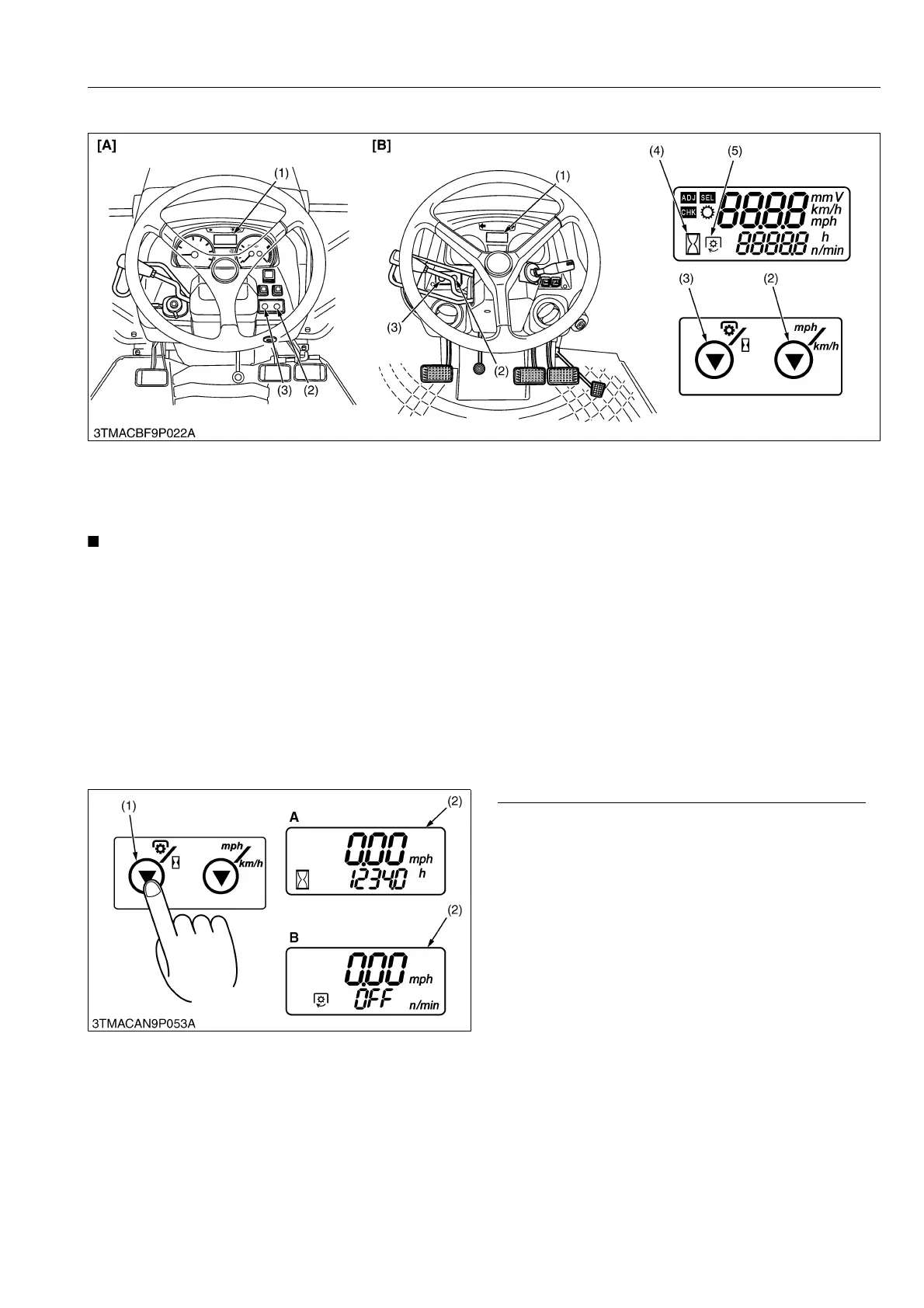
[3] LCD MONITOR INDICATION
The LCD monitor gives three different modes: "display mode", "setting mode" and "checking mode".
• The travel speed displayed when the wheels slip under traction is different from the actual one.
• In cold weather the LCD monitor response will normally be slower and the visibility be less, than in the
warmer weather.
9Y1210143ELM0023US0
(1) Display Mode
1. The LCD monitor gives two different modes: "traveling speed and hour meter" and "traveling speed and PTO
speed". Each time the PTO/Hour meter select switch is pressed, the mode is switched to the changing display.
2. To switch between "mph" and "km/h" for the traveling speed, use the traveling speed select switch.
3. The PTO clutch control lever works for the following automatic display modes.
• PTO clutch control lever "ON": traveling speed and PTO speed are displayed.
• PTO clutch control lever "OFF": traveling speed and hour meter are displayed.
9Y1210143ELM0024US0
Switching Hour Meter Mode and PTO Speed Mode
Press the PTO/Hour meter select switch (1) to
change the "hour meter mode" and "PTO speed mode".
(Hour meter mode)
• Traveling speed and total operating hours are
displayed.
• The hour meter indicates in five digits the hours the
tractor indicates in five digits the hours the tractor
has been used; the last digit indicates 1/10 of an
hour.
• The multiplication of the hour meter starts when the
engine start and detect the engine rotation sensor
signal.
(PTO speed mode)
• Traveling speed and PTO speed are displayed.
• When the PTO clutch control lever is in "OFF"
position, "OFF" is displayed.
9Y1210143ELM0025US0
(1) LCD Monitor
(2) Traveling Speed Select
Switch
(3) PTO/Hour Meter Select
Switch
(4) Hour Meter Indication
(5) PTO Indication [A] ROPS Model
[B] CABIN Model
(1) PTO/Hour Meter Select
Switch
(2) LCD Monitor
A: Hour Meter Mode
B: PTO Speed Mode



 To Next Page